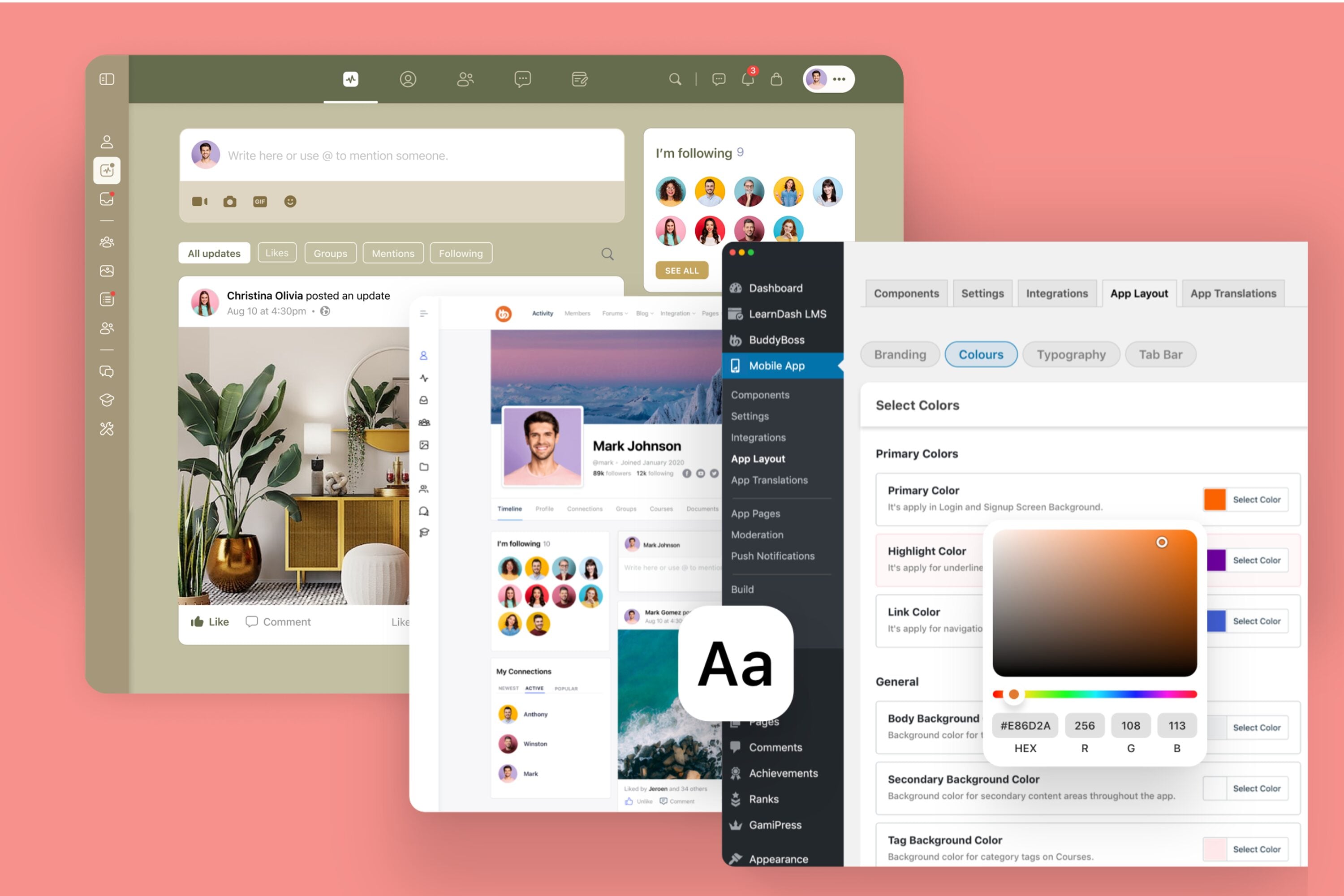
Building a thriving online community requires more than just installing BuddyBoss. Success comes from strategic customization tweaks that boost user engagement, retention, and long-term growth.
With over 50,000+ communities worldwide, BuddyBoss has become one of the leading solutions for online communities, membership sites, and e-learning platforms.
BuddyBoss customization options give you the flexibility to transform a basic setup into a highly engaging, branded ecosystem your members will love.
The latest BuddyBoss Platform (2.9.30- August, 2025) makes these customizations even more impactful, with:
- Improved React Native integration for mobile apps
- Enhanced REST API endpoints
- Performance optimizations for faster communities
Thus, we have created a guide to help you understand 15 powerful BuddyBoss customization strategies and how to use it to maximize engagement and scale your community.
Note: Explore our DFY Web and DFY App pages for advance customization- best way to get your job done the right way.
15 BuddyBoss Customization Opportunities for Web & App
Unlocking the full potential of your BuddyBoss-powered community requires mastering both web and app customizations.
The following fifteen buddyboss customization techniques will help you tailor most aspects of your platform, ensuring a seamless, branded, and highly engaging experience for your members across devices.
Build a Strong Foundation
Establishing a solid foundation with strategic branding and essential engagement pages sets the tone for a successful BuddyBoss community.
1. Custom Branding That Resonates
Custom branding is an important foundation for community success. With the BuddyBoss Theme & Platform Pro (web), you can configure different logos for desktop and mobile, including light/dark mode variants, ensuring brand consistency across devices.
Buddyboss customization extends to features like dark mode logos, especially for LearnDash and LifterLMS integrations, are easy to enable and make the platform more accessible for users who prefer reduced eye strain during learning sessions.
Meanwhile, assigning unique colors to different member roles or group types, such as gold for teachers and blue for students, helps with immediate role identification and strengthens the visual hierarchy of your community.
Uploading custom Google Fonts or your own brand fonts ensures uniform typography and supports the diverse character sets needed for international communities. Taking these steps guarantees that every member, from their very first interaction, experiences a professional and consistent brand presence.

2. Core Engagement Pages That Drive Participation
Setting up core engagement pages is equally important for driving member participation. Begin by creating distinct Profile Types like Coaches, Students, and Mentors and enrich them with custom fields that reflect user roles.
You can use specialized shortcodes, such as [profile_type type=”teacher”], to generate targeted profile pages for specific member groups.
Explore BuddyBoss Profile Type Video Tutorial-
Also, optimizing your community’s activity feeds with strategic filtering options and collapsed replies enhances readability, making it easier for members to find and interact with relevant content.
Here’s a detailed Video Tutorial on Filtering and Sorting-
Note: This feature is available on both BuddyBoss Web and App.
Finally, adjusting the performance tab settings to lower load requests will dramatically improve mobile speed, creating a smoother experience for all users.
A detailed Video Tutorial on Performance settings-
Optimize Designs & Layouts
Enhancing your community’s visual appeal and user experience through flexible design tools and intuitive navigation keeps members engaged and coming back.
3. Customize with Elementor and its Addons
BuddyBoss offers official integration with Elementor, one of the most popular WordPress page builders. With Elementor (and its popular add-ons like Element Pack), you can easily create custom landing pages, blog layouts, course pages, headers, and footers, all styled to match your brand. Learn more about Elementor setup.
BuddyBoss also provides its own set of prebuilt sections, widgets, and full-page templates that you can drag and drop to design polished community pages in minutes.
For advanced use cases, you can use the Elementor Theme Builder to design global elements like headers and footers across your community. BuddyBoss even includes special templates such as a member dashboard that can be customized entirely in Elementor, giving members a tailored experience from the start.
See Elementor Theme Builder guide and Elementor Member Dashboard setup.
Note: while Elementor offers extensive design freedom, it cannot override core community views such as activity feeds, member profiles, or group home screens. These are controlled by BuddyBoss to maintain functionality. Check the doc for details on limitations.
Also, when optimizing profile visuals, settings such as an avatar width of 170px, a border radius of 30px, and a subtle shadow effect help create a polished and professional appearance for every user.

Remarkably, these customization strategies have contributed to notable outcomes for instance, the British Martial Arts Association (BuddyBoss Platform user) achieved an impressive profile completion rate among its members after implementing these tweaks.
4. Navigation for Intuitive Journeys
Creating intuitive navigation is equally essential to support seamless user journeys.
Customizing the BuddyPanel allows for mobile-specific navigation that adapts efficiently to different screen sizes and behaviours.
The App Tab Bar can be fine-tuned by prioritizing the four most important icons and using a smart “More” menu to house additional features without cluttering the interface.

Role-based menus are another valuable approach, ensuring that administrators and regular members see relevant navigation options based on their access and responsibilities.
Additionally, configuring different menus for logged-in and logged-out users helps streamline the experience, guiding members and visitors intuitively through your community platform.
Member Profiles & Social Features
Advanced profile customization and interactive social features foster deeper connections and sustained member participation.
5. Advanced Profiles with Custom Fields
Advanced member profiles, a key benefit of buddyboss advance customization, allow you to add dynamic profile fields such as age calculators, image uploads, registration tokens, and oEmbed support for videos.
These capabilities enable members to showcase more about themselves and create richer, more interactive profiles.
You also have the ability to set granular visibility controls for each field, making some information public, others visible only to friends, and certain fields restricted to private viewing so users feel secure sharing details on their profiles.

To further encourage engagement, displaying profile completion progress bars effectively gamifies the onboarding process, motivating members to fill out their information and explore more features within your community.
6. Social Features That Spark Engagement
- Enable enhanced activity feeds with auto-refresh and instant comments. (Live typing indicators require additional custom development or third-party integration.)
- Add nested comments, likes, reactions, edit controls
- Introduce comment closing & notification opt-outs for admin/user control
Learn About Activity Feeds – Unveiling the New Activity Feed in BuddyBoss!
Note: Live typing requires custom development or 3rd party integration.
7. Groups & Messaging Systems
- Structure parent and subgroup hierarchies (e.g. University → Departments)
- Add group fields/filters for easy navigation
- Enable rich messaging (GIFs, docs, formatting, group chats)
- Use FluentCRM for automated group-based messaging campaigns
A guide on how to allow Group Messages on BuddyBoss Platform.
Note: For automated group-based messaging campaigns you to integrate BuddyBoss Platform With FluentCRM
Engagement & Gamification
Implementing gamification elements and automated notifications motivates members to stay active and contribute consistently.
8. GamiPress & BadgeOS Integration
The integration of GamiPress and BadgeOS allows you to implement a comprehensive achievement system within your BuddyBoss community.
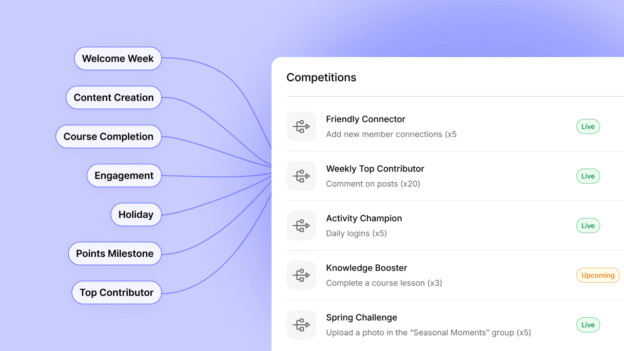
You can award points for various member activities such as logging in, creating posts, and making valuable community contributions. Moreover, leaderboards can be set up to display rankings on a daily, weekly, or monthly basis, fostering a sense of competition and motivation among members.

Progress bars and achievement showcases integrated into member profiles provide visual feedback that highlights individual accomplishments and encourages further participation.
Everything About GamiPress + BuddyBoss Integration, From setup to creating point types- Detailed Guide
9. Automated Notifications That Keep Members Active
Automated notifications are another central aspect of buddyboss advance customization. These Automated notifications can be configured via integrations such as OneSignal and FluentCRM.
OneSignal push notifications maintain high opt-in rates, while custom drip email campaigns with behavioral triggers support timely and relevant outreach.
To prevent notification fatigue and spam, the “Skip Active Members” feature can be enabled, which excludes users who have been recently active from receiving redundant alerts.
Additionally, customizing email drip campaigns with personalized templates and behavioral triggers allows you to nurture member engagement strategically, delivering targeted and relevant messages that resonate with individual users.
10. Strategic CTAs That Convert
- Place CTAs in activity feeds, course milestones, group discussions
- Use A/B testing for button design, CTA text, and timing
- Example: “Claim Your Badge” CTAs increase engagement
Content & Interaction Features
11. Personalized App Experiences
You can customize the app’s branding by configuring splash screens, headers, and navigation elements to reflect your unique identity and style.
When configured, the BuddyBoss App supports limited offline access for specific course materials and documents. General community features require an internet connection.
Additionally, enabling in-app purchases and notifications provides a smooth payment experience and keeps users informed and engaged through timely alerts.
Explore in-App Purchases Video Guide below-
12. Content Moderation That Builds Trust
Building trust within the community requires effective content moderation. BuddyBoss offers built-in moderation settings that support user reporting and blocking to maintain a safe and respectful environment.
Automated scanning tools like Akismet help identify and filter out inappropriate content, while manual review and escalation policies ensure that flagged issues are addressed promptly and fairly.
To comply with App Store regulations, it is essential to implement a clear moderation workflow that meets platform requirements, helping your community stay accessible and reputable on mobile app stores.
13. Interactive Content: Events, Courses, Discussions
- Integrate LearnDash + BuddyBoss for group-linked courses
- Add certificates, course forums, and gamification triggers
- Use Events Calendar and display events directly inside activity feeds
Project Life Mastery University applied these customizations for 24,000+ students, boosting engagement significantly.
Listen from the Owner of Project Life Mastery about BuddyBoss-
Client Story: Project Life Mastery’s New eLearning Platform
Scaling With Advanced Integrations
Dynamic content and robust moderation tools create a vibrant, safe environment where members can actively learn, share, and collaborate.
14. Key Third-Party Integrations
Key third-party integrations significantly extend the functionality of your BuddyBoss community.
- MemberPress provides robust subscription-based access management and integrates seamlessly with BuddyBoss to control membership levels and permissions.
- WooCommerce, through the WC4BP extension, adds shop tabs to user profiles, displays purchase histories, and synchronizes customer data to enhance e-commerce experiences within the community.
- FluentCRM offers powerful marketing automation capabilities with drip campaigns and behavioral triggers that help nurture and engage members effectively.
Learn More ABout BuddyBoss’s Integration With 100s Plugins and Apps
15. Performance Automation Workflows for Re-Engagement
By segmenting users based on behaviours, such as course learners versus community posters, you can tailor campaigns that resonate with their interests.
Also, Triggered re-engagement campaigns target activities like abandoned participation or significant milestone achievements, encouraging users to return and stay active.
Performance Optimizations for Growth
- For very large-scale communities, additional server resources may be required beyond typical BuddyBoss setups. For example, some enterprise communities have scaled successfully using configurations like 32 CPU cores and 128GB RAM- but these numbers are illustrative only and will vary depending on your site’s size, traffic, and optimization strategy.
- Optimize databases (MySQL indexing, cache API, Percona tuning)
- Use PerfMatters, New Relic APM, and selective loading to cut load times
Explore our post on recommended BuddyBoss hosting to choose right hosting partner and give your site a go.
FAQs on BuddyBoss Customization and Tweaking
Does BuddyBoss support real-time chat?
Yes, BuddyBoss includes private and group messaging. For real-time indicators (typing, instant presence updates), you’ll need a third-party integration such as Pusher. It makes interactions fast and engaging across both web and app platforms.
Can I add my own branding to the mobile app?
Absolutely. BuddyBoss offers extensive options for adding your own branding to the mobile app. You can customize splash screens, icons, color themes, headers, navigation, and even upload your own logos, ensuring a seamless and professional brand experience for your users.
How do notifications work in BuddyBoss?
BuddyBoss provides flexible notification systems across web and mobile. Members receive real-time push notifications for activity updates, messages, achievements, and reminders. Integration with services like OneSignal enables targeted notifications, while settings allow users to control frequency and content, ensuring relevant and timely alerts without overwhelming members.
Customizing BuddyBoss: Continuous Improvement for Lasting Success
BuddyBoss isn’t just a community platform, it functions as a powerful growth engine when customized strategically.
To maximize your results, it’s essential to track key performance indicators such as Daily Active Users (DAU), Monthly Active Users (MAU), session duration, and interaction rates.
Monitoring gamification metrics like badges earned and leaderboard participation provides valuable insights into member engagement.
Additionally, continuously performing A/B tests on calls-to-action, page layouts, and notification strategies helps refine your approach and improve outcomes.
With ongoing Buddyboss customization and tweaking, your platform can become a scalable, highly engaging community that drives sustained member participation and growth, you can transform your BuddyBoss setup into a scalable, highly engaging community that drives sustained member participation and growth.
Explore BuddyBoss Pricing at a glance!


-
 Article
 Article
- Building Your Online Community