You’ve built a thriving paid community, and new members are joining regularly.
To create an even better experience, it’s important to streamline daily operations from managing payments and sending welcome emails to updating access levels and tracking engagement.
By automating these essential tasks, you’ll free up valuable time, reduce errors, and set your community up for long-term growth and member satisfaction.
The subscription economy grew by 435% in less than a decade. It reached $650 billion in 2024. By 2025, it will hit $1.5 trillion. Yet most community owners still manage everything by hand.
The difference between thriving communities and struggling ones? Smart integrations.
Integrations for paid communities connect your tools so they work together. They automate boring tasks. They create smooth experiences for members. And they free you to focus on what matters, building relationships and creating content.
This guide covers the essential integrations for paid communities. You’ll learn which tools to connect and how they transform your membership site.
Why Integrations Are Important for Growth
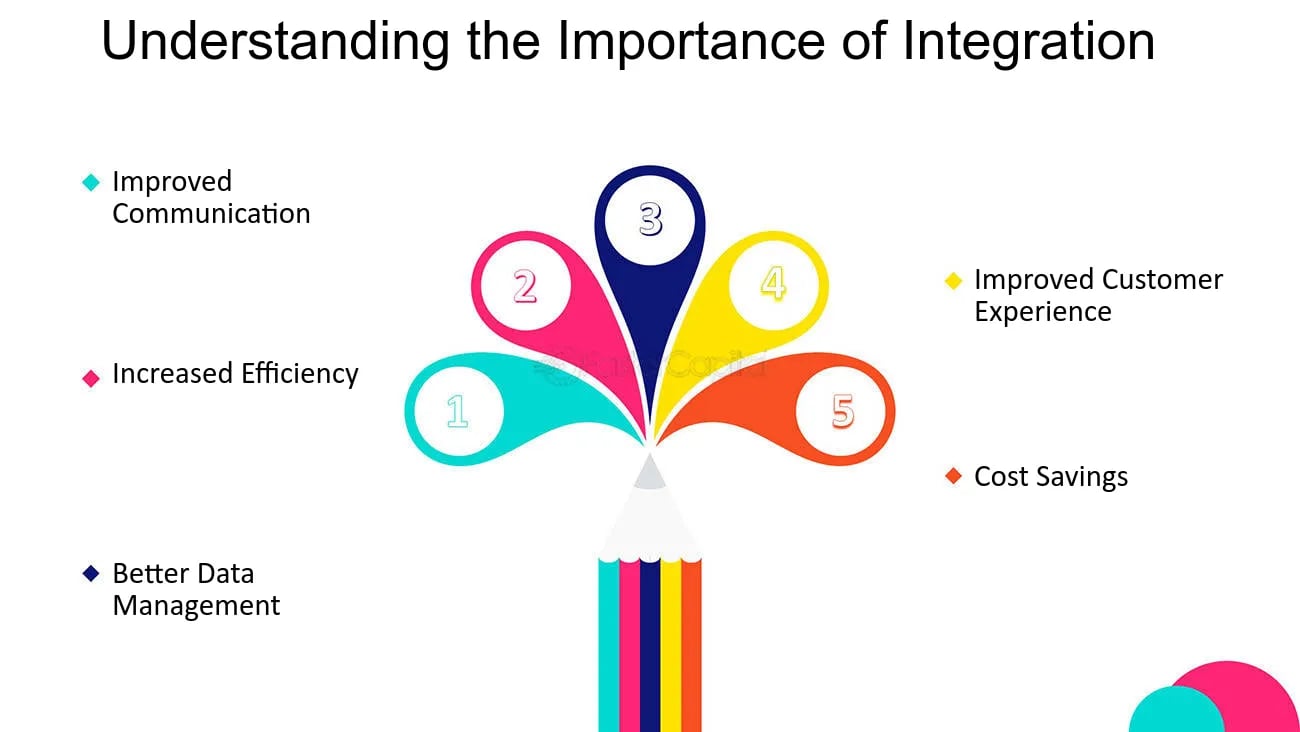
Think of integrations as your community’s nervous system. They connect all the parts so they work together smoothly.
Time back in your schedule. The global membership management software market reached $5.43 billion in 2024. It’s growing because people are tired of manual work. Good integrations save 10-20 hours per week on admin tasks.
Better member experience. When systems talk to each other, members never hit roadblocks. They buy a course. They instantly get access. They see their progress. They earn badges. Everything happens automatically.
Data that makes sense. Most businesses use 6-10 different tools. Without integrations, your data lives in separate silos. You have payment info in Stripe, engagement data in your community, and email metrics in ConvertKit. Integrations create one complete picture.
Fewer mistakes. Manual data entry causes errors. When a member upgrades, integrations update everything instantly. Access levels change. Email sequences trigger. Premium content unlocks. No forgotten updates or duplicate charges.
Payment Integrations: Simplify Member Transactions
Payment processing is the heart of your paid community. Get this wrong and nothing else matters.
Key Payment Tools
Stripe handles subscriptions better than anyone. It manages recurring billing automatically. When cards fail, it retries them for you. It works in 135+ currencies. And it syncs payment data to your membership platform in real-time.
PayPal has over 400 million users worldwide. Many people prefer PayPal because they don’t need to enter card details. It’s especially strong for international buyers and anyone who trusts the PayPal brand.
WooCommerce turns WordPress sites into complete stores. It manages products, coupons, and subscriptions. And it connects seamlessly with membership plugins.
What Payment Integrations Do for You
Automate recurring payments. Members subscribe once. After that, payments are processed automatically. When cards fail, the system retries in the background. This reduces involuntary churn by 20-30%.
Since 71% of businesses face payment fraud, modern integrations include built-in fraud detection. This saves thousands in potential losses.
Create flexible pricing. Set up multiple membership levels. Basic costs $29/month. Premium costs $79/month. Enterprise costs $199/month. Each level unlocks different features.
Run limited-time promotions. Offer founding member discounts. Provide annual prepay options. The system handles all the logic.
Sync access instantly. The moment payment clears, members get access. Forum permissions activate. Course enrollment happens. Community features unlock.
When subscriptions end or cards decline, access revokes automatically. Your premium content stays protected without constant monitoring.
BuddyBoss makes this easy. Connect your community to WooCommerce or Stripe. Set up products linked to membership levels. Every purchase automatically grants the right access. Members see unified profiles showing purchase history, membership status, and activity—all synced through integration.
Real Numbers
The average membership site sees 0.6-0.9% chargeback rates without proper payment integration. With automated fraud detection and secure processing, this drops significantly. Plus, 81% of consumers buy directly from merchant websites. Strong payment integrations improve both experience and sales.
CRM Integrations: Strengthen Member Relationships
CRM stands for Customer Relationship Management. These systems turn raw data into insights about your members.
Payment integrations handle transactions. CRM integrations handle everything else about understanding and engaging your community.
Top CRM Tools
HubSpot combines everything. Contact management, email marketing, automation workflows, and detailed analytics. The free tier works for growing communities. Paid plans add advanced features.
ActiveCampaign specializes in marketing automation. Its conditional logic creates sophisticated member journeys based on behavior triggers.
ConvertKit was built for creators. It focuses on email marketing with visual automation builders, subscriber tagging, and landing pages.
What CRM Integrations Accomplish
Track everything members do. Course completions. Forum posts. Event RSVPs. Content downloads. All this flows into your CRM automatically. You build detailed profiles showing engagement patterns and interests.
Automate your communication. New member joins? Send a seven-email onboarding sequence. Introduce community features. Highlight popular content. Encourage first interactions.
Member hasn’t logged in for 30 days? Send a re-engagement email featuring content they missed.
Segment your audience. Divide your community into groups. By membership tier. By engagement level. By course progress. By interests.
Send targeted emails to each segment. Announce advanced features only to premium members. Share beginner resources with new joiners.
Smart Segmentation Examples
- Activity level: Active (logged in this week), Moderate (this month), At-risk (30+ days), Churned (cancelled)
- Purchase behavior: Free trial, Monthly subscriber, Annual subscriber, Lifetime member
- Engagement: Lurkers (consume only), Contributors (regular posters), Champions (top engagers)
- Interests: Based on courses taken, groups joined, or tagged preferences
How It Works
Connect your community to ConvertKit. When members complete their first course, ConvertKit tags them “Course Completer.” It sends congratulations with the next steps.
Members who haven’t engaged in 21 days get a personalized “We miss you” message. It features content relevant to their interests.
Only 38% of membership sites have processes to re-engage churned members. Automated CRM workflows give you a major advantage.
Learning Management System (LMS) Integrations: Build Engaging Learning Journeys
The global LMS market was valued at $23.35 billion in 2024. By 2032, it will reach $82 billion.
Educational content drives community value. LMS integrations for paid communities make delivering education seamless.
Essential LMS Platforms
LearnDash is the most popular WordPress LMS. Fortune 500 companies use it. So do universities and training organizations. It offers course building, drip content, quizzes, certificates, and gamification.
LifterLMS provides similar features plus built-in eCommerce. It’s strong for selling courses directly without requiring WooCommerce.
TutorLMS is a lightweight, modern option. Clean interfaces and solid features at a lower price than LearnDash or LifterLMS.
What LMS Integrations Enable
Combine community with courses. Members don’t just chat. They learn. Package your expertise into organized courses. Create modules, lessons, quizzes, and assignments.
When course content lives inside your community, learning becomes social instead of isolated.
Track learner progress. See exactly where members are on their journey. Identify who’s racing ahead. Spot who’s stuck.
Award badges for completing modules. Give certificates for finishing courses. Assign ranks based on overall progress.
Create certification paths. Build multi-course learning paths. Completing Course A unlocks Course B. Members earn recognized credentials that showcase expertise. This increases the perceived value of your community.
BuddyBoss and LearnDash: The Power Combo
BuddyBoss’s LearnDash integration makes learning truly social. Here’s what happens automatically:
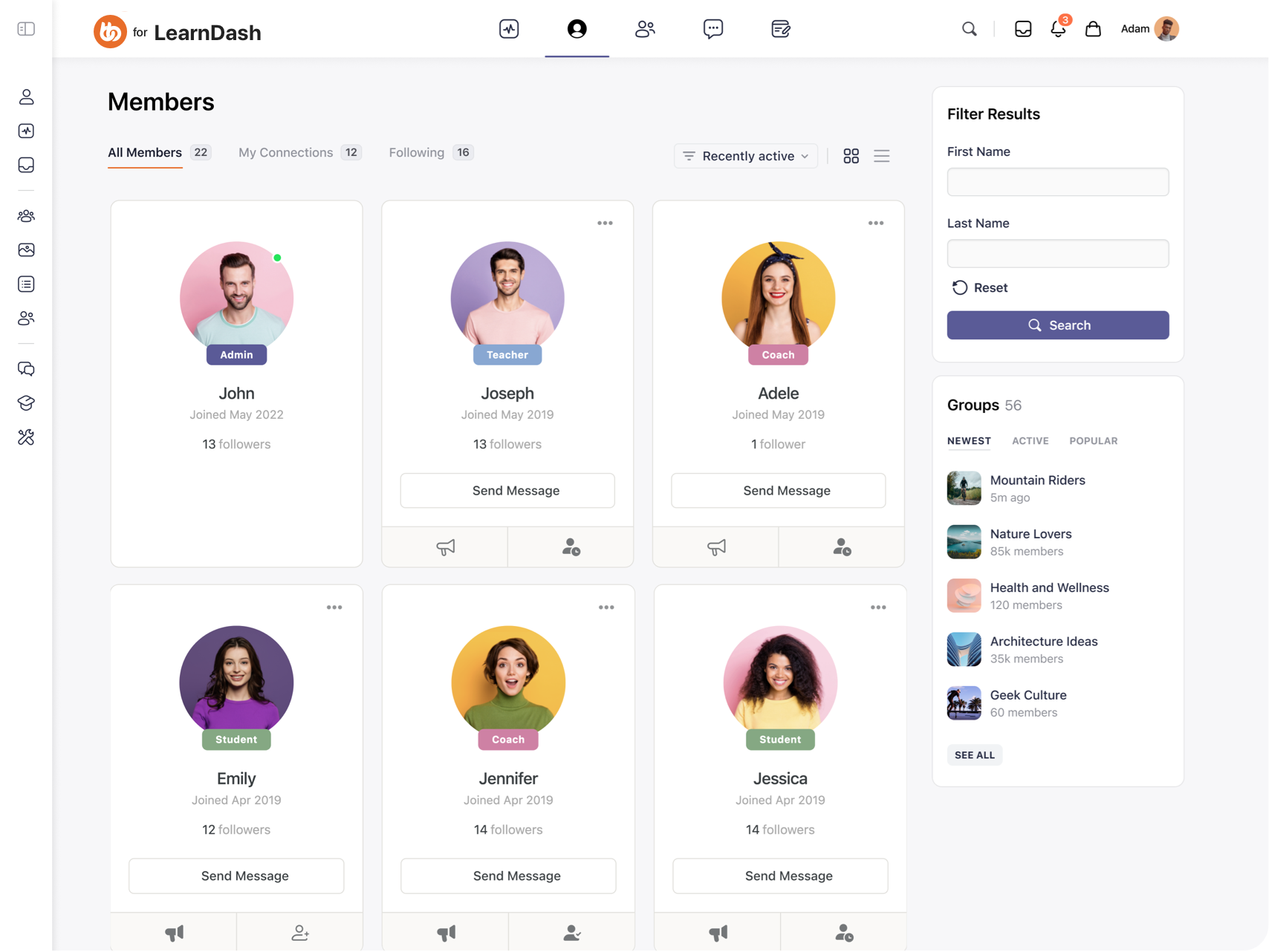
Unified access control. A member purchases a course through WooCommerce. Payment processes. LearnDash enrollment happens instantly. BuddyBoss group access grants automatically. All from one transaction.
Social learning. Each course has an associated BuddyBoss group. Members discuss lessons. They share insights. They help each other. Peer learning happens naturally within the course context.
Progress visibility. Member profiles display course progress, earned certificates, and achievement badges. This creates social proof. It motivates other members to engage.
Activity integration. When members complete lessons or earn certificates, these achievements appear in the activity feed. Public recognition encourages continued progress.
Gamification connection. Combine LearnDash courses with GamiPress. Award points for starting courses. Give badges for completion. Assign ranks based on certifications earned.
Practical Setup Example
Create a LearnDash course called “Community Building Mastery.” Link it to a WooCommerce product priced at $297. Connect the product to a private BuddyBoss group called “Community Builders.”
Set up GamiPress to award:
- 100 points for course enrollment
- 50 points per completed lesson
- “Graduate” badge for course completion
- Access to “Expert” rank and exclusive content
The result? Members purchase once. They gain course access. They join the discussion group. They earn recognition for progress. They unlock new community tiers. Everything automated through integrations.
Email & Marketing Automation: Keep Members Connected
Email remains the highest ROI marketing channel. Integrations for paid communities make email automation effortless.
Top Email Tools
Mailchimp is the household name. Templates, automation, segmentation, and analytics. Works well for communities up to 10,000 members.
ConvertKit focuses on creators. Visual automation builders. Subscriber tags. Landing pages. Strong for content-based communities.
MailPoet is WordPress-native. It integrates directly with your WordPress site. Create and send newsletters without leaving your dashboard.
What Email Integrations Deliver
Automated onboarding. New member signs up at 2am? They receive a welcome email instantly. It introduces your community and guides first steps.
Weekly newsletters compile top discussions and new content. They send it automatically every Monday.
Re-engagement sequences. Member hasn’t visited in 14 days? Trigger an automated sequence:
- Day 14: “Miss anything? Here’s what’s new”
- Day 21: “We noticed you’ve been away—here’s exclusive content”
- Day 30: “Last chance: Your benefits expire soon”
Activity-based triggers. Sync community activity with email lists. Member completes a course? Send congratulations plus recommended next courses.
Members post their first forum question? Email community champions to engage with newcomers.
Advanced Strategies
Behavior-based sequences. Tag members based on actions. Then trigger appropriate emails:
- Downloaded free resource → 7-day educational sequence → Paid membership offer
- Attended live event → Post-event follow-up → Related content recommendations
- Upgraded to premium → VIP onboarding → Exclusive features tour
Lifecycle communication. Automate messages for milestones:
- Day 1: Welcome and orientation
- Day 7: “How’s your first week?” engagement check
- Day 30: Monthly celebration of activity
- Day 365: Anniversary acknowledgment with special offer
Winback campaigns. For cancelled members, automated sequences offer incentives to return:
- Week 1 post-cancellation: Survey asking why they left
- Week 2: Share improvements made
- Month 2: Limited-time return discount
Real Implementation
Connect BuddyBoss with ConvertKit via Zapier or native integration. Every new member registration adds them to ConvertKit automatically. Tags indicate their membership level and signup source.
Course completions, group joins, and achievement badges trigger relevant email sequences. No manual list management required.
Analytics & Reporting: Understand and Optimize Growth
You can’t improve what you don’t measure. Analytics integrations for paid communities transform data into decisions.
Critical Analytics Tools
Google Analytics is the foundation. Track page views, member behavior flows, traffic sources, and content performance.
Metorik focuses on WooCommerce. Detailed insights into revenue, order trends, customer behavior, and product performance.
WP Fusion connects WordPress membership sites to CRMs. It tracks member behavior, course progress, and engagement patterns.
What Analytics Integrations Reveal
Revenue metrics. Track monthly recurring revenue (MRR), annual recurring revenue (ARR), member lifetime value, and churn rate.
Identify patterns. Do members typically cancel after three months? Does engagement drop before cancellation?
Engagement metrics. Measure daily active users (DAU), monthly active users (MAU), average session duration, and feature adoption rates.
Discover which content drives engagement. Find what sits unused.
Conversion funnel. Track the journey from visitor to free trial to paying member. Identify drop-off points.
Are people abandoning at signup? Failing to activate accounts? Not upgrading after trials?
Cohort analysis. Compare different member groups. Do annual subscribers have better retention than monthly? Do members who complete onboarding engage more? Which acquisition channels produce highest lifetime value?
Top Community Metrics
Learn how success metrics can help you measure and accelerate your community’s growth.
How Analytics Drive Decisions
What to create next. Which courses have the highest completion rates? What topics generate most discussion? Where do members spend time?
How to price effectively. Which tier converts best? Does offering annual options reduce churn? What discount level maximizes conversions?
When members need help. Spot at-risk members before they churn. If members who don’t complete onboarding cancel 80% more often, prioritize onboarding improvements.
Where to focus marketing. Which traffic sources produce paying members? What content attracts your best members? Which partnerships drive quality signups?
Simple Analytics Setup
- Install Google Analytics on your site
- Set up goal tracking for signups, purchases, course completions, and milestones
- Connect WooCommerce to Metorik for revenue analytics
- Link member data to your CRM for unified profiles
- Create dashboards showing MRR growth, churn rate, popular content, and lifecycle stages
- Schedule weekly reviews of key metrics
- Run monthly cohort analyses
With integration, analytics happen automatically. No manual spreadsheet work. Make decisions based on real data, not gut feelings.
Why BuddyBoss Is the Ideal Integration Hub for WordPress Communities
Most community platforms give you two options: adapt to their limited integrations, or pay for expensive proprietary tools you don’t own.
BuddyBoss eliminates this compromise. BuddyBoss offers 100+ integrations to meet your needs, in any need, at any stage.
BuddyBoss stands out by offering native integrations for paid communities. You don’t need dozens of separate plugins that might conflict.
Native BuddyBoss Integrations
Stripe & WooCommerce- Connect payment processing directly. Members purchase through WooCommerce. Payment processes via Stripe. BuddyBoss access grants automatically.
LearnDash & LifterLMS- Seamless LMS integration makes social learning possible. Courses, discussions, and community exist in one unified experience.
Zoom- Schedule and host video meetings directly within BuddyBoss. Members join events without leaving the platform.
MemberPress- Combine membership management with BuddyBoss’s community features for powerful access control.
GamiPress- Award points, badges, and ranks for participation without plugin conflicts.
WP Fusion (not native)- Sync member data to CRMs like HubSpot, ActiveCampaign, and Salesforce.
Check some of our top integrations-
| Category | Native Integrations | Third-Party Integrations |
| LMS Platforms | LearnDash, LifterLMS, Tutor LMS | 0 |
| Payment Processing | WooCommerce + Stripe | PayPal (via WooCommerce) |
| Membership Management | MemberPress, PMPro, Restrict Content Pro, WishList | 0 |
| CRM & Marketing | WP Fusion | 10+ via WP Fusion, unlimited via Zapier |
| Video/Communication | Zoom, OneSignal | Slack, Telegram, WhatsApp (via connectors) |
| Gamification | GamiPress (full suite) | 0 |
| Event & Jobs | Events Calendar, Modern Events, WP jobs | 0 |
| Page Builders | Elementor, Beaver Builder | 0 |
| Total Platform Reach | 25+ native | 150+ via connectors, 5000+ via Zapier |
Why Native Integration Matters
Centralized profiles. Everything lives in one place. Members see purchase history, course progress, achievement badges, group memberships, and activity on their profile. No navigating between disconnected systems.
Synchronized data. When data syncs automatically, members never face confusing discrepancies. Their membership level, course enrollments, and community access always match.
Fewer conflicts. WordPress sites often break when plugins conflict. BuddyBoss tests integrations thoroughly. Updates happen in coordination.
Unified support. When issues arise, contact one support team. No playing “not my problem” ping-pong between plugin developers.
Complete Member Journey Example
Here’s what happens automatically with proper integrations:
- Purchase: User buys “Complete Community Bundle” for $497 through WooCommerce
- Payment: Stripe processes payment securely and confirms transaction
- Access: WooCommerce enrolls users in LearnDash courses and BuddyBoss groups
- Welcome: ConvertKit sends onboarding email series
- Profile: Member completes profile, earning 50 GamiPress points and “New Member” badge
- Social Learning: Progress through courses posts to BuddyBoss activity feed
- Engagement: Member joins discussions, earning “Contributor” badge at 10 posts
- Recognition: After completing first course, certificate generates, GamiPress awards “Graduate” badge, and BuddyBoss unlocks “Expert” access
- Upsell: Course completion triggers ConvertKit automation offering advanced training
- Tracking: Google Analytics and Metorik track entire journey
Everything happens while you sleep. Members experience seamless progression. That’s the power of integrations for paid communities done right.
Common Mistakes to Avoid When Integrating Your WordPress Site
Over-integrating from day one. Start simple. Add integrations as you need them. Each integration adds complexity.
Ignoring data privacy. GDPR, CCPA, and other regulations govern how you collect and share member data. Ensure integrations comply with privacy laws.
Not testing integrations. Every time you add or update integrations, test the complete member journey. Broken automation destroys trust.
Forgetting onboarding. Integrations help your efficiency. But members don’t see backend automation. Clear onboarding ensures they understand how to use your community.
Neglecting maintenance. Plugins update. APIs change. Services deprecate features. Schedule quarterly integration audits to catch problems before members do.
Choosing incompatible tools. Not every tool works nicely with others. Before committing to platforms, verify they integrate with your existing stack.
Skipping documentation. Document your integration setup. When something breaks (and it will), having a map saves hours of troubleshooting.
Scale Smarter with the Right Integrations for Paid Communities in WordPress
The difference between struggling membership sites and thriving communities isn’t luck. It’s a system.
BuddyBoss brings these integrations together in one unified platform. It eliminates plugin conflicts while providing seamless member experiences.
When payment processing, course delivery, community engagement, and marketing automation work as one system, you build a self-sustaining membership business.
The compound effect. Each integration saves hours weekly. Five key integrations save 25 hours per week. That’s half a full-time job eliminated.
Invest those hours into creating better content. Build deeper relationships. Or simply have a life outside your business.
Ready to streamline your paid community? Start integrating with BuddyBoss for a unified, scalable experience.
Begin with payment automation. Add email sequences. Integrate your LMS. Connect analytics. Watch your community grow while your workload shrinks.
The future of paid communities isn’t bigger teams. It’s a smarter system. Build yours today.

-
 Article
 Article
- Growing Your Online Community