









BuddyPress User Profile Tabs Creator Pro + BuddyBoss Integration
Build custom profile tabs your members will actually use. Add unlimited tabs beyond the default BuddyBoss profile navigation.
What is BuddyPress User Profile Tabs Creator Pro?
BuddyPress User Profile Tabs Creator Pro lets you add unlimited custom tabs and sub-tabs to BuddyBoss member profiles, beyond the default Activity, Profile, Friends, and Groups tabs.
You control which user roles see each tab, set a default landing tab, and fill each one with text, images, videos, or shortcodes through a visual editor.
Community managers use it to surface portfolios, certifications, sponsor content, or third-party plugin data directly inside the profile navigation members already know.
Key Features of BuddyPress User Profile Tabs Creator Pro
Unlimited Custom Tabs
Add as many profile tabs and sub-tabs as your community needs, with no coding required. Organize member information beyond the default BuddyBoss tab set.
Role-Based Visibility
Choose which user roles can see and access each tab. Show premium tabs to certain member roles while keeping others hidden.
Modify Existing Tabs
Rename, reposition, or hide tabs that BuddyBoss or other plugins already added to the profile. Adjust the navigation without touching template files.
Shortcode-Ready Content Editor
Fill each tab with text, images, videos, documents, or shortcodes through a visual editor. Pull in dynamic content from other plugins without writing PHP.
Set a Default Tab
Choose which tab loads first when a member opens their profile. Point visitors straight to the content that matters most for your community.
Sub-Tab Navigation
Add child tabs under an existing parent tab to group related content. Keep complex profile sections organized instead of cluttering the top-level navigation.
See BuddyPress User Profile Tabs Creator Pro in Action
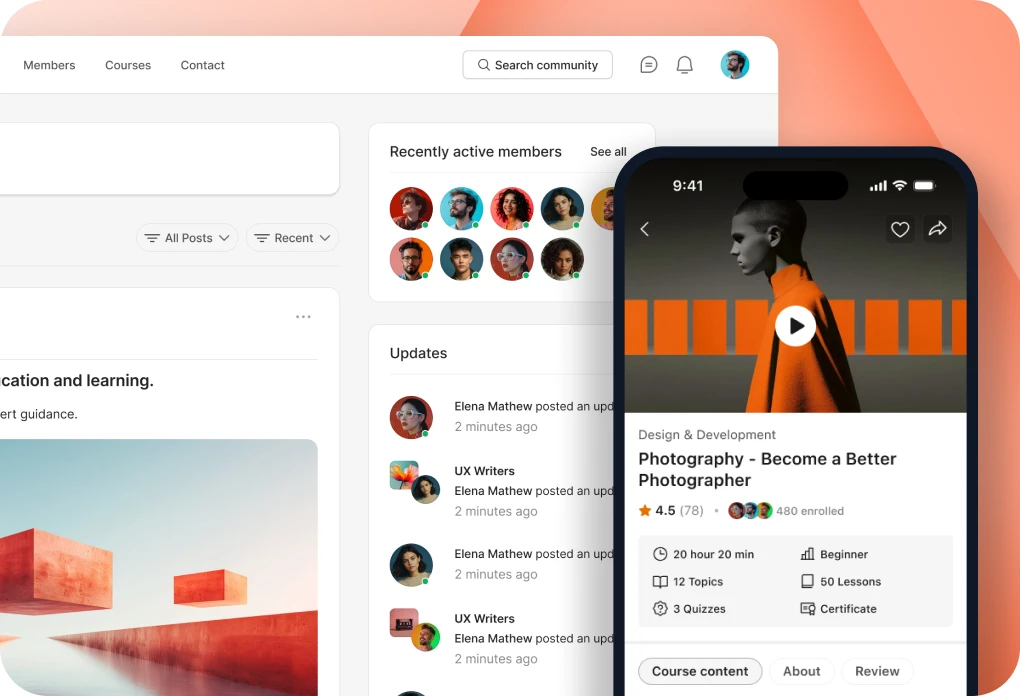
Watch a demo of the plugin running on BuddyBoss Platform and Theme, showing how new profile tabs appear in the member navigation.
â€─
Ready to Customize Your Member Profiles?
Add the tabs your community actually needs and control exactly who sees them.
Use Cases and Examples
Course Communities Showcasing Student Work
Course creators add a Portfolio tab to student profiles so learners can showcase finished projects and certificates. The tab pulls in content through shortcodes linked to their LMS or a portfolio plugin, so no manual copying is needed. Instructors and peers browse student work directly from the BuddyBoss profile without leaving the community.
Add Use Case Image 1
Membership Sites with Role-Specific Profile Content
Membership site owners create a Sponsor Info tab visible only to Pro-tier members, using role-based visibility controls. Free members never see the tab, while paying members find sponsor details and exclusive downloads in their own profiles. The tiered profile experience reinforces the value of upgrading without building a separate members-only page.
Add Use Case Image 1
Professional Networks Adding Credential Tabs
Professional or association communities add a Certifications sub-tab under each member Profile tab to display licenses, credentials, or verification badges. Admins set the tab as visible only to verified professional member types. Other members browsing the directory can confirm credentials at a glance before connecting.
Add Use Case Image 1
How to Integrate BuddyPress User Profile Tabs Creator Pro with BuddyBoss
Setting up BuddyPress User Profile Tabs Creator Pro with BuddyBoss takes just a few minutes. Follow these steps to get started:
1
Install and Activate
Purchase and download the plugin from BuddyDev, then upload and activate it through Plugins, Add New, Upload Plugin in your WordPress dashboard.
2
Open Profile Tabs Settings
Go to Dashboard, Users, Profile Tabs to view and manage all tabs available on BuddyBoss member profiles.
3
Create or Modify a Tab
Add a new tab or edit an existing one. Set its label, position, default status, and the content it displays using the visual editor or shortcodes.
4
Set Visibility Rules
Choose which user roles can see the tab. Save your settings and confirm the tab only appears for the intended roles.
5
Test on a Live Profile
Visit a test member profile on your BuddyBoss site and confirm the new tab appears in the correct position with the right content and visibility.
Benefits of Integrating BuddyPress User Profile Tabs Creator Pro with BuddyBoss
Add Use Case Image 1
- Profile Navigation You Control: Add or rearrange tabs on BuddyBoss member profiles without editing template code. Your navigation reflects what your community actually needs, whether that means a portfolio tab or a credentials tab.
- Role-Based Profile Experiences: Combine tab visibility rules with BuddyBoss member types to show different profile content to different members. A Pro member type sees sponsor tabs, while a Free member type sees only the standard ones.
- Dynamic Content Without Manual Updates: Use shortcodes inside a tab to pull in live content, such as course progress, group activity, or data from another plugin. Members always see current information without you updating anything by hand.
- Group-Aligned Profile Tabs: Pair this plugin with BuddyPress Group Tabs Creator Pro to keep tab customization consistent across both member profiles and group pages. Members find familiar, organized navigation everywhere.
Add Use Case Image 1
Add Use Case Image 1
- Faster Access to Key Information: Set a default tab so members land on the content that matters most the moment they open a profile, such as activity, credentials, or a portfolio. Reduce the clicks members need to find what they want.
- Cleaner Profiles at Scale: Group related content under sub-tabs instead of adding more top-level tabs as your community grows. Profiles stay organized even as you add more member types or content categories over time.
Trusted by Thousands of Community Builders
Ready to Customize Your BuddyBoss Member Profiles?
Get BuddyPress User Profile Tabs Creator Pro and give your community the profile navigation it actually needs.