
Introduction
Emojis add a fun and expressive layer to communication within your community. With the BuddyBoss Platform, members can use emojis in activity posts, group discussions, private messages, and forums to better convey tone and sentiment. This article explains how to enable emojis support in your site’s Media Settings and test that it works correctly.
Tutorial Video
https://youtu.be/nwZG4wptXMs
Access Media Settings
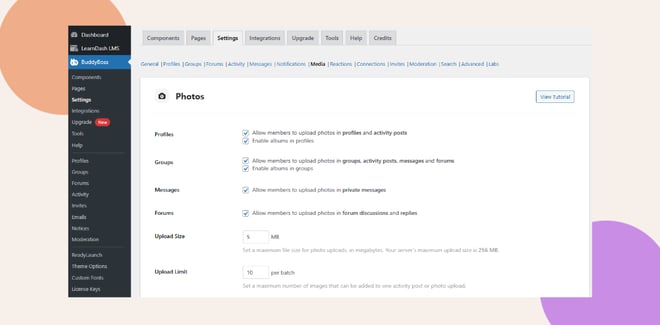
- In your WordPress Dashboard, go to BuddyBoss > Settings.
- Click the Media tab.
Activate Emoji Options
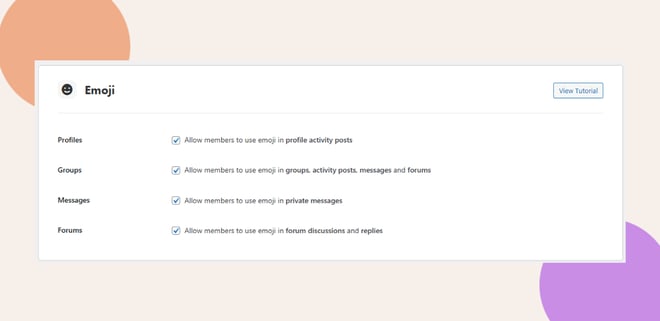
- In Media Settings, scroll to the Emoji Options section.
- Enable the checkboxes for the areas where you want emojis to be available:
- Profiles: Allow members to use emojis in profile activity posts.
- Groups: Allow members to use emojis in group posts, messages, and forums.
- Messages: Allow members to use emojis in private messages.
- Forums: Allow members to use emojis in forum discussions and replies.
- Profiles: Allow members to use emojis in profile activity posts.
Save Your Changes
- Scroll down and click Save Changes to apply the new settings.
Test the Feature
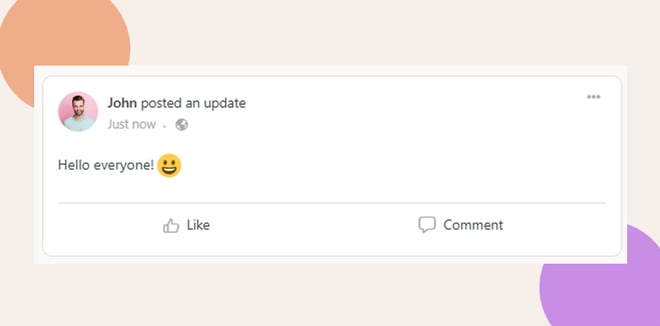
- On the frontend, create a test post, message, or forum thread.
- Add a few emojis to confirm they display correctly across the platform.
Troubleshooting and FAQs
Q: I don’t see the Emoji settings in the Settings panel.
A: Make sure you are using the latest version of the BuddyBoss Platform and that your account has administrator permissions. Check for pending platform updates if the section is missing.
Q: Emojis are not displaying correctly.
A: Confirm that your settings were saved, and check for conflicts with other plugins or customizations. Also, ensure the emojis being used are supported by the platform.
Q: Members can’t add emojis even though the feature is enabled.
A: Verify that the setting is toggled On and that members are not facing browser compatibility issues.


