Each WP Job Manager add-on serves a different purpose and you may choose to install them based on the requirement of your site.
Resume Manager plugin adds a resume submission form to your site and resume listings, all manageable from WordPress admin dashboard.
Installing the plugin
To install and activate the plugin:
- Download the Resume Manager plugin from your WP Job Manager account page.
- Extract the downloaded wp-job-manager-resumes.zip file to the WordPress plugins folder yourhostname/wordpress/wp-content/plugins
OR
Go to your WordPress Dashboard > Plugins > Add New. Click the Upload Plugin button. Browse to the download file location, select the wp-job-manager-resumes.zip & install the plugin. - Click the Activate Plugin button to activate the WP Job Manager – Resume Manager plugin on your website. OR
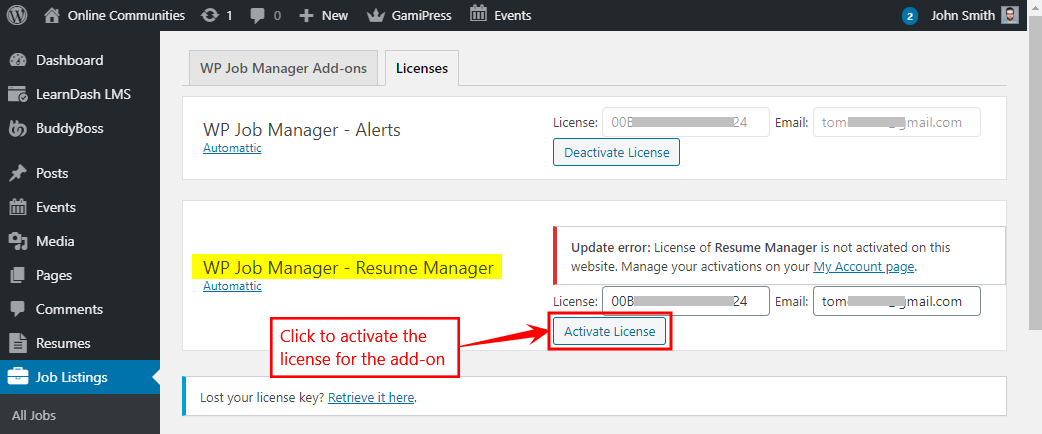
To activate the plugin on your website site go to WordPress Dashboard > Plugins and then click the Activate button for WP Job Manager – Resume Manager plugin .
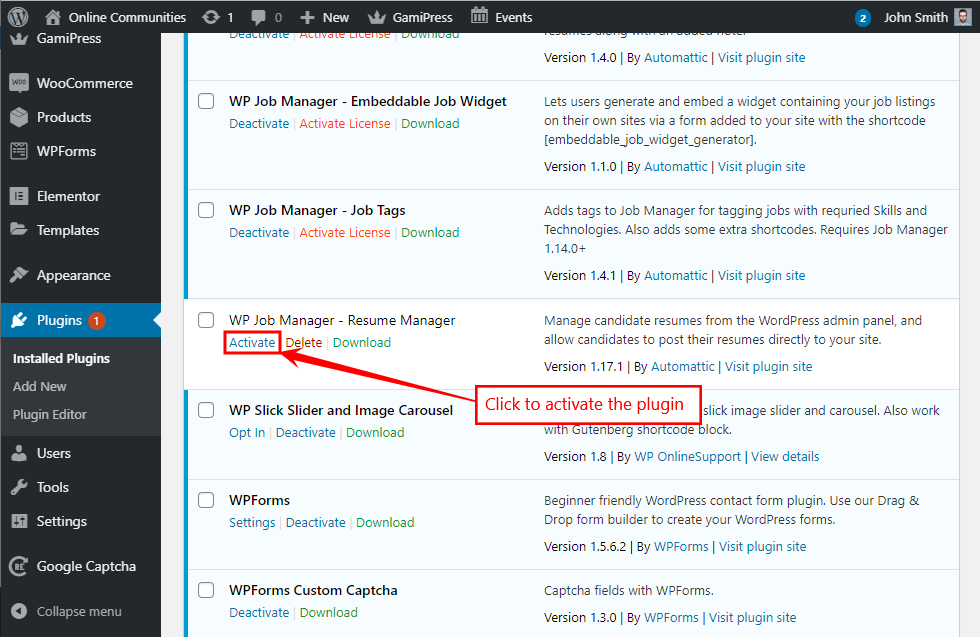
- Go to WordPress Dashboard > Job Listings > Add-ons > Licenses.
- In the WP Job Manager – Resume Manager section, enter your license key and email for the add-on and click the Activate License button.