
Introduction
The BuddyBoss Gamification Achievements feature allows you to recognize and reward your community members for completing specific actions or milestones.
While achievements are usually awarded automatically through triggers (like completing a course or posting in a group), there are times when you may need to manually award or revoke an achievement, for example, to recognize exceptional participation, fix an automation issue, or grant a special badge.
This guide walks you through how to manually award and deduct achievements in BuddyBoss, ensuring your members get the recognition they deserve.
Access the Manual Award Settings
To manually award an achievement:
- From your WordPress Dashboard, navigate to BuddyBoss > Gamification > Manual Award.
- Under the Achievement section, select whether you want to Award or Deduct an achievement.
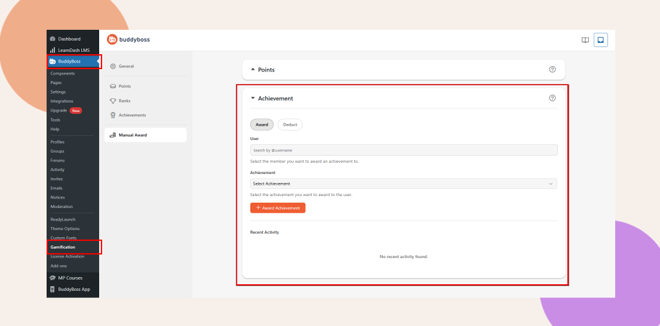
How to Manually Award an Achievement
To manually award a specific achievement to a member:
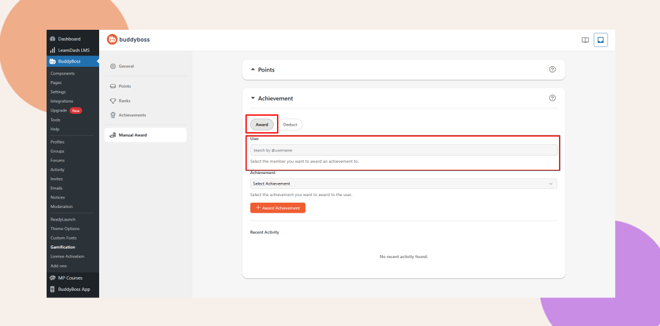
- Click the Award button under the Achievement section.
- In the User field, type and select the username of the member you want to reward.
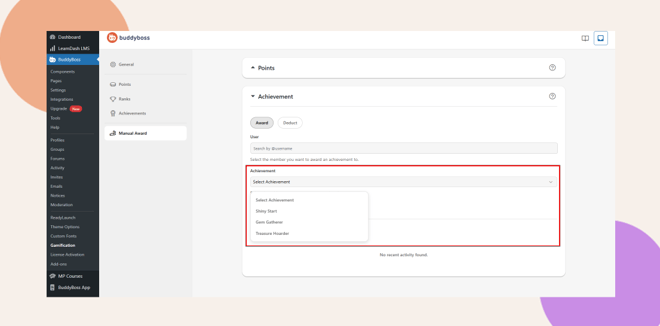
- Under Select Achievement, choose the achievement you want to assign (e.g., Top Contributor, Course Finisher, Community Helper).
- Click + Award Achievement to grant the achievement.
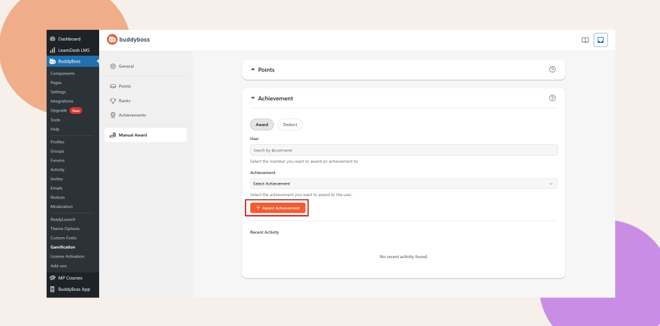
The awarded achievement will instantly appear on the member’s profile under their Achievements tab.
How to Manually Deduct an Achievement
If you need to remove an achievement from a member’s profile (for example, if it was assigned in error or revoked due to moderation), follow these steps:
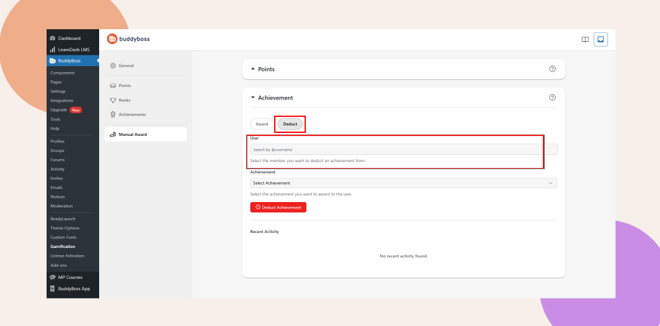
- Click the Deduct button under the Achievement section.
- Search for the User you want to adjust.
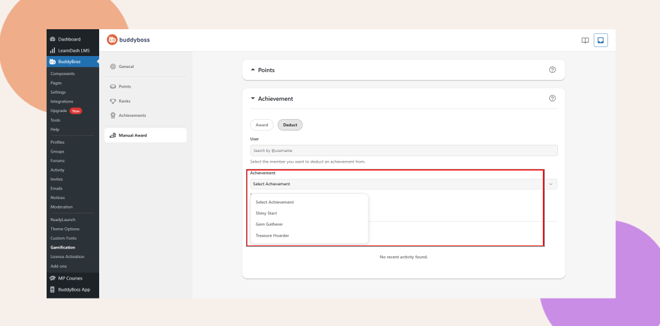
- Choose the Achievement you want to remove.
- Click ⛔ Deduct Achievement to remove it from the member’s account.
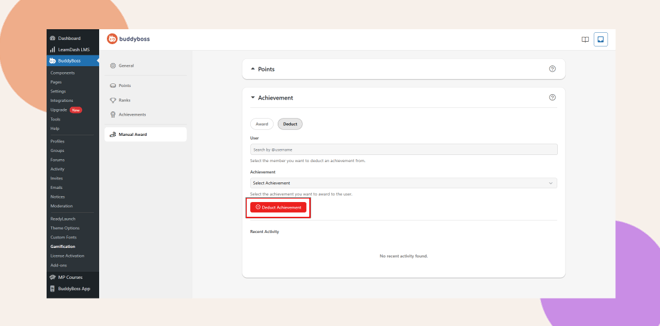
Once deducted, the achievement will no longer appear in the member’s achievement list.
After awarding or deducting achievements, the Recent Activity section at the bottom of the page displays a summary of the latest manual actions.
Troubleshooting and FAQs
Q: Why can’t I find a user in the search field?
A: Ensure the user exists and has an active account. Only registered members appear in the search results.
Q: Can I award the same achievement multiple times?
A: No. Each achievement can only be awarded once per user. You can, however, create similar achievements for recurring recognition.
Q: Why isn’t my achievement appearing on the member’s profile?
A: Check that the Achievement feature is enabled under BuddyBoss > Components > Achievements.
Q: Can I undo a manual deduction?
A: You can re-award the same achievement by following the Award Achievement steps above.
Q: Are members notified when I manually award them?
A: Notifications depend on your BuddyBoss notification settings. Enable them under BuddyBoss > Settings > Notifications to alert members automatically.


