
Introduction
BuddyBoss Competitions allow you to create time-based challenges that reward members for completing specific actions on your platform. This feature helps boost engagement, encourage repeat activity, and make your community experience more interactive and fun.
This guide walks you through accessing the Competitions dashboard and creating a new competition using the options shown in the screenshots.
Accessing the Competitions Feature
To start creating competitions, go to your WordPress Dashboard.
- In the left sidebar, navigate to BuddyBoss > Gamification.
- Select Competitions from the menu.
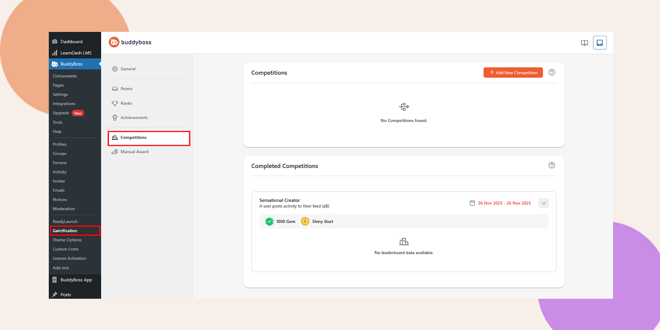
You’ll see a screen indicating No Competitions Found and an Add New Competition button.
How to Add a New Competition
To create your first competition:
- Click + Add New Competition.
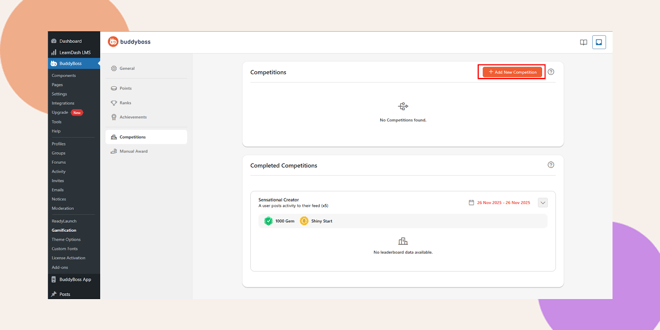
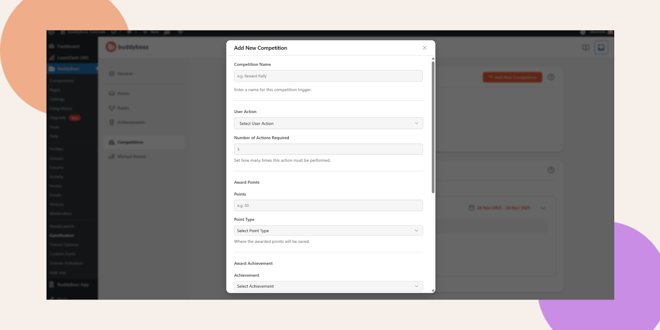
- A popup window titled Add New Competition will open.
- Fill in the required fields to configure your competition.
Competition Settings Explained
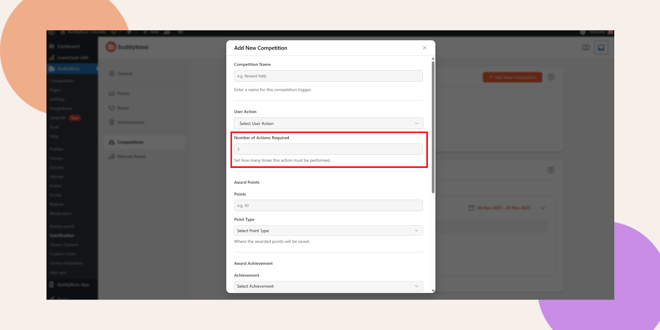
Competition Name
Enter a title for your competition (e.g., Reward Rally).
This helps you easily identify it in your Competitions list.
Note: After saving, action and award types cannot be changed.
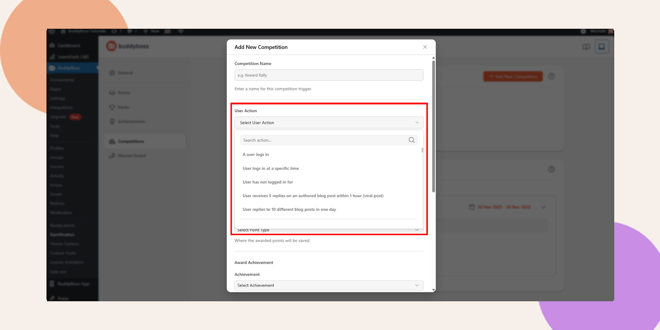
User Action
Select the activity that participants must perform (e.g., posting, commenting, joining a group).
This dropdown lists all available user actions in your BuddyBoss system.
Number of Actions Required
Specify how many times the chosen action must be completed (e.g., 5 times).
A competition is completed when this requirement is met.
Award Points
If you want to award points:
- Enter the number of points to give.
- Select the Point Type where the points will be recorded.
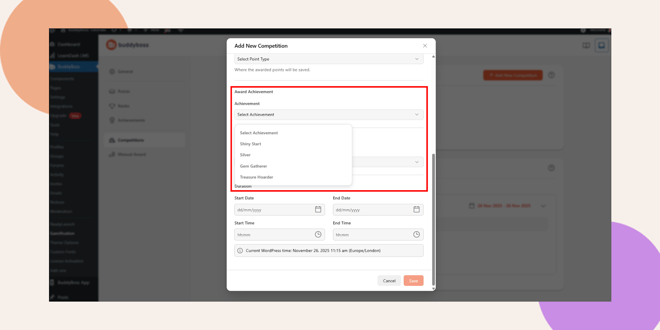
Award Achievement
Optionally, you can reward members with an achievement badge.
- Choose an achievement from the dropdown list.
Unlock Content
You can also use competitions to unlock restricted content.
- Select a Content Type (e.g., course, lesson, page).
- Choose None if no content needs to be unlocked.
Duration Settings
Competitions can run for a limited time. You can define:
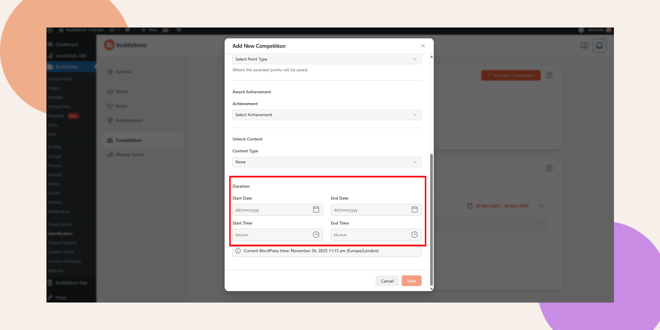
Start Date & End Date
- Choose when the competition begins and ends.
- Dates use the dd/mm/yyyy format.
Start Time & End Time
- Set the exact time the competition opens and closes.
A note at the bottom shows the current WordPress system time to help ensure accurate scheduling.
Saving Your Competition
After completing all fields:
- Click Save to create your competition.
- Your new competition will now appear in the Competitions list.
If you need more time to configure, click Cancel to exit without saving.
Troubleshooting and FAQs
Q: I don’t see the Competitions menu under Gamification
A: Ensure the BuddyBoss Gamification plugin is activated. If the menu still doesn’t appear, refresh the dashboard or clear your browser cache.
Q: Why can’t I change the action type after saving
A: For data integrity, user actions and award types become permanent once a competition is created.
Q: Do competitions work without points or achievements?
A: Yes! Competitions can be created with any combination of rewards points, achievements, content unlocks, or none.


