Did you know the subscription economy reached $1.5 trillion in 2024? And with WordPress powering 43% of all sites worldwide (W3Techs), your choice of membership plugin truly matters, especially if you want to avoid costly migration headaches and lost revenue.
If you’re thinking about launching a paid community or scaling your existing online course platform, let me save you some time: picking the wrong membership plugin can seriously impact your bottom line.
I’ve pulled together a guide covering 10 plugins for every budget and skill level to help you steer clear of expensive mistakes and choose the right solution from day one.
This analysis is made for you, whether you’re launching your very first membership site, leveling up from a basic setup, or comparing enterprise features. We’ll focus on the three fastest-growing models: online courses, subscription content, and paid communities.
Quick Recommendations for Busy Decision-Makers
Top 3 Overall Winners
| # | Plugins | Why? |
| #1 Best Overall | MemberPress | Worth the premium price for comprehensive features and reliability |
| #2 Best Value | Paid Memberships Pro | Full-featured solution with genuinely useful free version |
| #3 Best for eCommerce | WooCommerce Memberships | Seamless integration with existing stores |
Quick Picks by Specific Use Case
- Online Courses: MemberPress (built-in LMS) or LearnDash integration setups
- Subscription Content: Restrict Content Pro for straightforward implementation
- Paid Communities: Ultimate Member for social features and user engagement
- Zero Budget: Simple Membership or Paid Memberships Pro free version
Tabular Comparison of Best WordPress Membership Plugins
To help you quickly evaluate which membership plugin best fits your goals, we’ve organized a side-by-side comparison of each platform’s key features. This overview lets you easily spot strengths, limitations, and unique capabilities, so you can make an informed choice based on the functionality that matters most for your membership site.
| Plugin | Starting Price | LMS Support | Best For |
| MemberPress | $179.50/year | Built-in | All-in-one solution |
| Restrict Content Pro | $99/year | Integrations | Developers |
| MemberMouse | $149.50/year | Integrations | Enterprise analytics |
| WooCommerce Memberships | $199/year | Integrations | E-commerce stores |
| Paid Memberships Pro | Free | Integrations | Budget-conscious users |
| Ultimate Member | Free | Basic | Community building |
| Simple Membership | Free | ❌ | Absolute beginners |
| ProfilePress | $129/year | Integrations | Modern interface |
| ARMember | Free | Basic | Lifetime purchase |
| WP-Members | Free | ❌ | Developer toolkit |
Detailed Reviews of Top 10 WordPress Membership Plugins
Before choosing a membership plugin, it’s important to understand what each option brings to the table. Below, you’ll find detailed reviews of the top 10 WordPress membership plugins
Premium Solutions for Serious Creators
If you’re looking to build a professional membership site that goes beyond basic tools, let me show you what’s possible with premium plugins. In this section, I’ll walk you through the premium options designed to help entrepreneurs and educators achieve lasting success with their online memberships.
1. MemberPress – The Professional’s Choice
MemberPress really stands out as a comprehensive solution covering memberships, courses, and payments in one plugin.
It offers built-in course creation tools suitable for simple setups; advanced LMS features may require LearnDash or LifterLMS, which is pretty impressive. Plus, with the ReadyLaunch feature, you can whip up professional sales pages without needing any design skills.
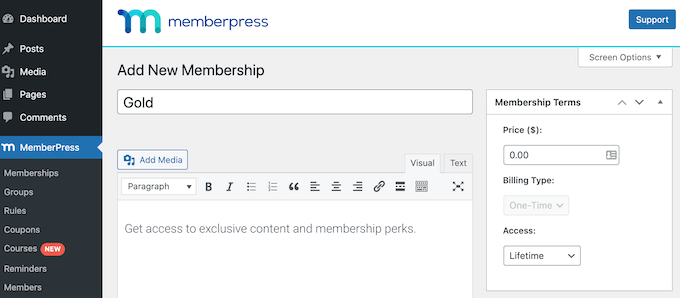
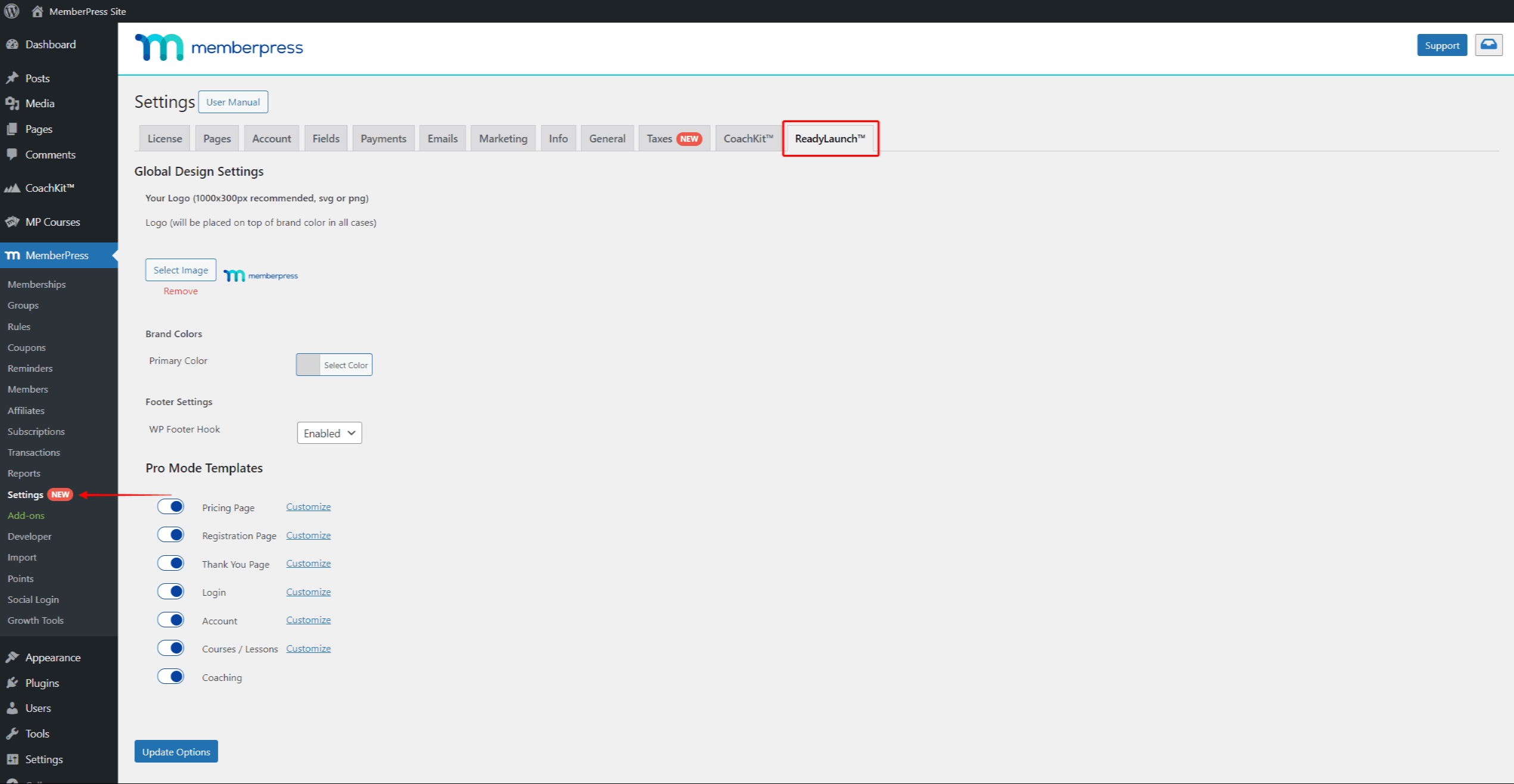
On top of that, automatic invoice generation and a solid affiliate program make it a strong fit for course creators who want fewer moving parts, though setup still requires a learning curve.
Pricing Structure:
- Basic ($179.50/year): Single site, Stripe/PayPal, essential LMS features
- Plus ($299.50/year): 2 sites, advanced integrations, Zapier connectivity
- Pro ($399.50/year): 3 sites, corporate accounts, complete feature set
Standout Features:
- Drag-and-drop course builder with quiz capabilities
- Advanced content dripping with multiple trigger options
- Easy affiliate management
- Automatic sales page generation
- Corporate account and sub-account management
Perfect For: Course creators, coaches, and consultants who want everything in one package without managing multiple plugins.
Integration Excellence: It integrates seamlessly with popular tools like ConvertKit, ActiveCampaign, and LearnDash, and thanks to Zapier, you can connect with over 3,000 apps to automate your workflow.
Honest Assessment: The higher price reflects genuine value, Beginners might find it a little overwhelming at first, but their customer support is top-notch, and once you get the hang of it, the depth of features becomes a huge advantage.
2. Restrict Content Pro – The Developer’s Friend
Restrict Content Pro prioritizes performance and flexibility over flashy features. Plus, if you’re a developer or agency handling multiple clients, you’ll love the extensive hooks and customization options. The lifetime pricing option makes it even more attractive for agencies managing several sites. It’s a smart choice if you want solid core features without unnecessary extras slowing you down.
Pricing Structure:
- Personal ($99/year): Single site with core features
- Plus ($149/year): 3 sites with additional add-ons
- Professional ($249/year): Unlimited sites plus 34 Pro add-ons
Developer Advantages:
- 200+ action hooks and filters
- Clean, well-documented code
- RESTful API for custom integrations
- No performance bloat from unused features
Free Version Reality: Available with 2% Stripe processing fee, reasonable for testing but not long-term use.
Perfect For: Developers, agencies, and users who prioritize site speed and customization options.
Trade-offs: The minimalist approach means fewer built-in features. You’ll need add-ons or custom development for advanced functionality.
3. MemberMouse – The Enterprise Solution
MemberMouse is designed for high-volume membership sites that need deep analytics. Its SmartTags system allows you to personalize content dynamically for individual members, and with built-in split testing, you can optimize your sales and conversion strategies.
Plus, advanced features like cohort analysis and lifetime value calculations give you insights that most other plugins don’t offer, helping you make smarter business decisions.

Pricing Structure:
- Basic ($149.50/year): Single site, Stripe payments only
- Plus ($249.50/year): PayPal and Braintree support added
- Pro ($349.50/year): Complete analytics suite and API access
Enterprise Features:
- Detailed churn analysis and member lifetime value tracking
- Advanced segmentation with behavioral triggers
- Built-in A/B testing for checkout pages
- White-label options for agencies
Reality Check: The steep learning curve and complex interface overwhelm smaller sites. Migration from other plugins proves difficult due to unique data structures.
Perfect For: Established membership sites with 1,000+ members who need detailed analytics and optimization tools.
Mid-Range Solutions for Growing Sites
If your membership site is growing and you need more flexibility without jumping to premium prices, mid-range solutions offer a great balance. In this section, we’ll explore some of the best mid-tier plugins designed to help you scale smoothly while keeping costs manageable.
4. WooCommerce Memberships – The E-commerce Champion
WooCommerce Memberships fits perfectly if you already run a WooCommerce store. It lets you create product-based membership plans and offer member-only pricing, so the buying experience feels natural and familiar to your existing customers.

True Cost Analysis:
- WooCommerce Memberships: $199/year
- WooCommerce Subscriptions: $ 279/year (required for recurring billing)
- Total minimum investment: $478/year
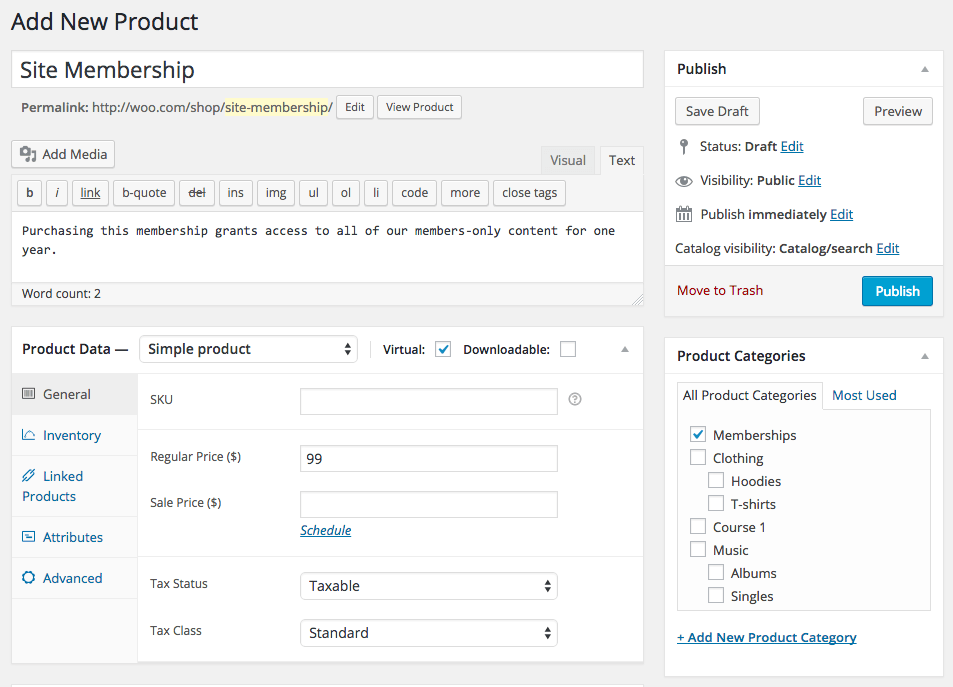
This integrates smoothly with WooCommerce, but recurring billing requires the Subscriptions add-on.
E-commerce Advantages:
- Native product-based membership creation
- Member-exclusive pricing and discounts
- Seamless checkout with existing payment methods
- Inventory management for digital products
Perfect For: Existing WooCommerce stores adding membership components or new sites planning significant e-commerce integration.
Important Limitation: Keep in mind that WooCommerce Memberships require a solid understanding of WooCommerce itself and often need additional extensions to unlock its full potential.
Because of that, the total cost can add up and usually ends up higher than simpler membership plugins designed just for memberships. So it’s great if you’re comfortable with WooCommerce and looking to integrate memberships tightly into an existing store, but it’s something to consider before jumping in.
5. Paid Memberships Pro – The Open-Source Powerhouse
Paid Memberships Pro delivers remarkable value through its genuinely capable free version. Unlike other “freemium” plugins, the core includes all payment gateways, complete content restriction, and member management. The 34 free add-ons extend functionality without additional cost.
Pricing Reality:
- Free: Complete core functionality with unlimited members
- Standard ($174/ 1st year): Premium support plus 22 add-ons
- Plus ($299/year): 31 additional add-ons and advanced features
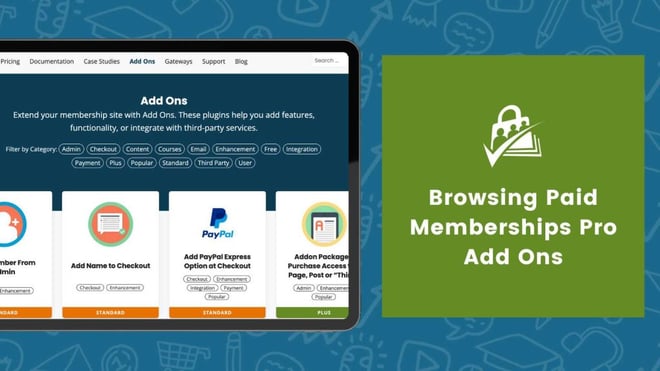
Free Version Capabilities:
- Stripe, PayPal, Authorize.net, and offline payments
- Unlimited membership levels and content restriction
- Member directory and profile management
- Detailed reporting and analytics
- Email marketing integration helpers
Open-Source Advantage: The plugin’s open-source nature enables unlimited customization, while the large community provides extensive third-party add-ons.
Perfect For: Budget-conscious users, developers needing customization, and organizations requiring detailed control over membership functionality.
Honest verdict: The interface feels less polished than premium alternatives, and the extensive options can confuse beginners.
6. Ultimate Member – The Community Builder
Ultimate Member really shines when it comes to building social membership sites. It offers tons of features like user profiles, member directories, and community tools right out of the free version, more social functionality than most competitors give you without charging extra.

Pricing Structure:
- Free version with substantial social features
- Standard: $279/year for all premium extensions
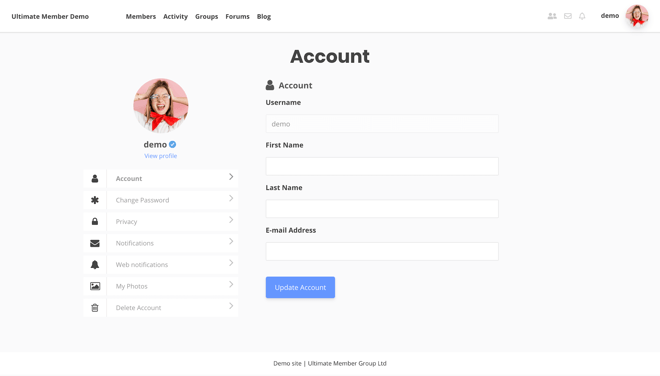
It’s a fantastic choice if you want to create a vibrant community where members can connect and interact seamlessly.
Community Features:
- User-generated profiles with custom fields
- Member directories with search and filtering
- Frontend user registration and management
- Social activity feeds (premium)
- Private messaging system (premium)
Perfect For: Community-focused sites, social networks, and membership sites prioritizing user interaction over content restriction.
Limitation: Weak content restriction and monetization features. You’ll need additional plugins for comprehensive membership management.
Budget-Friendly Options for Starters
If you’re just starting out and looking to keep costs low without sacrificing essential features, budget-friendly membership plugins are a great place to begin.
7. Simple Membership – The True Free Option
Simple Membership delivers on its name with straightforward functionality and excellent documentation. The extensive video library helps beginners understand membership site concepts beyond just plugin operation.
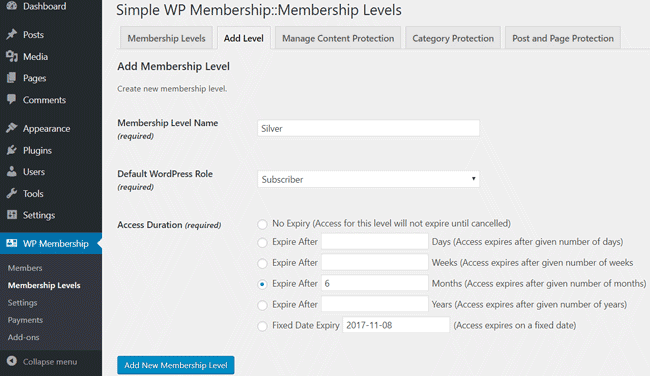
What You Get (Completely Free):
- Unlimited membership levels
- PayPal integration with no transaction fees
- Content protection for posts, pages, and files
- Member management and communication tools
- 50+ tutorial videos
Perfect For: Absolute beginners with zero budget who accept PayPal-only payments.
Main Limitation: PayPal remains the only payment option, limiting international sales and user preferences.
8. ProfilePress – The Modern Interface
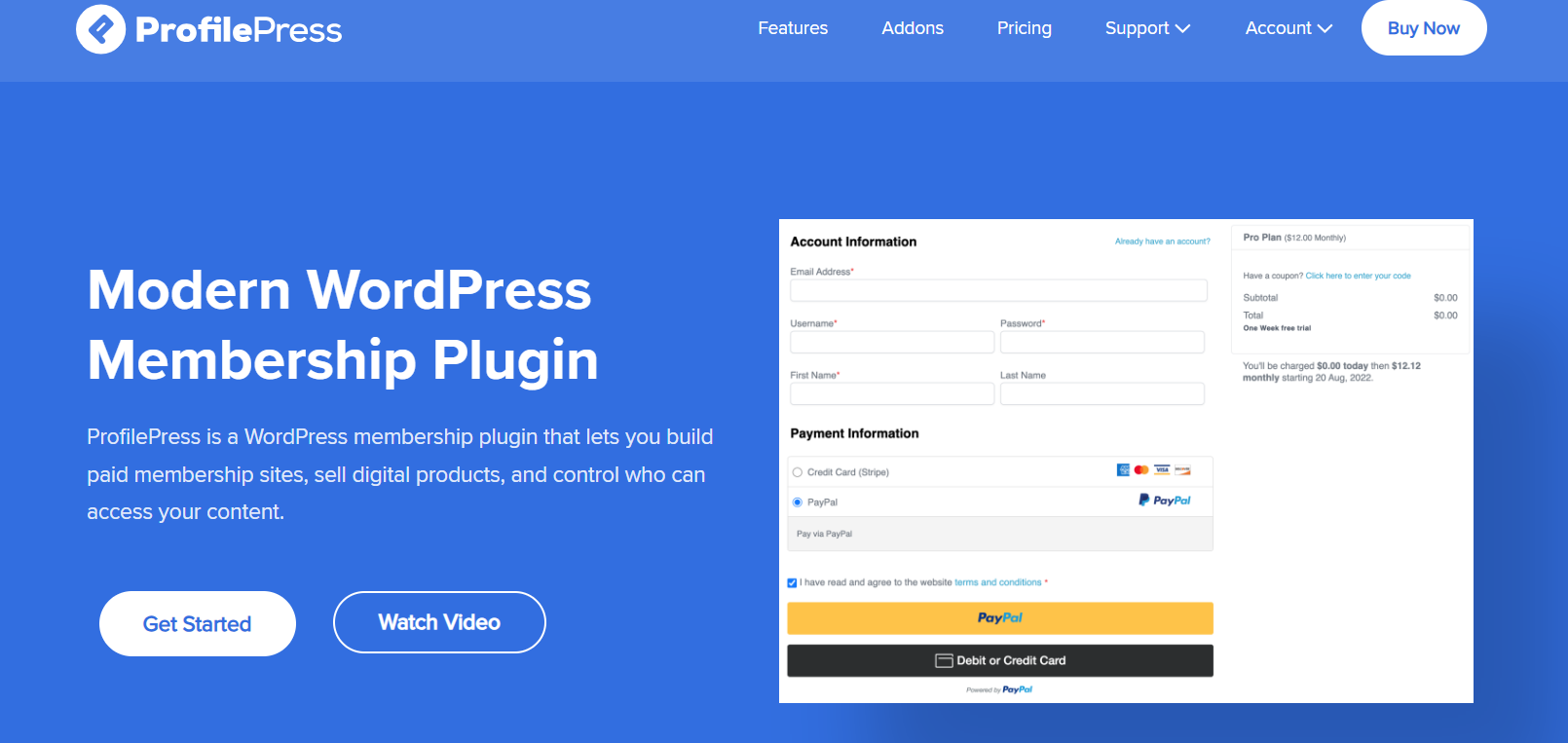
ProfilePress features the most modern interface among budget options, with clean design and intuitive workflows. The user registration and profile management feels contemporary compared to older alternatives.
Pricing Structure:
- Standard ($129/year) with 2% Stripe processing fee
- Plus ($299/year): Removes fees, adds features
- Agency ($499/year): Multiple sites and additional add-ons
Modern Advantages:
- Clean, mobile-responsive interface
- Good integration with popular LMS plugins
- Stripe integration in free version (with fees)
- Social login options
Perfect For: Users prioritizing modern design and user experience over extensive features.
9. ARMember – The One-Time Payment Option
ARMember’s one-time pricing appeals to users avoiding subscription fatigue. The plugin includes 21+ payment gateways and gamification features uncommon in budget options.
Unique Pricing Model:
- Standard: $69/year for 1 site
- Professional: $129/year for 2 sites
- Enterprise: $299/year for 10 sites
- Free Lite: $0/year, basic features

Value Proposition:
- No recurring subscription fees
- Extensive payment gateway support
- Member badges and point systems
- Detailed reporting capabilities
Reality Check: Updates require additional payment after the initial period. The feature-rich interface can overwhelm beginners despite the attractive pricing.
10. WP-Members – The Developer’s Toolkit
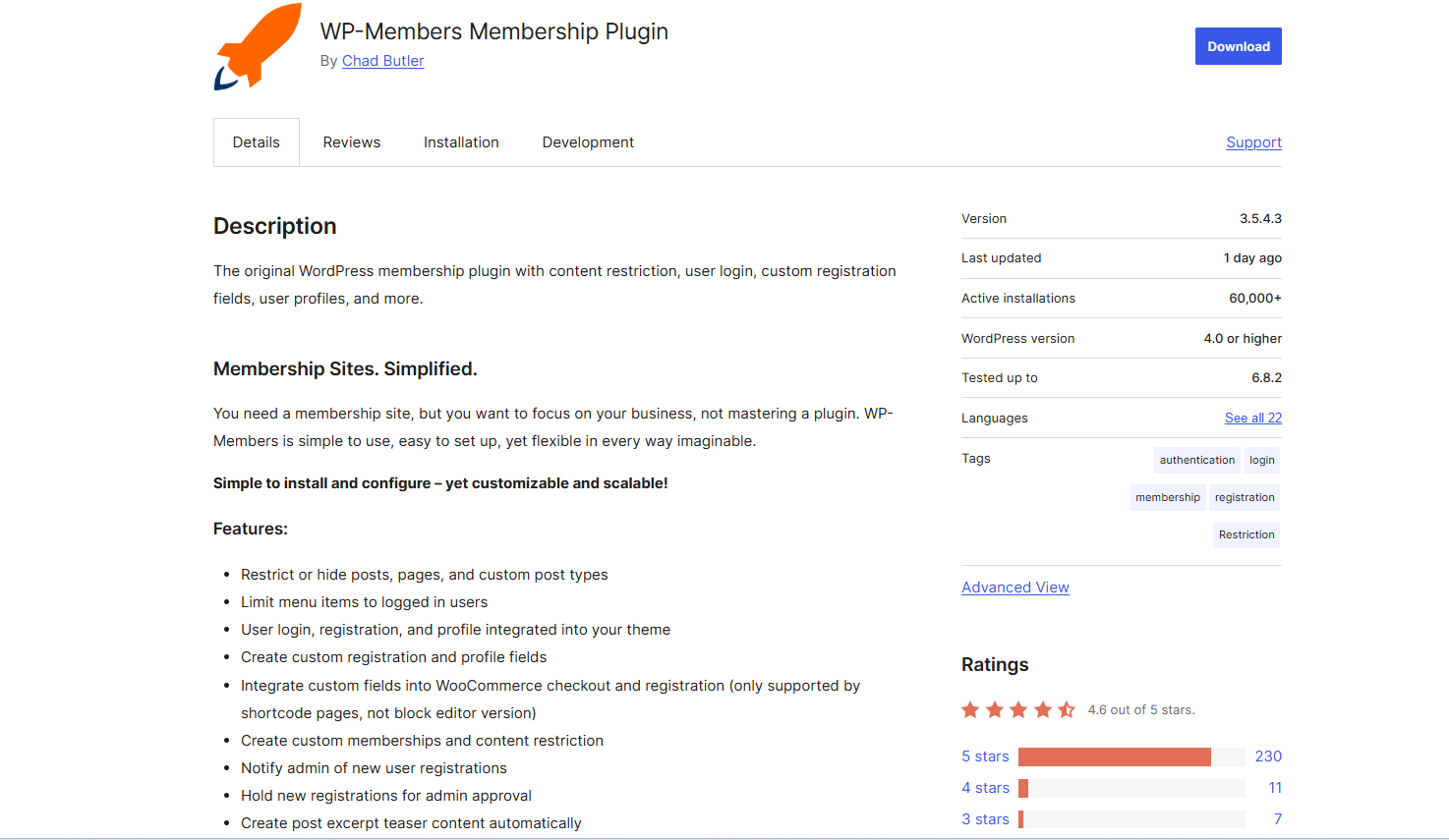
WP-Members provides extensive customization options through 120+ action hooks and filters. The plugin targets developers needing maximum flexibility rather than users seeking polished interfaces.
Pricing Structure:
- Free core plugin with basic functionality
- Pro Bundle pricing varies annually
Developer Features:
- Extensive hook system for customization
- Custom registration field creation
- Shortcode system for content control
- No database table creation (uses WordPress users)
Perfect For: Developers building custom membership solutions or sites needing specific functionality unavailable elsewhere.
Honest Assessment: The dated interface and limited built-in features require significant customization for modern membership sites.
Choosing the Right Membership Plugin for Your Needs
For Beginners Starting Their First Membership Site
Zero Budget Approach: Start with Simple Membership or Paid Memberships Pro’s free version. Simple Membership works if you accept PayPal-only payments, while Paid Memberships Pro offers more payment options and growth potential.
What you can achieve: Basic content protection, member registration, payment processing, and member communication.
Upgrade trigger: When you need multiple payment gateways, advanced analytics, or integrated course creation.
$100-200 Annual Budget: Consider Restrict Content Pro Personal ($99) or ProfilePress Standard ($125). Both remove transaction fees and provide better support than free alternatives.
Growth advantage: These plugins scale effectively as your membership grows, avoiding forced migrations.
For Intermediate Users Upgrading Current Setup
Migration Considerations: Moving from one membership plugin to another involves data export challenges, member communication, and potential billing disruptions. Plan migrations during low-activity periods and communicate changes clearly to members.
Feature Justification: Calculate the ROI of paid features against your current revenue. Advanced analytics become valuable around 500+ members, while built-in course creation saves money around $50+ monthly revenue.
Integration Expansion: Focus on plugins offering the best integration ecosystem for your marketing stack. MemberPress leads in native integrations, while Paid Memberships Pro offers the most third-party add-ons.
For Advanced Users Needing Enterprise Features
Scalability Testing: MemberMouse and MemberPress handle 10,000+ members most effectively. Paid Memberships Pro requires more server optimization but remains cost-effective for large sites.
API and Development: Restrict Content Pro and Paid Memberships Pro offer the most extensive APIs for custom development. WooCommerce Memberships leverages the WooCommerce ecosystem for e-commerce sites.
Analytics Requirements: MemberMouse provides the most sophisticated built-in analytics. Other plugins require third-party integration with tools like Google Analytics or Mixpanel for detailed insights.
The membership economy continues expanding rapidly, but success depends on choosing the right foundation. Whether you select MemberPress for comprehensive features, Paid Memberships Pro for budget-conscious flexibility, or any other option from this analysis, focus on matching plugin capabilities to your specific business model rather than choosing based on price alone.
Frequently Asked Questions on WordPress Membership Plugins
What is the best free WordPress membership plugin?
Paid Memberships Pro (free version) is widely recommended for its features and flexibility.
Do I need WooCommerce Subscriptions for memberships?
Yes, WooCommerce Memberships control access, but WooCommerce Subscriptions is needed for managing recurring payments.
Can I migrate from one membership plugin to another?
Yes, but migration can be complex and should be done carefully using backups and migration tools to avoid data loss.
Which membership plugin is best for online courses?
MemberPress and Paid Memberships Pro work well with LMS plugins like LearnDash, making them great choices for course creators.
Conclusion on Best WordPress Membership Plugins
Choosing the right membership plugin is key to building a successful WordPress site. Whether you prioritize ease of use, integrations, or advanced features, plugins like MemberPress, Paid Memberships Pro, and WooCommerce Memberships offer strong options for creators at every level.
Consider your unique needs and goals to pick the best fit, and you’ll be set to grow a thriving membership community in 2025 and beyond.
Happy Building!


-
 Article
 Article
- Building Your Membership Site