Did you know that posts with images receive 150% more engagement on social media than those without visuals.
Yet most community platforms send shared links out into the world looking like broken previews, missing images, generic text, zero visual appeal.
In our previous post, we explained why SEO matters for community growth and why most community sites struggle with discoverability. Search engines can’t properly index your discussions. Potential members never find your content. Growth stalls.
But there’s another piece of the puzzle: what happens when your existing members do share your content?
Photo posts on Facebook produce 114% higher impressions and 100% higher engagement compared to basic link posts. When your community links show up as broken previews on social media, you’re losing that advantage. Fewer people click. Less traffic flows back to your site. Your members’ sharing efforts get wasted.
The technical solution that fixes this: Open Graph protocol. When implemented correctly, it transforms how your community content appears across social media and search results, giving you the professional previews that drive clicks and the structured data that search engines love.
- What Is Open Graph Protocol?
- The Indirect SEO Benefits of Open Graph Image That Compound Over Time
- OG Image Support Across Social Platforms
- Real-World Impact of OG Images: What Communities Actually See
- How SEO and Sharing Features Work Together
- Bonus: Open Graph vs Twitter Cards
- Community Platform Selection Checklist: What to Ask
What Is Open Graph Protocol?
Open Graph is a standard created by Facebook in 2010 to improve how website content displays on social media.
Before Open Graph, platforms guessed what to show when someone shared a link, usually grabbing random images and generic descriptions that made no sense.
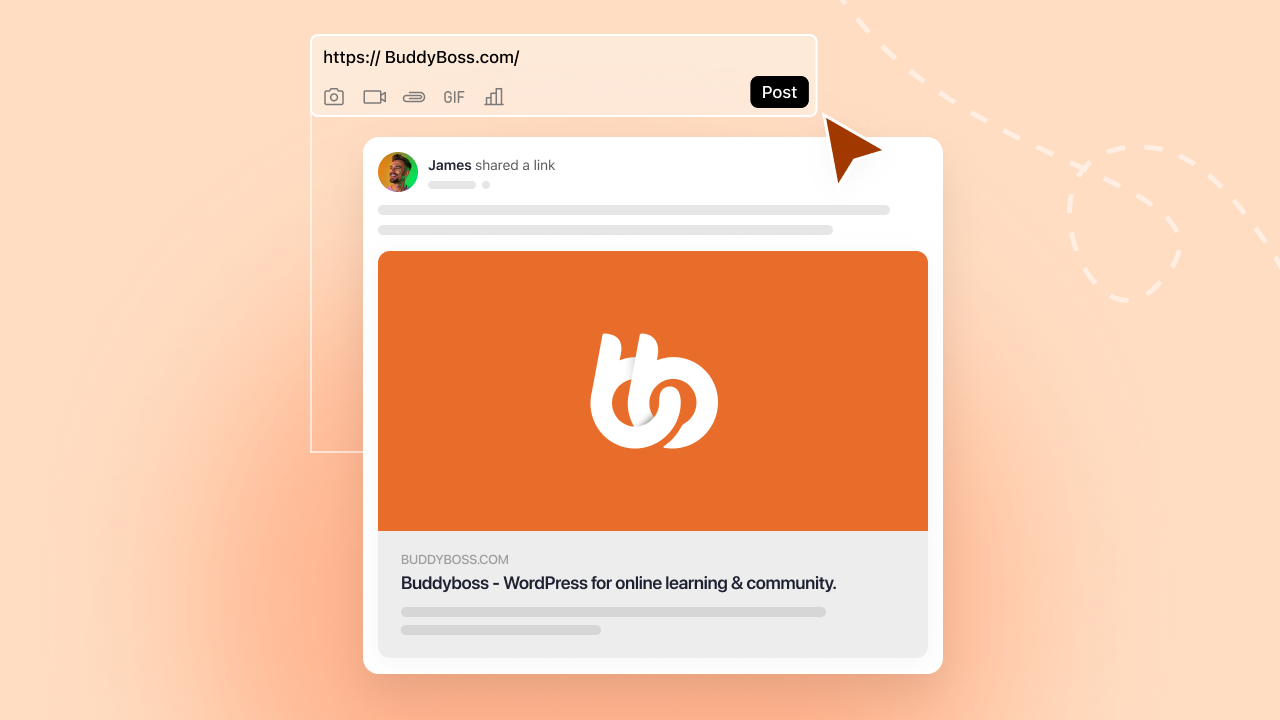
Open Graph tags tell social platforms exactly what title, description, and open graph image to display when your content gets shared. You control the preview instead of leaving it to chance.
Facebook, LinkedIn, X, WhatsApp, and most social platforms support Open Graph. When you share a link with proper implementation, you control what thousands of people see in their feeds.
What Is an OG Image?
An OG image is the visual preview that appears when your content gets shared on social media. It’s the first thing people see in their feed, and it determines whether they scroll past or stop to click.
Without a custom OG image, platforms grab whatever image they find first: a tiny logo, a random sidebar graphic, or nothing at all. The result looks broken and unprofessional.
With a proper OG image, you control exactly what appears. Your branded visual, sized correctly, optimized for each platform.
OG Image Best Practices
| Element | Recommendation |
| Recommended size | 1200 x 630 pixels |
| Minimum size | 600 x 315 pixels |
| Aspect ratio | 1.91:1 |
| File format | PNG or JPG |
| File size | Under 1MB (ideally under 300KB) |
| Text placement | Keep important text centered (edges may crop) |
| Branding | Include logo, but don’t let it dominate |
How Open Graph Works Technically
Open Graph uses meta tags in your website’s HTML header. These tags specify four core elements that social platforms look for:
og:title – The headline that appears in the preview
og:description – The context text that appears below the title
og:image – The visual that appears in the preview
og:url – The canonical URL being shared
Your Page URL
↓
Social Platform Requests Page
↓
Reads HTML <head> Section
↓
Extracts OG Tags (og:title, og:description, og:image, og:url)
↓
Renders Preview Card in Feed
↓
User Sees Professional Preview → Clicks → Visits Your Community
When someone shares your link, social platforms read these tags from your HTML and format the preview accordingly. Without Open Graph tags, platforms fall back to whatever content they find first, often with terrible results.
A random sidebar image becomes your preview. A generic site tagline replaces your content-specific description. The shared link looks unprofessional and unclear, so fewer people click.
With proper Open Graph implementation, you specify exactly what appears. Your branded image, compelling description, and clear title create a professional preview that encourages clicks and makes your members look good for sharing.
The Indirect SEO Benefits of Open Graph Image That Compound Over Time
Open Graph doesn’t directly impact search engine rankings. Google doesn’t use Open Graph tags as ranking factors, and implementing it won’t move you up in search results tomorrow.
But Open Graph provides significant indirect SEO benefits through a cascade of effects:
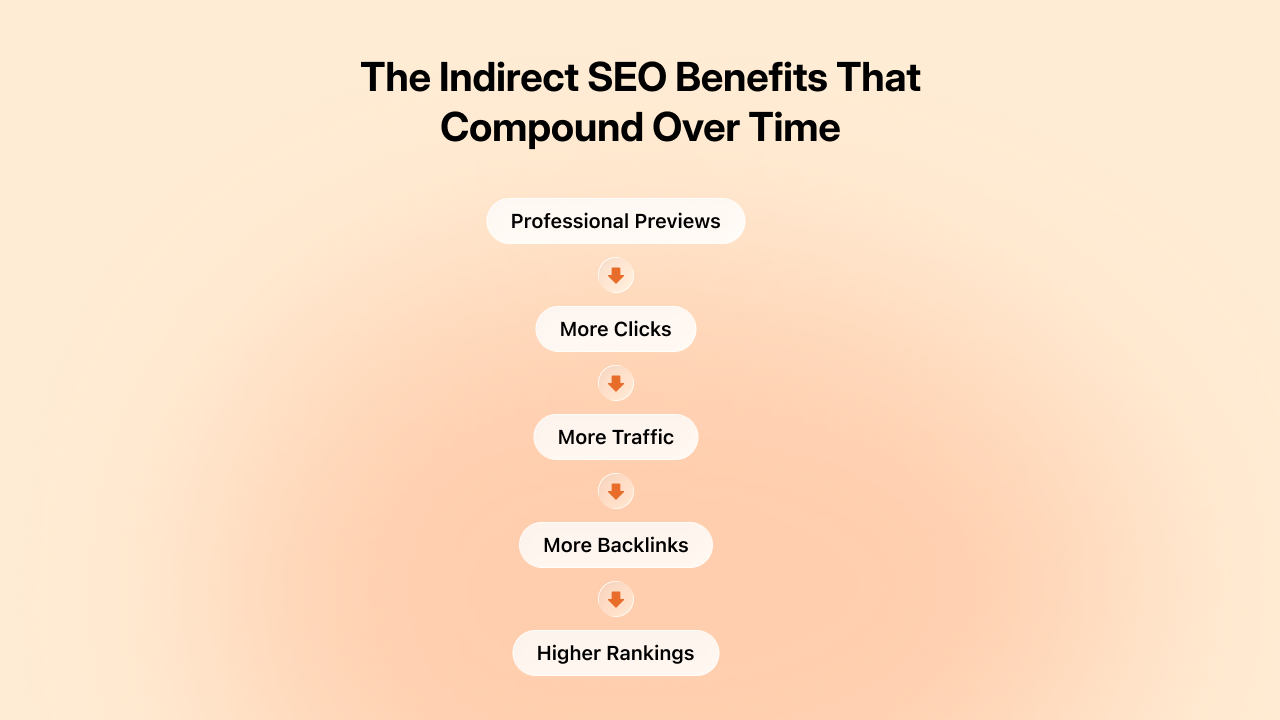
Professional previews → More clicks: When your open graph image looks good, more people click. Higher click-through rates from social platforms signal content quality.
More clicks → More traffic: Increased traffic to your community from social sources improves overall site metrics that search engines do consider.
More traffic → More backlinks: When content reaches more people, some of them link to it from their websites, blogs, or resources. Those backlinks directly improve your domain authority.
Better authority → Higher rankings: Improved domain authority from quality backlinks leads to higher search rankings over time.
The chain flows from professional social previews to increased sharing to more traffic and backlinks to improved SEO performance. Open Graph is the first link in that chain. Break it, and the entire sequence fails.
OG Image Support Across Social Platforms
Not all platforms handle Open Graph the same way. Here’s what to expect:
| Platform | OG Support | Image Display | Notes |
| Full | Large preview card | Created OG protocol, best support | |
| Full | Large preview card | Strong OG support, caches aggressively | |
| X (Twitter) | Fallback | Card format | Prefers Twitter Cards, falls back to OG |
| Full | Preview with image | Reads OG tags for link previews | |
| Partial | Image-focused | Uses og:image, ignores most other tags | |
| Slack | Full | Rich unfurl | Excellent OG support in message previews |
| Discord | Full | Embed preview | Displays OG data in link embeds |
| iMessage | Partial | Link preview | Basic OG support on iOS |
| Telegram | Full | Link preview | Good OG implementation |
Tip: Implement Open Graph once, and most platforms handle it. Add Twitter Cards for optimal X previews. Test on the platforms your members use most.
Real-World Impact of OG Images: What Communities Actually See
Understanding abstract benefits is one thing. Seeing concrete outcomes is another. Here’s what communities and platforms actually experienced after implementing proper SEO with professional social previews.
Discovery Through Search- Brainly
Brainly, an online education platform leveraging peer-to-peer learning, saw its popularity surge after implementing proper SEO. Users generated over 2 million question landing pages, and this user-generated content earned recognition from search engines, tripling Brainly’s keyword rankings year-over-year.
The pattern repeats across community platforms. Someone searching “how to improve email deliverability” discovers a valuable discussion in your marketing community. They join to participate. One new member from search becomes ten as the pattern compounds.
Course platforms with indexed catalog pages see enrollment inquiries from organic search jump 30-50% after proper metadata implementation. Search engines understand your course structure, pricing, and instructor credentials. You appear in relevant searches without paying for ads.
These gains compound. Better search visibility brings more members. More members create more content. More content creates more search visibility. The flywheel accelerates.
Social Sharing That Actually Converts
Tumblr increased its Facebook traffic by 250% after implementing Open Graph. Neil Patel saw his social traffic increase 174% with proper Open Graph implementation. A client in the finance sector increased their social media traffic by 78% after implementing proper Open Graph tags—simply because their content became more clickable.
The research backs this up. A 2024 INMA study showed that Facebook posts with images had 100% more engagement and 114% more impressions than posts without images. According to Moz, posts with optimized Open Graph data can see up to 50% more engagement.
Communities that implement professional Open Graph previews typically see click-through rates on shared content increase 2-3x compared to broken or generic previews. Posts with images on social media platforms receive 150% more engagement compared to those without visuals.
At a $100 average acquisition cost through paid channels, the organic inquiries from improved social sharing represent significant marketing spend savings. The ROI on proper SEO and Open Graph implementation is immediate and measurable.
Member Confidence in Sharing
Less quantifiable but equally important: members share more actively when they know content will look good.
Before implementation: Members hesitate. “Will this make me look unprofessional? Will the link even work?” That friction reduces sharing frequency.
After implementation: Member confidence increases. They share freely because they trust the system. This behavioural shift drives long-term growth more than any single feature.
Tracking community engagement metrics helps you measure this cycle. Monitor traffic sources to see how much comes from social sharing. Track conversion rates from social traffic. Measure which shared content drives the most new member signups.
This data reveals which content types to create more of and which sharing channels to prioritize. SEO and social sharing aren’t just technical features, they’re growth strategies backed by measurable results.
How SEO and Sharing Features Work Together
Professional social previews solve half the sharing equation. They make your content look good when it travels to external platforms. Clear Open Graph images, compelling descriptions, and proper formatting ensure that when members share content, it represents your community professionally.
But you still need to make sharing easy in the first place.
If members have to manually copy text, upload images separately, and paste links to share content from your community, friction kills momentum. Even with perfect Open Graph implementation, most members won’t bother with that process regularly.
Native sharing features, letting members reshare content to groups, profiles, messages, or external platforms with one click, turn social previews into actual growth. When sharing is effortless and the results look professional, members share actively.
This is why SEO and sharing features work together:
- SEO ensures shared content looks professional
- Sharing features make distribution effortless
- Together they turn members into growth drivers
One without the other leaves opportunities on the table. Professional previews with difficult sharing means fewer shares. Easy sharing with amateur previews means low click-through rates. You need both working together.
Bonus: Open Graph vs Twitter Cards
Twitter (X) uses its own system called Twitter Cards, which works similarly to Open Graph but with different tags.
| Feature | Open Graph | Twitter Cards |
| Created by | Facebook (2010) | Twitter (2012) |
| Tag prefix | og: | twitter: |
| Primary platforms | Facebook, LinkedIn, WhatsApp, Pinterest | X (Twitter) |
| Image tag | og:image | twitter:image |
| Fallback behavior | Twitter reads OG tags if Twitter Cards missing | Facebook ignores Twitter Cards |
What this means for you:
If you only implement Open Graph, Twitter will use your open graph image as a fallback. But for optimal Twitter previews, implement both.
Most modern platforms and SEO tools handle both automatically. If you’re using BuddyBoss or similar built-in SEO platforms, both tag sets are generated without extra work.
Community Platform Selection Checklist: What to Ask
When evaluating community platforms, use these questions to assess SEO capabilities:
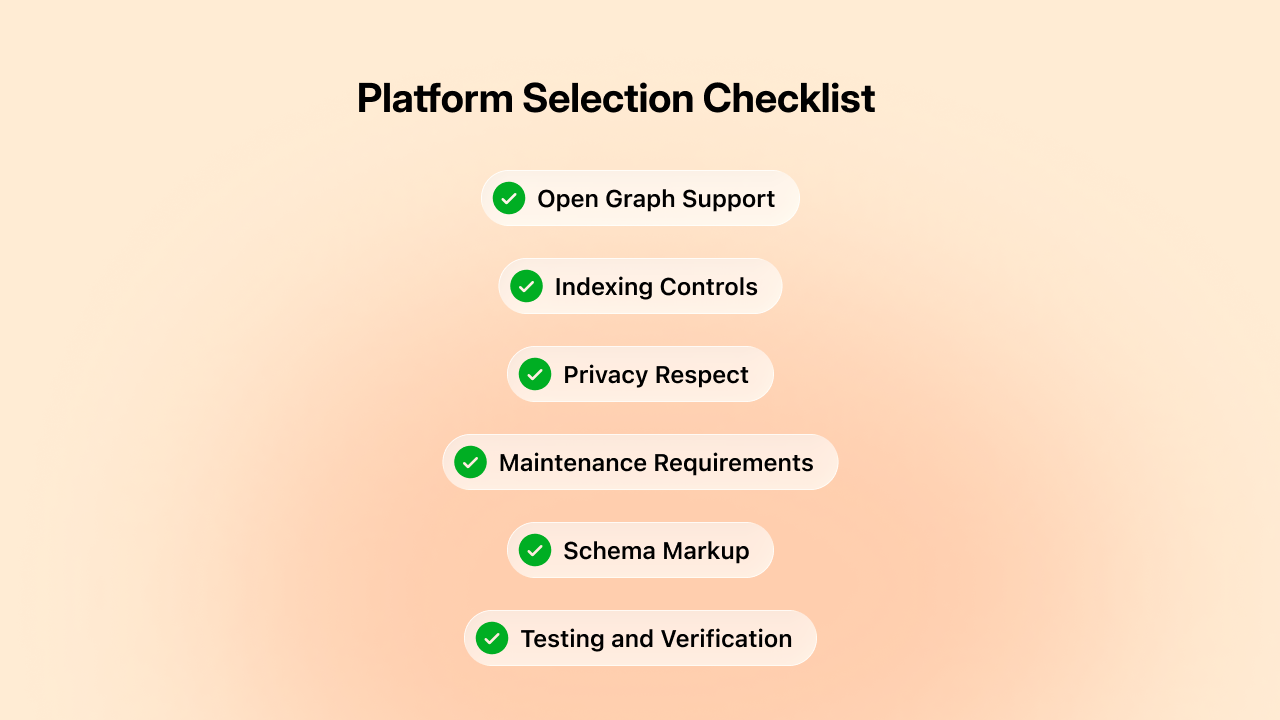
Open Graph Support
- Does the platform support Open Graph natively, or do I need plugins?
- Can I upload custom Open Graph images for different content types?
- Does it generate proper og:title, og:description, og:image, and og:url tags automatically?
Indexing Controls
- Can I control what gets indexed at a granular level (posts vs profiles vs groups)?
- Can I index some groups while keeping others private?
- Can I make course catalogs discoverable while keeping course content locked down?
Privacy Respect
- Does the platform respect privacy settings automatically in SEO?
- If my site is in Private Mode, does it prevent internal content leaks?
- Can private group content accidentally get exposed through shares?
Maintenance Requirements
- Will updates break my SEO configuration?
- Is there ongoing maintenance required to keep SEO working?
- Do I need technical expertise to configure and maintain it?
Schema Markup
- Does the platform handle schema markup for rich search results?
- Can search engines understand my courses, events, and community structure?
Testing and Verification
- Can I preview how shared links will look before members share them?
- Does the platform provide tools to verify Open Graph implementation?
Platforms with built-in SEO answer yes to most of these questions. Plugin-dependent platforms require ongoing work. No-SEO platforms can’t address these needs without custom development.
The platform you choose today determines your growth opportunities for years. Choose one that makes SEO accessible instead of treating it as an afterthought.
What This Means for Your Platform Choice
If you’re building a community from scratch, choose a platform that treats SEO as a core feature rather than an afterthought. Evaluate how each platform handles Open Graph, indexing controls, and privacy protection. Test how shared content looks on LinkedIn, Facebook, and X before committing.
If you’re running an existing community with poor SEO, evaluate whether your current platform can support proper implementation. Calculate the cost of staying (lost growth, ongoing maintenance) versus the cost of migrating to a platform with built-in SEO support.
If you’re satisfied with your current growth but want to accelerate, optimize your SEO configuration. Small improvements in click-through rates compound dramatically over time. The difference between 1% and 2% engagement on shared content is thousands of additional visitors annually.
The platforms that make SEO easy win. The communities that implement it properly grow. The members who share confidently become your best marketing channel.
Make sure your platform supports this, and make sure you’re using it effectively.
Open Graph tags determine how your community looks when members share it. Choose a platform where OG customization is built-in, not an afterthought.
BuddyBoss offers:
- Complete OG meta tag control
- Custom images for every page type
- WordPress SEO plugin compatibility
- Privacy-first sharing controls
See how BuddyBoss makes social sharing work for your community growth.
Try BuddyBoss Demo →


 Article