Points. Badges. Leaderboards. Ranks.
If you run a community, you already know this stuff works. Many platforms using gamified features report up to 48% higher engagement compared with non-gamified ones.
But there’s one layer almost no community builder uses and it’s the one that actually changes behavior: competitions.
Competitions add what ‘always on’ gamification can’t: a deadline, a shared goal, a moment that opens, builds energy, and then closes.
And that time pressure?
It changes how members show up.
What Is Competition and Why Does It Work?
A competition is a time-bound challenge where members complete specific actions before a deadline to earn rewards.
Games figured this out years ago. Fortnite’s Battle Pass resets each season, miss the window, miss the rewards. Pokémon GO’s Community Days give you three hours to catch a rare spawn. Duolingo borrowed the same playbook: miss a day, lose your streak.
According to research, well-implemented gamification raises engagement by about 30% on average. But add time-based elements like challenges and competitions, and that number can climb to 100-150% compared to static approaches.
The time constraint isn’t a limitation but It’s the mechanism.
When members know a challenge ends Friday, they don’t bookmark it for later. They act. The countdown creates momentum. The shared deadline creates community. Everyone’s working toward the same thing at the same time.
A competition isn’t “do this thing for points.” It’s “do this thing, by this date, and here’s exactly what you unlock.” That specificity matters more than most community builders realize.
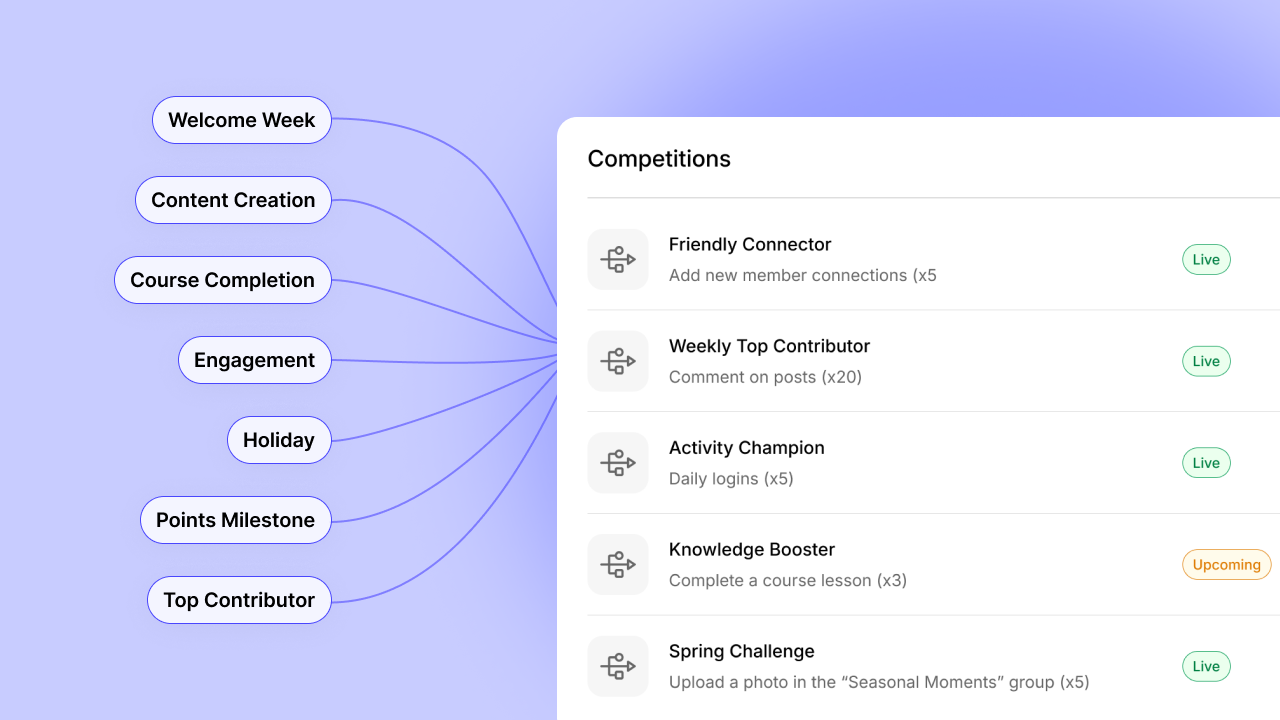
Here are seven competition formats that work. Each one maps to specific member actions you can track and reward.
7 Best Community Competition Ideas That Actually Drive Engagement
- Welcome Week Challenge
- Content Creation Challenge
- Course Completion Race
- Engagement Challenge
- Holiday or Seasonal Challenge
- Points Milestone Challenge
- Top Contributor Challenge
1. Welcome Week Challenge
Best for: Communities that want to activate new and existing members together
New members often lurk because they don’t know where to start. A Welcome Week gives everyone a reason to introduce themselves and start conversations.
Run a week-long competition challenging members to comment on 5 posts. Point them toward your introductions forum or a pinned welcome thread.
It works because cCommenting is low-stakes. Members don’t need expertise to say “welcome” or ask a question. And when new members see responses to their posts, they’re more likely
Duration: 7 days
User Action: Posts created, comments made
Reward: Achievement badge (exclusive to that cohort)
2. Content Creation Challenge
Best for: Communities that depend on member-generated content
You’ve stared at a quiet feed before. Posted a discussion prompt that got two replies. The problem isn’t that members have nothing to say. It’s that they’re not sure anyone will care. Lurking feels safer than posting.
To do this, challenge members to publish a set number of posts within 30 days. Award points for each post, with a bonus achievement for hitting the goal.
The reason why it works is because most lurkers aren’t lazy. They’re uncertain. A challenge gives them permission to post and a reason to do it. Once they start and get responses, the behavior often continues after the challenge ends.
Duration: 30 days
User Action: Posts created
Reward: Free access to an advanced course
3. Course Completion Race
Best for: Course creators and learning communities
Most people who buy courses don’t finish them. They sign up with good intentions, watch a few lessons, get busy, and drift away. The course sits in their dashboard, half-finished, generating guilt instead of results.
Start by giving members a deadline to complete a course. Those who finish unlock an exclusive reward: a certificate, access to advanced content, or an invite to a graduates-only group.
External deadlines create accountability that self-paced learning can’t. When completion comes with visible recognition, members have two reasons to finish: the value of learning and the status of completing.
Duration: 14-30 days depending on course length
User Action: Courses completed
Reward: Achievement badge + access to a graduates-only group
Pro tip: Run this as a cohort where everyone starts together. Shared deadlines create peer pressure. Discussion threads around the material create connection. The combination drives completion rates that self-paced courses can’t match.
4. Engagement Challenge
Best for: Communities with content but low interaction
Content without engagement is just broadcasting. You need members reacting, commenting, and building on each other’s ideas. But most people default to passive consumption. They scroll, read, and leave.
Challenge members to like and comment on a set number of posts within two weeks. Make the threshold achievable but meaningful.
Why does it work? Engagement begets engagement. When members start commenting, they get responses. Those responses pull them back. A two-week push can shift passive consumers into active participants.
Duration: 2 weeks
User Action: Likes, comments
Reward: Extra points
5. Holiday or Seasonal Challenge
Best for: Any community that wants predictable engagement spikes
Holidays and seasons give you a natural hook. Members already expect something special during these moments. A “12 Days of Engagement” challenge in December. A “New Year Sprint” in January. A “Black Friday Blitz” tied to your biggest sale.
Design a themed challenge around a calendar moment. Use any trigger that fits: posts, comments, course completions, logins. The theme does the heavy lifting.
This is one of the best challenges because seasonal events feel inherently time-limited. That psychology works in your favor. They also give you an excuse to re-engage inactive members with something fresh.
Duration: 7-14 days, aligned with the holiday
User Action: Any (themed framing)
Reward: Bonus points + seasonal achievement (only available during that window)
Pro tip: Plan these in advance. Put them on your content calendar. You’ll thank yourself when December arrives and you’re not scrambling.
6. Points Milestone Challenge
Best for: Communities with existing point systems
If you already have points running, a milestone challenge adds a turbo boost. Instead of members earning points at whatever pace they naturally engage, you challenge them to hit a specific threshold by a deadline.
Set a goal: complete 20 posts by Christmas, or 15 comments in two weeks. Show a leaderboard. Make the countdown visible. Those who hit the milestone earn points and unlock a reward.
Why does it work? Points alone can feel abstract. A milestone gives them concrete meaning. Members start doing the math: “If I post three times, comment on five discussions, and complete one lesson, I’ll hit my goal.” That calculation drives action.
Duration: 1-2 weeks
User Action: Points threshold
Reward: Free access to a premium course
7. Top Contributor Challenge
Best for: Communities that want to surface and reward power users
Every community has members who contribute more than others. They post frequently, comment thoughtfully, and help others. But often they’re invisible. A top contributor challenge puts them on stage.
Run a leaderboard-based competition where the most active members over a set period win. Track posts or comments, whichever fits your community best. Reward the top 3, 5, or 10.
Members who might contribute anyway will push harder when there’s a leaderboard. And the public visibility shows everyone else what engaged membership looks like.
Duration: 2-4 weeks
User Action: Posts created, comments made
Reward: Access to “Community Champions” group (insider updates, direct feedback channel, early access to new features)
How To Make Competitions Work?
Having the feature doesn’t guarantee results. Here’s what separates competitions that drive engagement from ones that get ignored.
Start with one. Don’t launch five competitions at once. Run one, watch what happens, gather feedback, iterate. You’ll learn more from one well-observed competition than from a dozen you barely tracked.
Match duration to effort. A simple action like completing your profile needs only a few days. A bigger commitment like finishing a course needs 2-4 weeks. Too short and members feel rushed. Too long and urgency disappears.
Make rewards meaningful. Status often beats stuff. A badge that says “I finished” can matter more than a gift card. Members want recognition and visible proof they accomplished something. Exclusive access to content, people, or experiences typically outperforms physical rewards.
Promote before, during, and after. Announce the competition before it starts. Send reminders during. Celebrate winners publicly when it ends. The competition isn’t just an activity. It’s the conversation around the activity.
Avoid competition fatigue. If you run challenges constantly, they stop feeling special. Space them out. Monthly or quarterly works for most communities. Save the big competitions for moments that matter.
We’re Excited To Introduce Competitions in BuddyBoss Plus
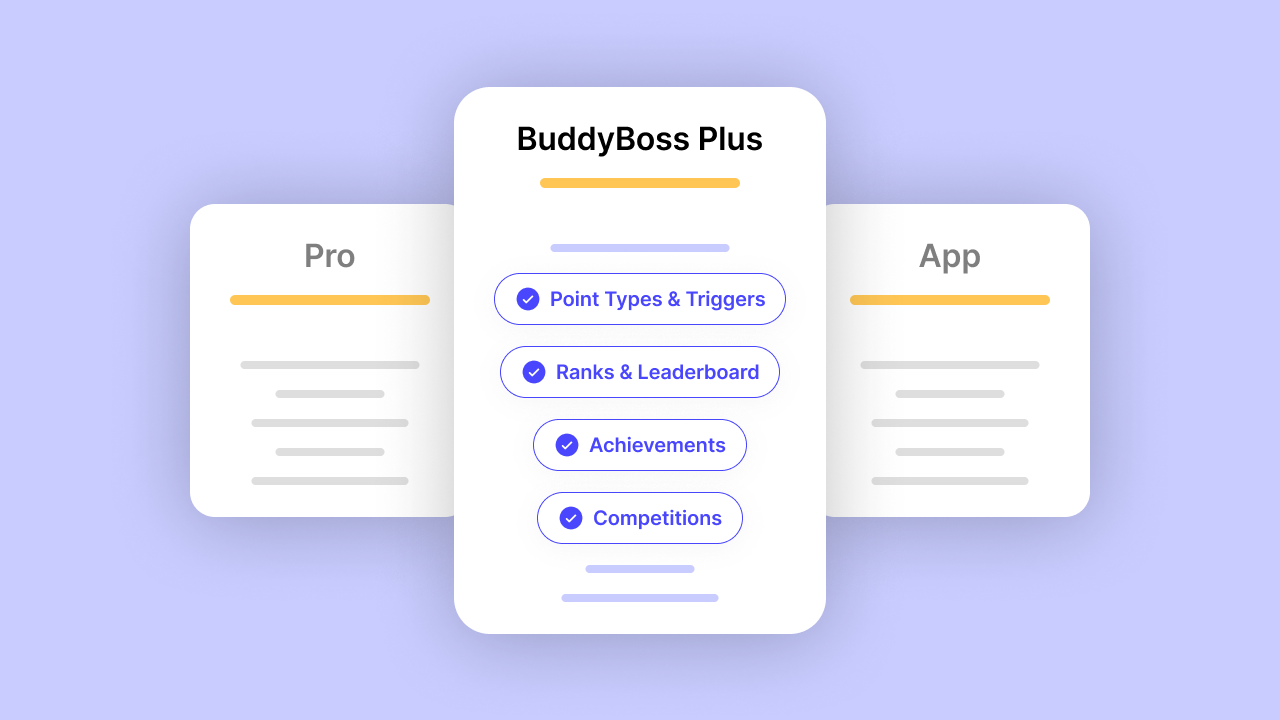
We’re excited to introduce Competitions, the newest addition to BuddyBoss Gamification.
Competitions bring time-based challenges to your community. Set a goal, pick a deadline, choose rewards, and watch your members rally around a shared objective.
Whether you’re running a 7-day onboarding sprint or a month-long content creation challenge, Competitions give you the tools to turn engagement into an event.
This feature is available now for all BuddyBoss Plus users. If you’re already using Points, Ranks, and Achievements, Competitions integrate directly into your existing Gamification setup, no extra configuration required.
Here’s how to get started.
Setting Up Your First Competition in BuddyBoss
If you’re running your community on BuddyBoss, you can set up time-based competitions directly in the Gamification settings. The setup process takes just a few minutes.
Step 1: Navigate to Competitions
From your WordPress dashboard, go to BuddyBoss > Gamification > Competitions. This is where you’ll create, manage, and monitor all your competitions.
Step 2: Create a New Competition
Click “Add New Competition” to start. Give your competition a clear, motivating name, something members will immediately understand. “7-Day Onboarding Sprint” works better than “New Member Challenge Q4.”
Use the description field to explain what members need to do and what they’ll earn. Keep it short and specific.
Step 3: Choose Your User Action (Triggers)
Select the action members need to complete. Available User Action include:
- Profile completion
- Login count
- Posts created
- Comments made
- Courses completed
- Likes given
- And more
Pick the User Action that aligns with the behavior you want to encourage.
Step 4: Set the Required Count
Define how many times members need to complete the action. For example: log in 5 times, publish 10 posts, or complete 1 course. Keep the threshold achievable but meaningful—too easy feels hollow, too hard discourages participation.
Step 5: Define Your Timeline
Set your start and end dates. This is what creates the urgency. A competition without a deadline is just a suggestion. Choose a duration that matches the effort required:
- Simple actions (profile completion, logins): 7 days
- Medium effort (posts, comments): 2-4 weeks
- Higher commitment (course completion): 30 days
Step 6: Select Rewards
Choose what members earn for completing the competition. Options include:
- Bonus points
- Exclusive achievements
- Access to gated content
- Access to specific courses (for membership sites)
Status often motivates more than stuff. A badge that says “Challenge Completed” can drive participation just as effectively as a tangible prize.
Step 7: Save and Launch
Review your settings, save the competition, and you’re live.
Note: Once you save a competition, the action type and rewards cannot be changed. Double-check your settings before saving.
Tracking Progress
Once your competition is running, Members track their progress from the Awards Page under the Competitions tab.. They’ll see what they’ve completed, what’s remaining, and how much time is left.
You can monitor overall participation from the Competitions dashboard, see who’s joined, who’s on track, and who’s completed the challenge.
Want to see what’s possible? Read our full Competitions announcement for use cases, best practices, and ideas to get started.
Pick One and Start Today!
You don’t need seven competitions. You need one.
Look at your community’s biggest gap right now. New members disappearing? Try an onboarding sprint. Is the content feed too quiet? Run a content creation challenge. Course completions low? Launch a completion race.
Set a clear trigger. Choose a meaningful reward. Define your dates. Promote it.
Then watch what happens when you give members something to rally around and a deadline to do it.
Ready to launch your first competition?
Get Plus Today —Unlock Competitions and full Gamification

 Article