Email marketing consistently outperforms social media, search, and display advertising in conversion rates.
Despite the rise of TikTok, Instagram, and other platforms, email delivers an average ROI of $42 for every dollar spent in 2025.
WordPress site owners have a distinct advantage: direct integration capabilities that external email platforms can’t match.
Instead of juggling separate systems and complex integrations, the right plugins can extend your WordPress site into a powerful email marketing hub.
This guide reviews the best email marketing plugins for WordPress that simplify audience growth while providing enterprise-level features.
Whether you’re launching your first newsletter or scaling an established business, these tools eliminate the complexity of email marketing.
Why Use Email Marketing Plugins for WordPress?
WordPress email marketing plugins offer advantages that standalone platforms struggle to match.
The integration runs deeper than simple API connections, these plugins understand your content, users, and site behavior intimately.
Direct WordPress integration eliminates data silos.
Your subscriber information, purchase history, and content preferences live in one place. When someone downloads your lead magnet, purchases a product, or joins your community, the plugin captures that context automatically.
Subscriber management becomes effortless.
WordPress user roles integrate seamlessly with email segments. Community members, customers, and newsletter subscribers get appropriate content without manual list management.
Cost savings compound over time.
Popular email platforms charge based on subscriber count, often reaching hundreds monthly for growing lists. WordPress plugins typically offer unlimited sending with one-time purchases or modest annual fees.
Personalization reaches new levels.
Your plugin knows which blog posts each subscriber reads, products they’ve purchased, and pages they visit most. This behavioral data powers highly targeted campaigns that external platforms can’t replicate.
Key Features to Look For in Email Marketing Plugins
While we gathered some really useful email marketing plugins we had a list features we looked for in all those plugins and reviewed them to know what least and the most you need in email marketing plugins for WordPress-
Drag-and-drop email builders:- Look for plugins offering pre-built templates, mobile-responsive designs, and visual editing interfaces. The best builders let you create professional emails without touching code.
Automation workflows:- Welcome series for new subscribers, abandoned cart recovery for WooCommerce, and drip campaigns for course launches should run automatically. Advanced plugins offer conditional logic based on subscriber behavior.
Native integrations prevent headaches. Your chosen plugin should work seamlessly with WooCommerce, membership plugins, LMS platforms, and community tools like BuddyBoss. Direct integrations beat API connections for reliability and data accuracy.
Analytics and reporting inform strategy decisions. Open rates, click-through rates, and conversion tracking help optimize campaigns. The best plugins provide WordPress dashboard reporting without requiring separate analytics platforms.
Pricing transparency matters for scaling. Understand costs upfront, including subscriber limits, sending restrictions, and premium feature requirements. Many plugins offer generous free tiers before requiring paid upgrades.
9 Best Email Marketing Plugins for WordPress (2025 Edition)
Choosing the right email marketing plugin can have a big impact on how you grow your WordPress site and keep your audience engaged. With dozens of options available in 2025, it’s important to find a plugin that matches your needs:-
1. ActiveCampaign for WordPress
ActiveCampaign combines advanced marketing automation with CRM functionality, making it one of the most powerful email solutions for WordPress users. Its official WordPress plugin seamlessly connects forms, site tracking, and WooCommerce data with your ActiveCampaign account.
Key Features:
- Advanced automation workflows with conditional logic
- Integrated CRM for lead and deal management
- Deep WooCommerce and membership plugin integration
- Site tracking to trigger campaigns based on user behavior
- Dynamic content personalization for emails
Pros:
- Best-in-class automation and segmentation capabilities
- Strong CRM + email marketing combination
- Reliable deliverability and infrastructure
- Scales for both small businesses and enterprises
- Excellent community site segmentation features
Cons:
- Monthly subscription required, no free tier
- More complex to learn than simpler plugins
- Higher price point for advanced features
Ideal Use Case: Businesses and community builders who need enterprise-grade automation, CRM, and email in one platform. Perfect for BuddyBoss communities that want advanced segmentation and member lifecycle campaigns.
2. HubSpot WordPress Plugin
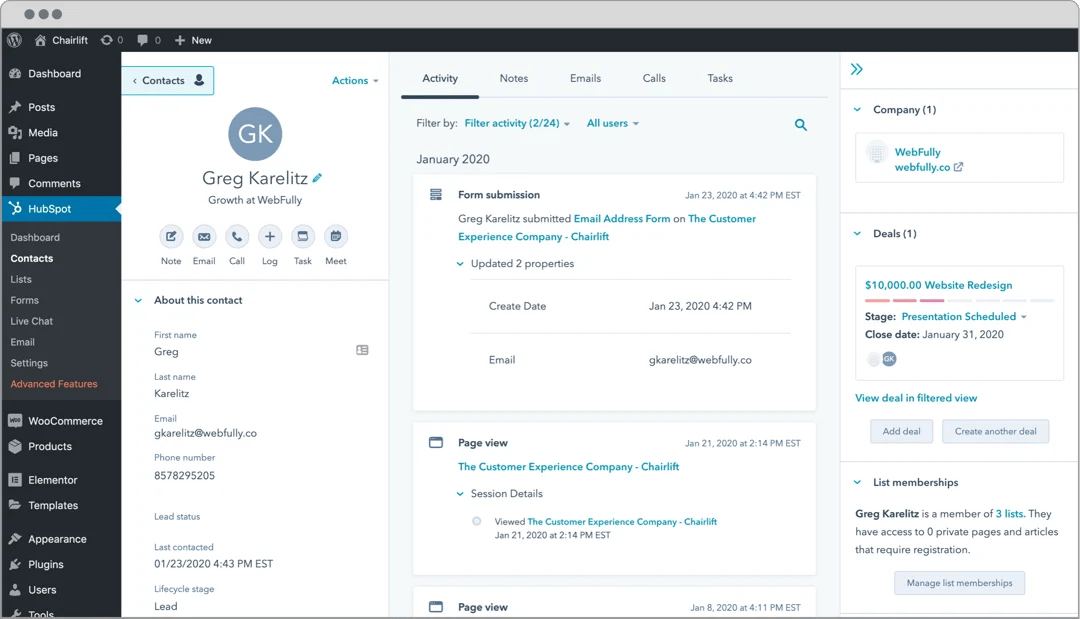
HubSpot is not just an email plugin but it’s a full CRM that also includes email marketing, live chat, and analytics. For WordPress communities (including BuddyBoss), HubSpot’s segmentation and CRM features make it a good fit for organizations that need to manage relationships alongside email campaigns.
Key Features:
- Complete CRM with contact management and deal tracking
- Email marketing with sophisticated automation workflows
- Live chat and chatbot functionality
- Form builder with progressive profiling capabilities
- Detailed analytics and attribution reporting
Pros:
- All-in-one platform eliminates need for multiple tools
- Generous free tier includes CRM and basic email marketing
- Excellent integration with WordPress content and user data
- Scales from small businesses to enterprise-level operations
Cons:
- Can be overwhelming for users who only need email marketing
- Advanced features require expensive paid plans
- Learning curve for users new to CRM concepts
Ideal Use Case: Growing businesses that need CRM functionality alongside email marketing, particularly B2B companies with longer sales cycles.
3. MailPoet
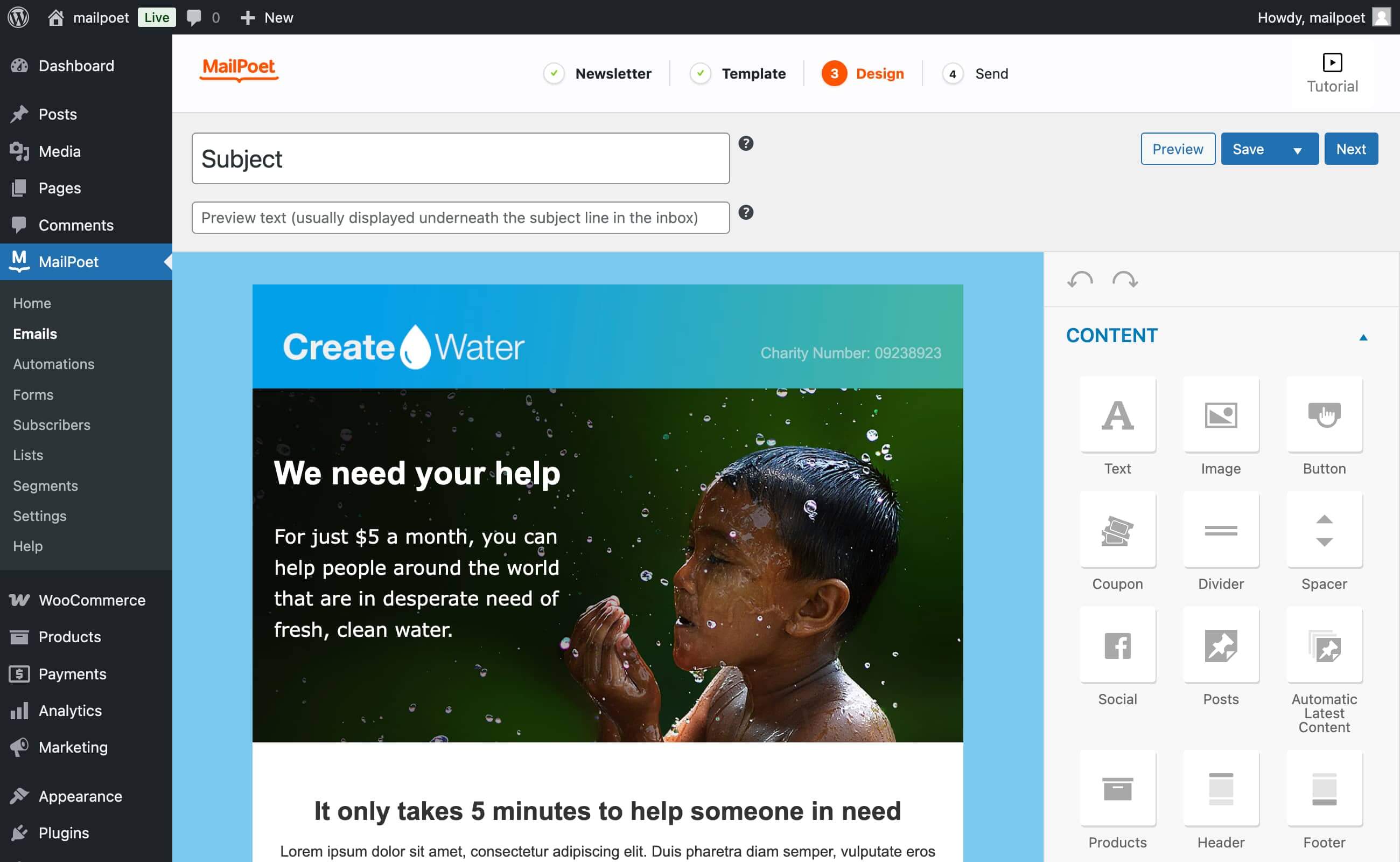
MailPoet was built specifically for WordPress users who want email marketing without platform switching. The plugin handles everything from newsletter creation to automated sequences directly within your WordPress dashboard.
Key Features:
- Visual email builder with WordPress post integration
- WooCommerce automation for product recommendations and cart recovery
- Subscriber import from WordPress users and third-party platforms
- Built-in delivery infrastructure or integration with external sending services
Pros:
- Seamless WordPress integration feels native to the platform
- Generous free tier allows up to 1,000 subscribers and unlimited emails
- WooCommerce features rival dedicated eCommerce email platforms
- Regular updates and active development community
Cons:
- Advanced automation requires premium subscription
- Delivery rates depend on hosting quality for self-hosted sending
- Limited template variety compared to specialized email platforms
Ideal Use Case: WordPress site owners who want comprehensive email marketing without leaving their dashboard, especially those running WooCommerce stores.
4. Mailchimp for WordPress (MC4WP)
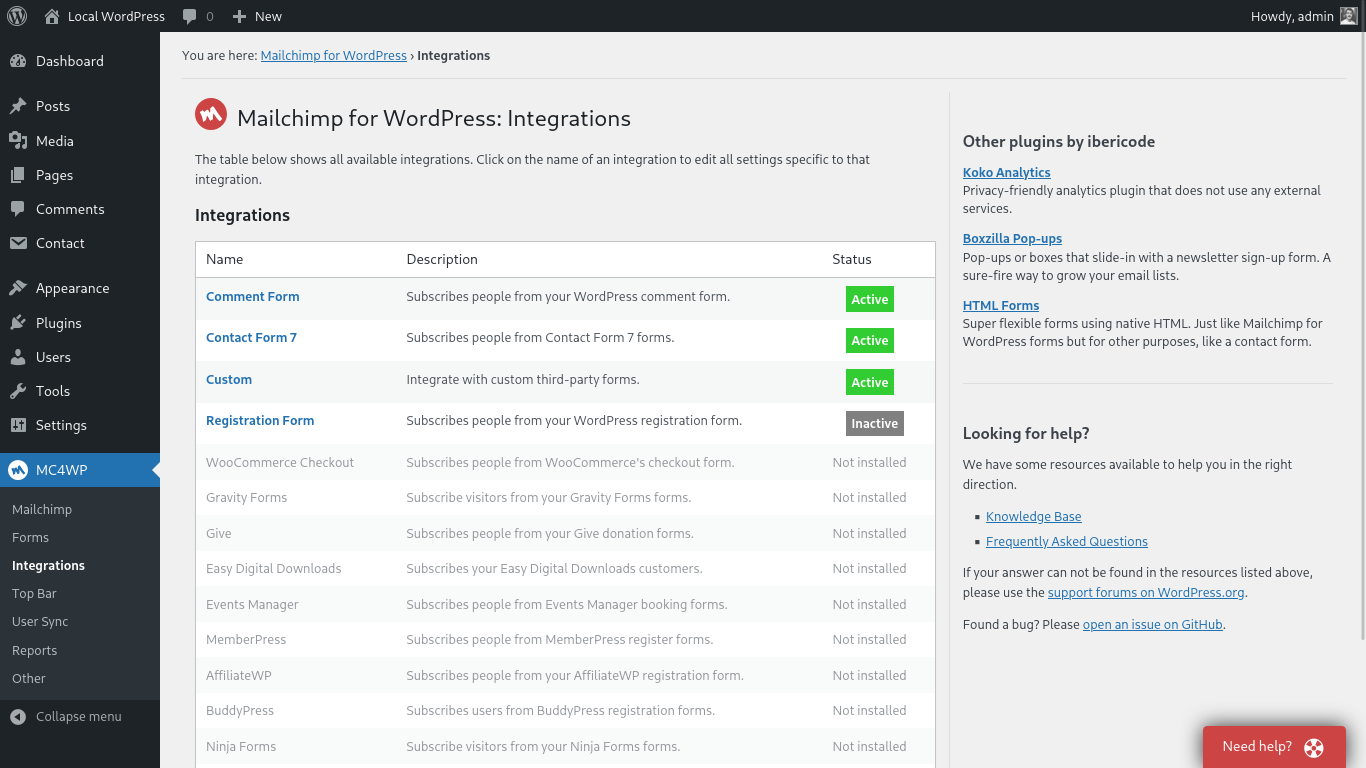
This plugin bridges WordPress forms with Mailchimp’s powerful platform, combining WordPress’s content management with Mailchimp’s advanced email marketing features.
Key Features:
- Multiple form types: pop-ups, inline forms, sidebar widgets
- Integration with popular form plugins like Contact Form 7 and Gravity Forms
- WooCommerce customer syncing and purchase tracking
- Event tracking for detailed subscriber behavior analysis
Pros:
- Leverages Mailchimp’s industry-leading deliverability and features
- Extensive customization options for forms and opt-in placement
- Works with existing Mailchimp accounts and subscriber data
- Strong documentation and community support
Cons:
- Requires separate Mailchimp account and subscription
- Form design limitations compared to dedicated lead generation tools
- Complex setup for advanced automation workflows
Ideal Use Case: Existing Mailchimp users who want better WordPress integration, or beginners who prefer Mailchimp’s user-friendly interface with WordPress flexibility.
5. FluentCRM
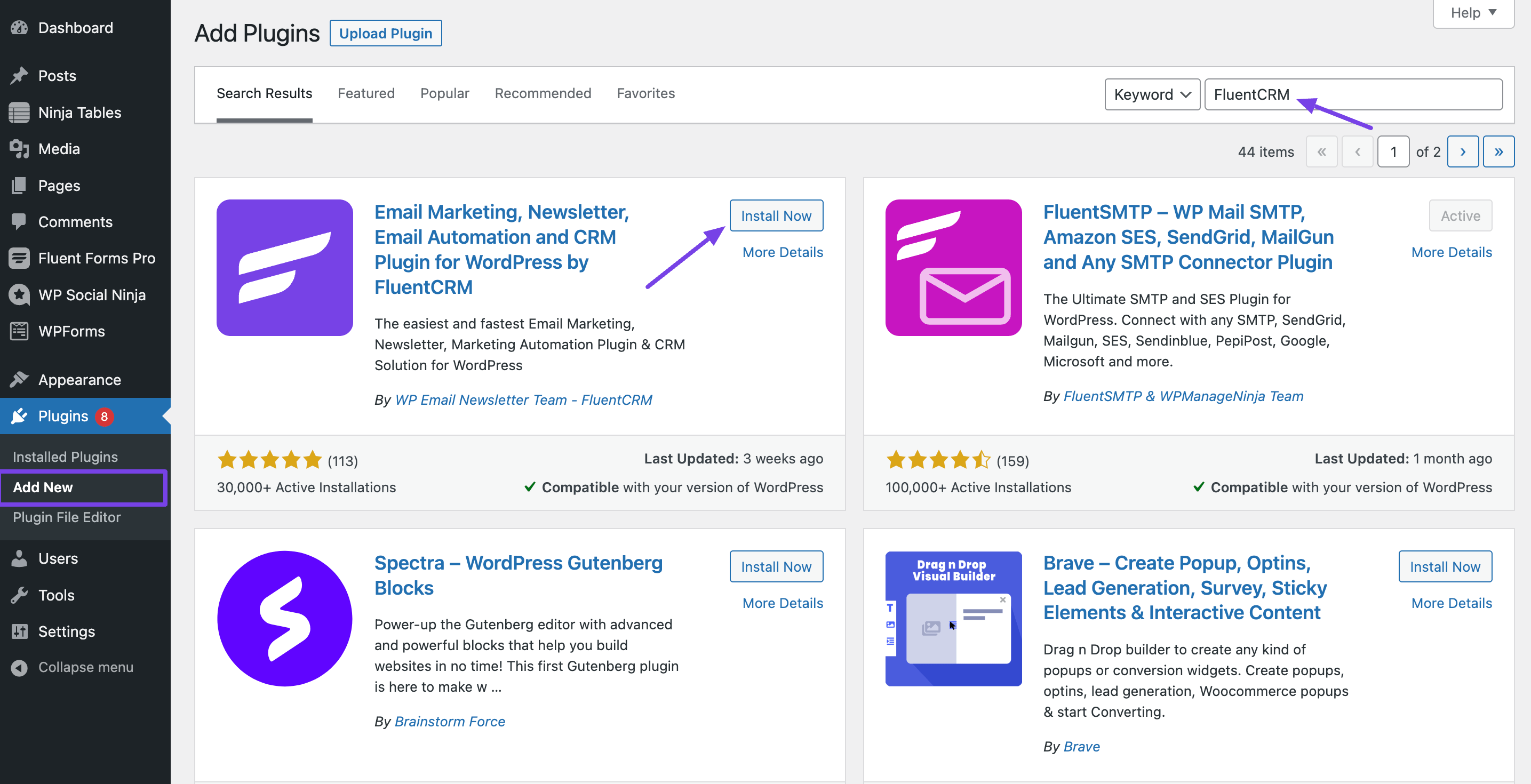
FluentCRM offers self-hosted customer relationship management and email marketing, giving you complete control over subscriber data and sending infrastructure.
Key Features:
- Self-hosted CRM with unlimited contacts and emails
- Visual automation builder with conditional logic
- Deep WordPress integration including user role synchronization
- WooCommerce integration with purchase tracking and segmentation
- GDPR compliance features built-in
Pros:
- One-time purchase with lifetime updates and support
- No monthly fees or subscriber limits
- Complete data ownership and privacy control
- Extensive automation capabilities rival enterprise platforms
Cons:
- Requires technical comfort with WordPress plugin management
- Deliverability depends on hosting provider’s email infrastructure
- Smaller user community compared to established platforms
Ideal Use Case: WordPress users who prefer self-hosted solutions, privacy-conscious businesses, and those seeking cost-effective email marketing without ongoing subscription fees.
6. Sendinblue (Brevo) WordPress Plugin
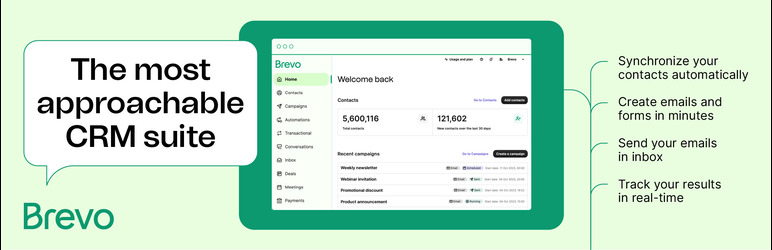
Sendinblue’s plugin brings transactional and marketing email capabilities to WordPress, plus SMS marketing for multi-channel campaigns.
Key Features:
- Transactional email for WordPress notifications and receipts
- Marketing automation with behavior-based triggers
- SMS marketing integration for broader reach
- Contact forms with advanced field customization
- Real-time statistics and campaign performance tracking
Pros:
- Combines transactional and marketing emails in one platform
- SMS capabilities expand marketing channel options
- Generous free tier with good sending limits
- Strong deliverability reputation and infrastructure
Cons:
- Interface can feel complex for simple newsletter needs
- SMS features require additional costs in most regions
- Limited template selection compared to design-focused platforms
Ideal Use Case: Businesses that need both transactional emails (order confirmations, password resets) and marketing campaigns, particularly those interested in SMS marketing integration.
7. Newsletter Plugin
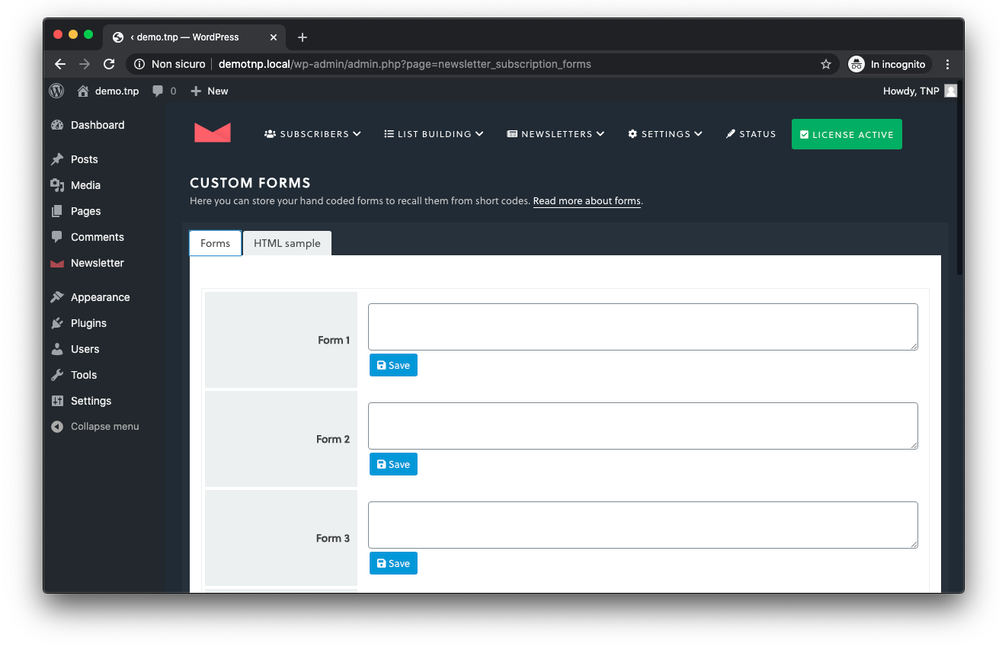
Newsletter Plugin provides straightforward email marketing directly within WordPress, focusing on simplicity and essential features without overwhelming complexity.
Key Features:
- Simple newsletter creation with WordPress post integration
- Subscription management with double opt-in capability
- Basic automation for welcome emails and scheduled sending
- Multiple subscription forms and widget options
- Import/export functionality for subscriber lists
Pros:
- Completely free with no subscriber limits
- Lightweight plugin with minimal impact on site performance
- Easy setup and management for non-technical users
- Self-hosted solution with complete data control
Cons:
- Limited design templates and customization options
- Basic automation compared to specialized platforms
- Delivery reliability depends on hosting provider
Ideal Use Case: Bloggers and small businesses wanting simple newsletter functionality without ongoing costs or complex features.
8. OptinMonster
OptinMonster is not an email sender, it’s a lead generation plugin that integrates with other email marketing tools (ActiveCampaign, Mailchimp, HubSpot, etc.). Use it to capture leads effectively, then send campaigns via your chosen email platform.
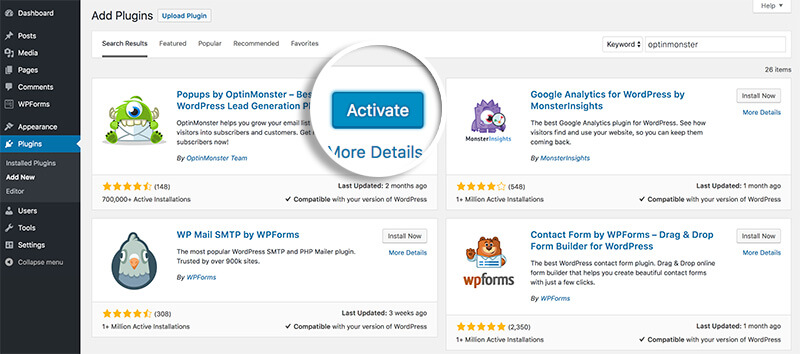
Key Features:
- Advanced targeting based on behavior, referrer, and other criteria
- A/B testing for forms and campaigns
- Exit-intent technology to capture abandoning visitors
- Integration with 20+ email marketing services
- Detailed analytics and conversion tracking
Pros:
- Industry-leading conversion rates and optimization features
- Works with existing email marketing platforms
- Extensive targeting options for precise visitor segmentation
- Professional templates designed for high conversions
Cons:
- Requires separate email marketing service subscription
- Higher price point compared to all-in-one solutions
- Can appear aggressive to visitors if not configured thoughtfully
Ideal Use Case: Websites prioritizing lead generation and subscriber growth, particularly those with significant traffic wanting to maximize conversion rates.
9. Constant Contact for WordPress
Constant Contact’s plugin connects WordPress sites with their reliable email marketing platform, offering user-friendly tools backed by excellent customer support.
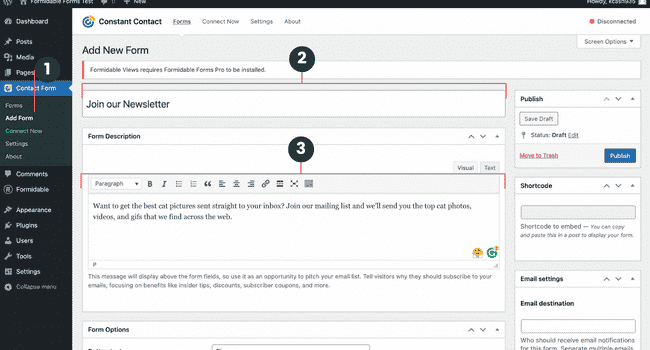
Key Features:
- Drag-and-drop email builder with professional templates
- Event marketing tools for workshops and webinars
- Social media integration and sharing tools
- List management with segmentation capabilities
- Comprehensive tracking and reporting
Pros:
- Excellent customer support with phone and chat options
- User-friendly interface ideal for beginners
- Strong deliverability rates and sender reputation
- Event marketing features set it apart from competitors
Cons:
- Higher pricing compared to some alternatives
- Limited automation features in lower-tier plans
- Template designs can appear dated compared to newer platforms
Ideal Use Case: Small businesses and organizations that prioritize customer support and user-friendly interfaces, particularly those hosting events or workshops.
How to Choose the Right Email Marketing Plugin for WordPress
When choosing the right email marketing plugin for your WordPress site, don’t just settle for the first option you see.
Think about your list size, the types of emails you want to send, and how much automation or segmentation you’ll actually use.
Look for a plugin that integrates smoothly with your existing tools, offers solid deliverability, and gives you design flexibility with easy-to-customize templates.
If You’re A Blogger Or Content Creator
You’ll benefit from lightweight solutions that integrate seamlessly with WordPress posts. Newsletter Plugin or MailPoet provide essential features without complexity. Focus on plugins that automatically include your latest posts in email campaigns.
For eCommerce Stores,
require sophisticated WooCommerce integration for abandoned cart recovery, product recommendations, and customer lifecycle automation. MailPoet and FluentCRM excel in this area, offering specialized eCommerce features that drive revenue.
Running a Community With BuddyBoss or A Membership Site?
Go for tools with advanced segmentation based on user roles, membership levels, and community activity. HubSpot and FluentCRM provide the flexibility to create highly targeted campaigns for different member segments.
IfY Your Service Business Needs CRM Features
Service businesses often need CRM functionality alongside email marketing to track leads through longer sales cycles. HubSpot’s all-in-one approach or FluentCRM’s integrated solution work well for professional services, consultants, and B2B companies.
If You’re Running A High-Traffic Site
You’ll want a plugin backed by robust sending servers, Mailchimp integration or Sendinblue’s dedicated infrastructure will help make sure your emails actually land in inboxes
Tips to Grow Your Audience with WordPress Email Marketing
Lead magnets drive subscriber growth more effectively than simple newsletter sign-ups. Create valuable resources—guides, checklists, templates, or discount codes—that solve specific problems for your target audience. Gate this content behind email subscriptions to build your list with engaged subscribers.
Segmentation transforms generic broadcasts into personalized communications. Use WordPress user data, purchase history, and content consumption patterns to create targeted segments. Send different content to new subscribers versus long-time customers, or tailor messages based on interests and behavior.
Subject line testing can double your open rates. A/B test different approaches: questions versus statements, urgency versus curiosity, personalization versus generic messaging. Most email marketing plugins for WordPress include testing features—use them consistently.
Consistency builds trust and anticipation. Whether you send weekly newsletters or monthly updates, maintain a predictable schedule. Subscribers appreciate knowing when to expect your content, and regular sending improves deliverability rates.
Mobile optimization isn’t optional. Over 60% of emails are opened on mobile devices. Choose plugins with responsive templates and test your emails on various screen sizes before sending.
Conclusion on Email Marketing Plugins
With the right email marketing plugins for WordPress, you can build and grow an engaged audience that supports their business goals.
The tools exist- now it’s time to put them to work for your WordPress site.
Stat Source:- https://firework.com/blog/marketing-roi-statistics

-
 Article
 Article
- Building Your Online Community