
Introduction
Optimizing your BuddyBoss site for search engines is essential for improving visibility and driving traffic to your community. The Site SEO settings in BuddyBoss allow you to configure your SEO title, description, and Open Graph settings to ensure your website looks great both in search results and when shared on social media.
Follow the steps below to set up your site SEO in BuddyBoss.
Go to the Site SEO Settings
- From your WordPress dashboard, go to BuddyBoss > Settings > General.
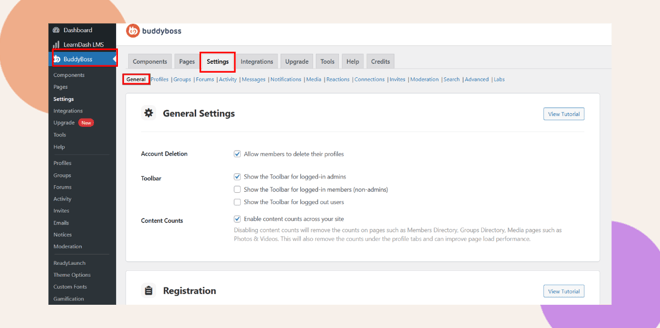
- Scroll down to the Site SEO section
 .
.
- You will see different sections where you can configure your site’s SEO details, including the search result preview, social sharing, and indexing options.
Configure the SEO Title and Description
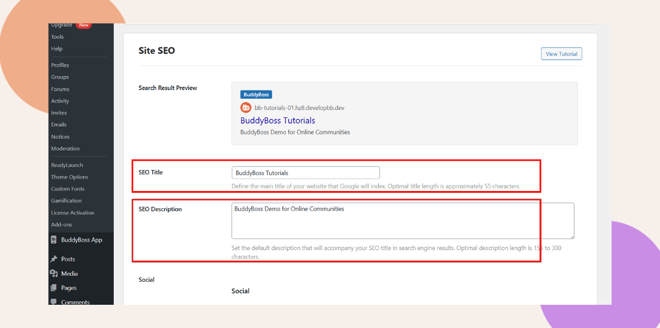
- Under Search Result Preview, you can see how your site will appear in Google search results.
- In the SEO Title field, enter the main title of your website.
- This title is what Google will index and display in search results.
- The optimal title length is approximately 55 characters.
- This title is what Google will index and display in search results.
- In the SEO Description field, add a brief summary of your site.
- This description will accompany your title in search engine results.
- The recommended length is 155–300 characters.
- This description will accompany your title in search engine results.
Enable and Configure Open Graph
Open Graph settings help ensure that your content looks attractive when shared on social media platforms like Facebook or LinkedIn.
- Scroll down to the Social section.
- Check the box Enable Open Graph.
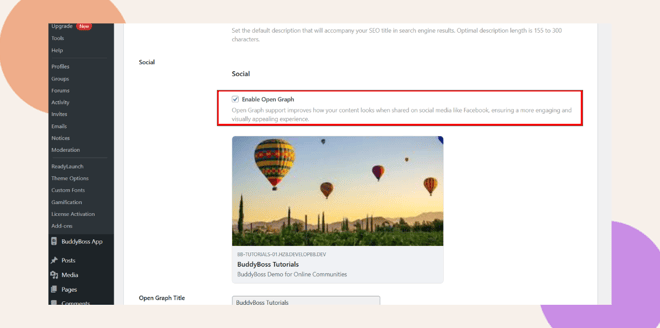
- You’ll see a preview of how your website will appear when shared on social media.
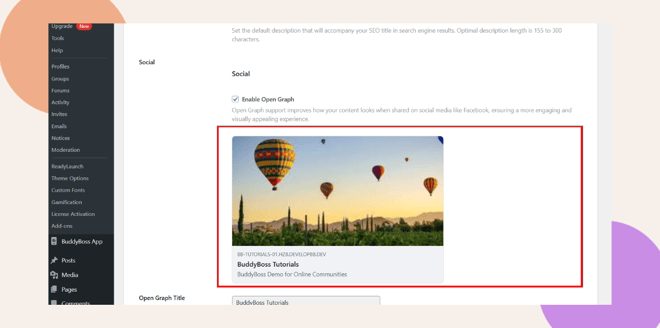
- Enter your Open Graph Title and Open Graph Description.
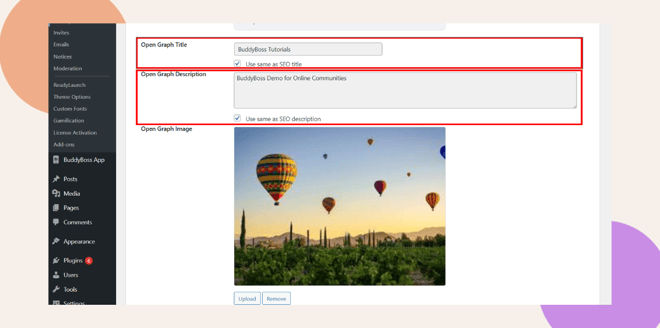
- You can use the same as your SEO title and description by checking Use same as SEO title/description.
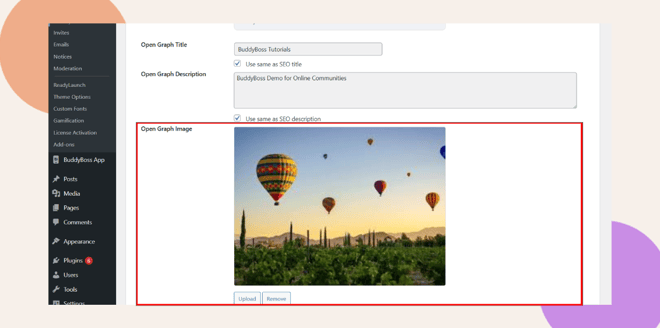
- Upload an Open Graph Image.
- Recommended size: at least 1200px by 630px (1.91:1 ratio).
- Maximum file size: 8 MB (for optimal performance, 1–2 MB is recommended).
- Recommended size: at least 1200px by 630px (1.91:1 ratio).
Configure Open Graph Templates for Activities, Groups, and Members
BuddyBoss allows you to customize how activities, groups, and member profiles appear when shared on social media.
Activity Open Graph (Public Networks)
- In the Activity Title Template, you can use tags such as:
- {activity_title} – Activity post title
- {site_title} – Your site name
- {activity_title} – Activity post title
- For the Activity Description Template, you can use:
- {activity_content} – Activity content (limited to 300 characters)
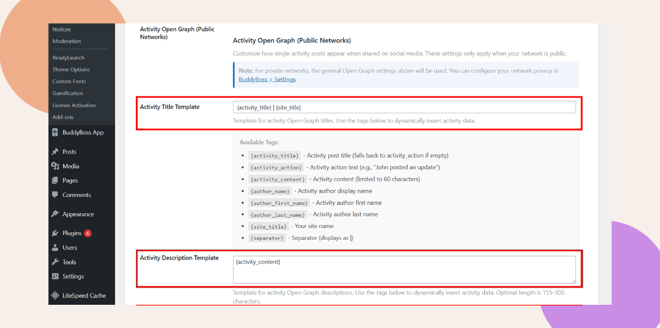
These templates dynamically pull information from your site and display it in social shares.
Group Open Graph (Public Networks)
- In the Group Title Template, use tags such as:
- {group_name} | {site_title}
- {group_name} | {site_title}
- In the Group Description Template, you can use:
- {group_description}
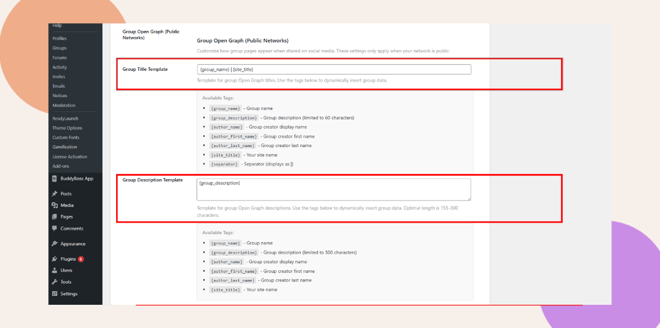
These ensure group pages have consistent titles and descriptions when shared.
Member Open Graph (Public Networks)
- In the Member Title Template, you can use:
- {author_name} | {site_title}
- {author_name} | {site_title}
- For the Member Description Template, use:
- {author_bio}
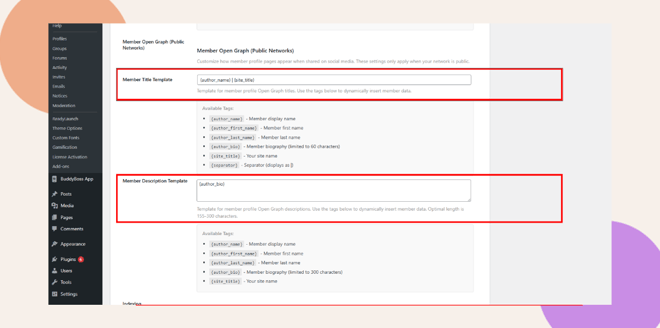
This setup automatically generates Open Graph data for each member profile.
Enable Indexing
At the bottom of the page, you’ll see the Indexing section.
Here, you can choose which content types search engines can index.
- Check the boxes for:
- Posts
- Profiles
- Groups
- Posts
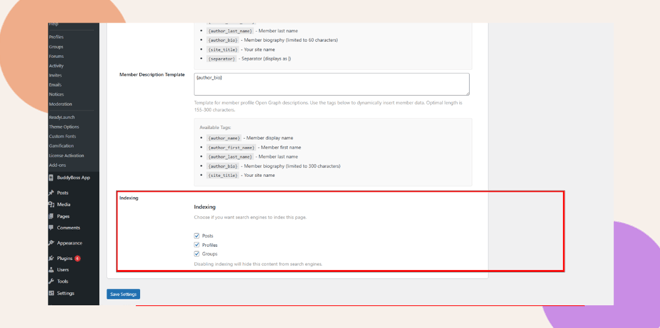
Enabling these options ensures that your site content can appear in search engine results.
Save Your Settings
Once you have configured all the sections, click Save Settings at the bottom of the page.
Your BuddyBoss site SEO is now configured and optimized for both search engines and social sharing platforms.
Troubleshooting & FAQs
Q: My image doesn’t show when shared on Facebook.
A: Clear the cache using the Facebook Sharing Debugger.
Q: Google isn’t showing my SEO title or description.
A: Wait a few days for reindexing or request a crawl in Google Search Console.
Q: Open Graph image upload fails.
A: Ensure it’s at least 1200x630px and under 8MB in .jpg or .png format.
Q: My site isn’t appearing on Google.
A: Check that Indexing is enabled and “Discourage search engines” is unchecked in WordPress.
Q: Can I use Yoast SEO or Rank Math with BuddyBoss SEO?
A: Yes, but avoid duplicating titles or descriptions.


