
Introduction
Gamification is a powerful way to keep your BuddyBoss community active and motivated. By using the built-in Points system, you can reward members for engagement, course completion, and other positive behaviors.
In some cases, you might want to manually award or deduct points. For example, to recognize special contributions, fix a points error, or balance the leaderboard.
This guide walks you through how to manually award and deduct BuddyBoss gamification points directly from your WordPress dashboard.
Accessing the Manual Award Section
To get started:
- From your WordPress dashboard, go to BuddyBoss > Gamification > Manual Award.
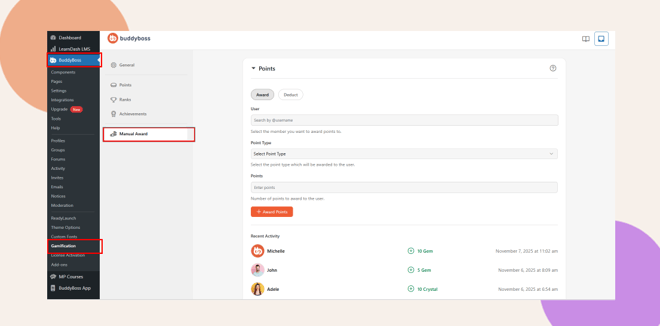
- You’ll see two tabs at the top of the screen:
- Award – Used to give points to members.
- Deduct – Used to remove points from members.
- Award – Used to give points to members.
How to Award Points Manually in BuddyBoss
Follow these steps to manually award points to a member:
- Click the Award tab.
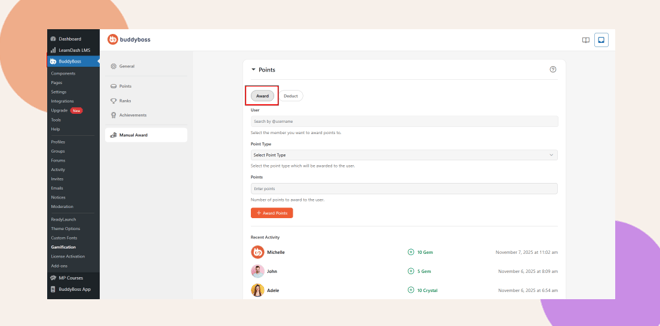
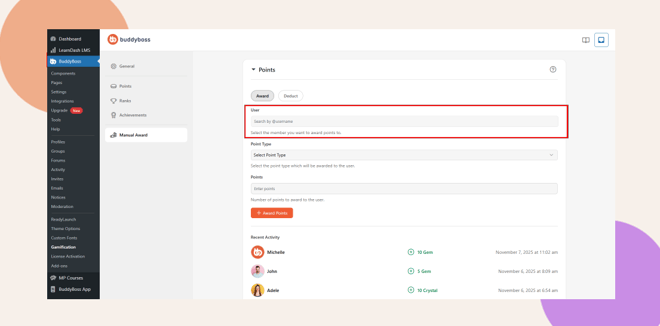
- Under User, search and select the member you want to reward.
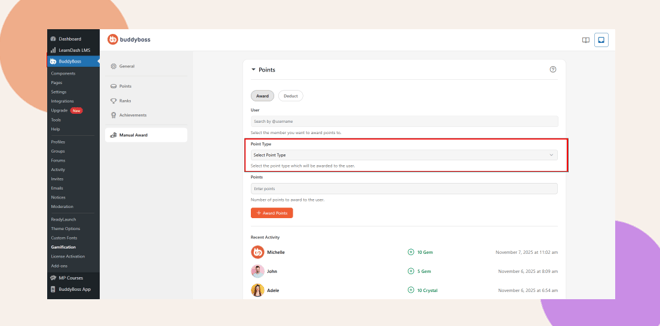
- Choose a Point Type such as Gem, Crystal, or Coin.
- Enter the number of points you want to award.
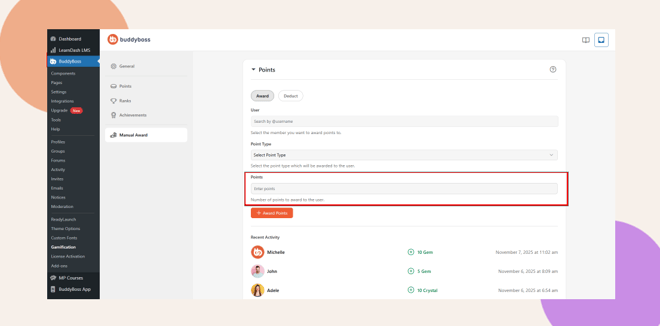
- Click + Award Points to finalize the process.
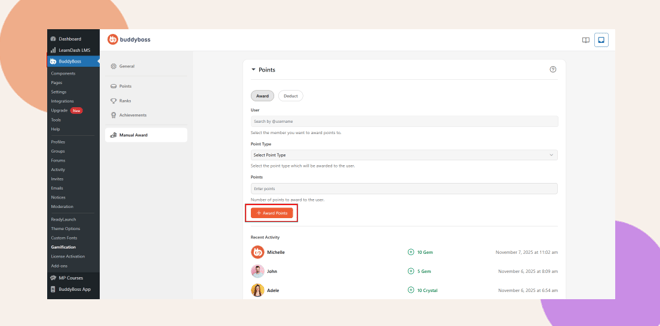
The awarded points are instantly added to the member’s profile.
You can view a list of all recent manual awards in the Recent Activity section below.
How to Deduct Points Manually in BuddyBoss
If you need to remove points from a user (for example, due to rule violations or errors), follow these steps:
- Click the Deduct tab.
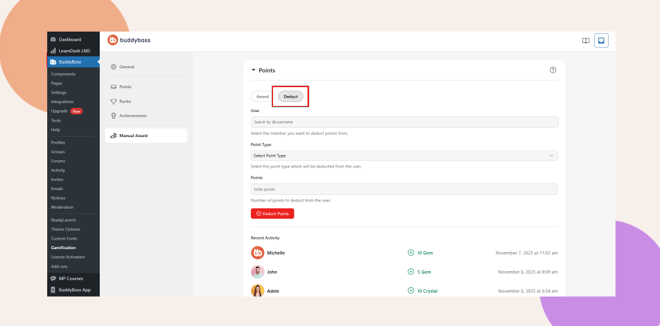
- Search for the User whose points you want to adjust.
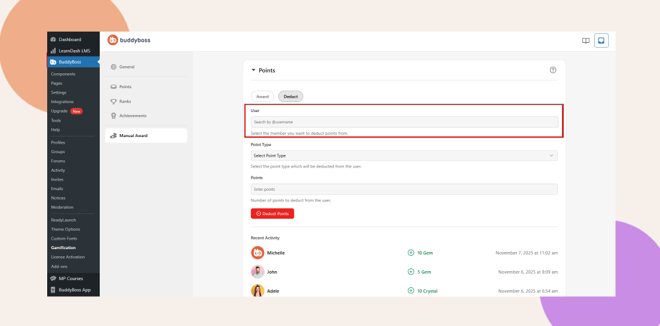
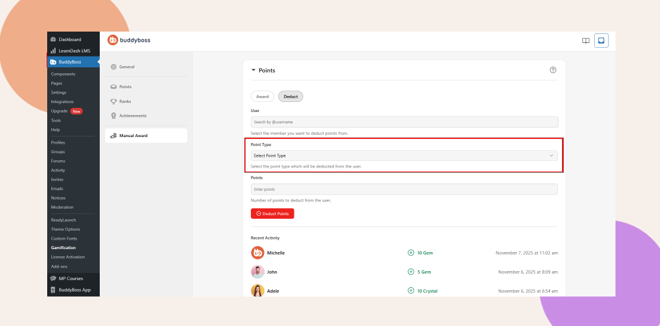
- Choose the Point Type you want to deduct from.
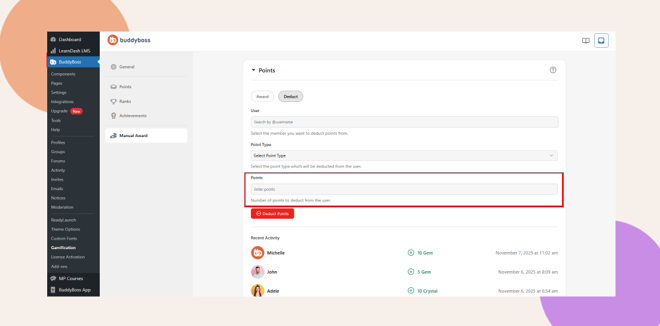
- Enter the number of points to remove.
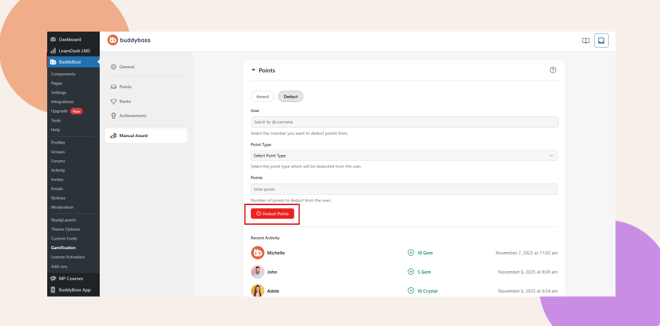
The deduction takes effect immediately, and you’ll see the update in Recent Activity.
At the bottom of the Manual Award screen, you’ll find a Recent Activity list showing:
Troubleshooting and FAQs
Q: Why can’t I find a user when searching?
A: Ensure the username is spelled correctly. Only registered and active members will appear in the search results.
Q: Can I award different types of points?
A: Yes. You can select from any point types you’ve set up for example, “Gem,” “Crystal,” or “Coin.”
Q: Can I undo a manual award or deduction?
A: Not directly. However, you can offset it by performing the opposite action (e.g., deducting the same number of points that were added by mistake).


