
The BuddyBoss Gamification Achievements feature helps you motivate and reward your community members for completing specific actions or reaching milestones.
Achievements are visual badges that recognize participation, encourage friendly competition, and enhance engagement within your online platform.
This step-by-step guide explains how to set up BuddyBoss Achievements, assign triggers, add badges, and troubleshoot common setup issues.
Access BuddyBoss Gamification Settings
- From your WordPress Dashboard, go to BuddyBoss > Gamification.
- Select the Achievements tab.
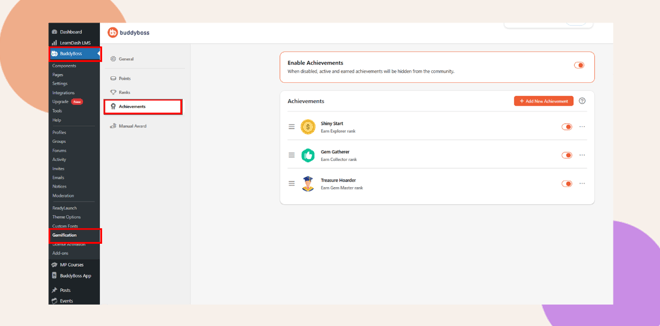
Here, you can view existing achievements, add new ones, and configure settings that control how users earn and display badges.
Add a New Achievement
To create a new achievement:
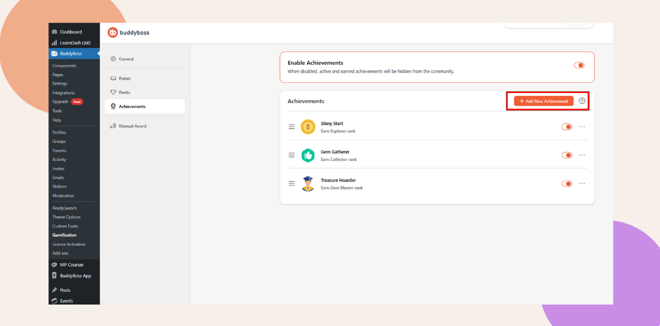
- Click + Add New Achievement.
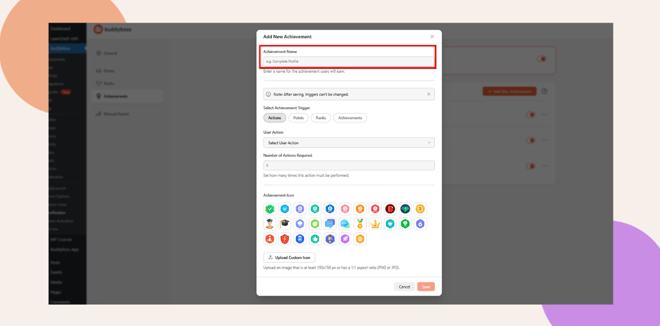
- Enter a descriptive Achievement Name. For example, Profile Pro, Community Starter, or Quiz Champion.
- Choose or upload an Achievement Icon.
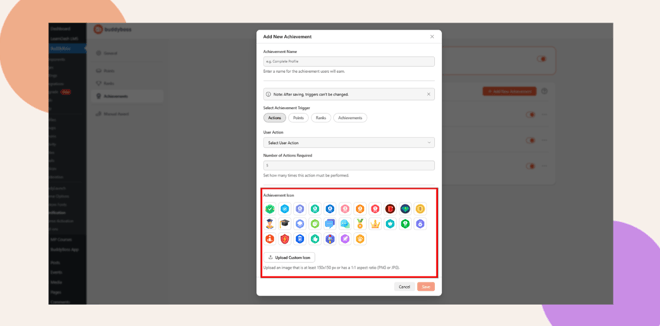
- Upload a custom icon (recommended size: 150×150 px, 1:1 aspect ratio).
- Specify the Points Needed or Action Trigger that awards the achievement.
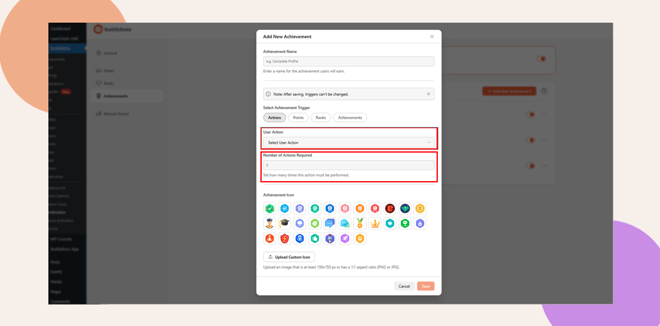
- Click Save to create your new achievement.
Note: Use clear, motivating titles and colorful icons so users instantly recognize what each badge means.
Manage Achievements
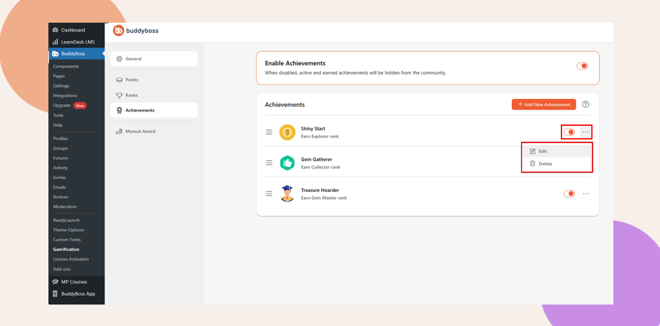
Click the three-dot menu beside each achievement to edit, or delete it.
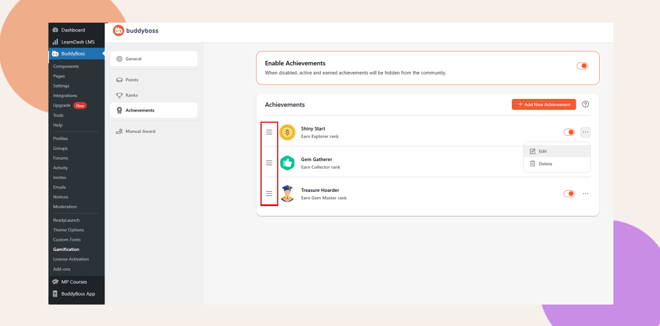
Reorder achievements to organize them by difficulty or category.
Troubleshooting and FAQs
Q: Why aren’t members earning achievements?
A: Ensure that the Enable Achievements toggle is on and each achievement has a valid trigger.
Q: Can I assign multiple triggers to one achievement?
A: Currently, each achievement can have one trigger, but you can create multiple related achievements for different actions.
Q: Can achievements be hidden until unlocked?
A: Yes. Use the visibility settings in the achievement editor to hide badges until users earn them.
Q: Can I award achievements manually?
A: Yes. Go to BuddyBoss > Gamification > Manual Award, then assign achievements directly to members.
Q: Where can members see their unlocked achievements?
A: Members can view them on their profile page under the Achievements tab or within their activity stream.


