
Introduction
The BuddyBoss Gamification plugin allows you to reward community members with points, badges, ranks, and achievements for their engagement and activity across your platform.
Activating Gamification helps you increase participation, build loyalty, and create a more interactive community experience.
This guide explains how to download, install, and activate the BuddyBoss Gamification plugin and how to access the settings once it’s enabled.
Download the BuddyBoss Gamification Plugin
To get started, you need to download the plugin from your BuddyBoss account.
- Log in to your BuddyBoss Account Dashboard.
- Download the BuddyBoss Gamification plugin file to your computer.
Install the BuddyBoss Gamification Plugin
Next, install the plugin on your WordPress site.
- In your WordPress Dashboard, go to Plugins > Add New
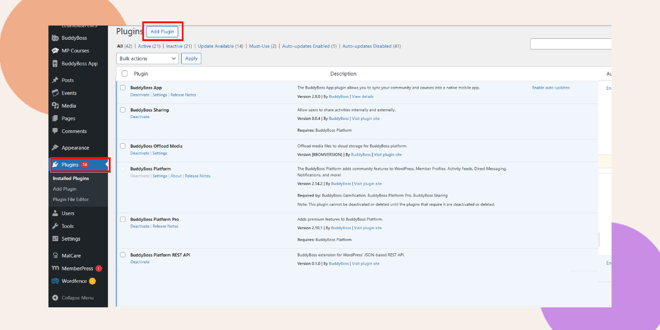
- Click > Upload Plugin.
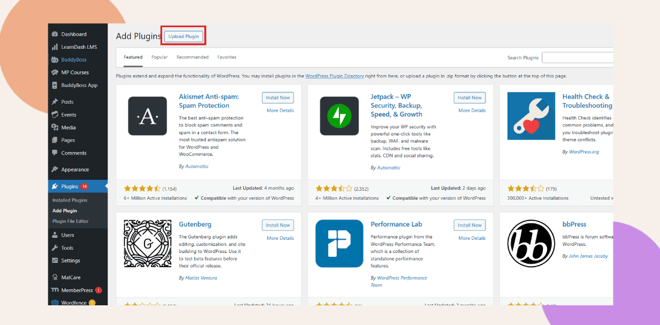
- Click Choose File, select the Gamification plugin file you downloaded, and then click Install Now.
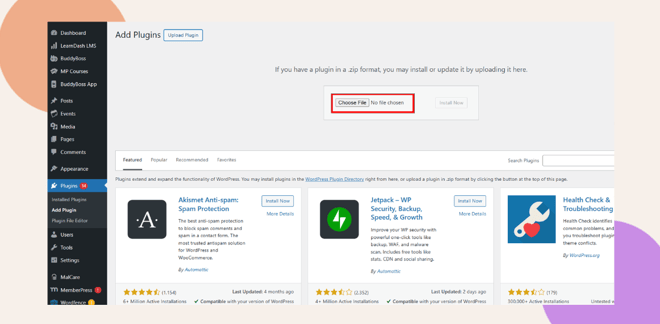
- Wait for the installation process to complete.
Installing the plugin adds the necessary files to your WordPress installation so you can activate and configure the Gamification feature.
Activate the BuddyBoss Gamification Plugin
- After installation, click Activate Plugin.
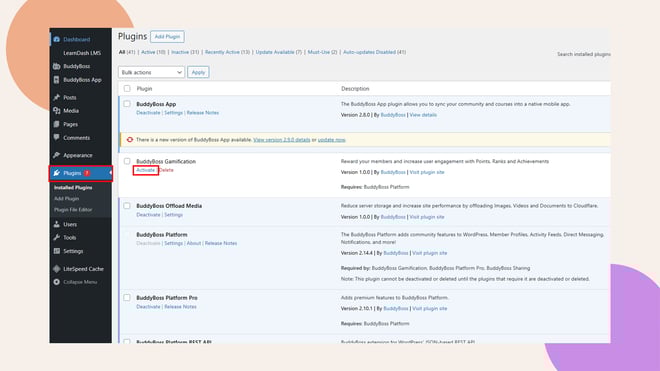
- Once activated, the Gamification feature will be enabled and ready to configure.
Activating the plugin unlocks new tools for creating Points, Ranks, and Achievements within your community.
Access Gamification Settings in BuddyBoss
After activation, you can access and manage Gamification from your WordPress Dashboard.
- Go to BuddyBoss > Gamification.
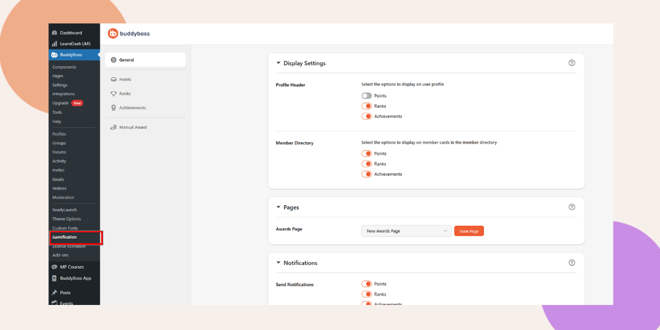
- From here, you can configure your Points, Badges, Ranks, and Achievements.
- Customize rewards, assign point rules, and monitor progress to keep your community motivated and engaged.
Troubleshooting and FAQs
Q: I don’t see the Gamification menu under BuddyBoss after activation.
A: Make sure the BuddyBoss Gamification plugin is properly installed and activated. If it’s active but still not visible, clear your browser cache or refresh your WordPress Dashboard.
Q: The plugin activated successfully, but I don’t see any new features.
A: After activation, the Gamification settings appear under BuddyBoss > Gamification. Check that section to confirm the plugin is active.
Q: Can I deactivate the BuddyBoss Gamification plugin later?
A: Yes. You can deactivate it anytime from Plugins > Installed Plugins. Keep in mind that deactivating the plugin temporarily disables all Gamification features on your site.


