Did you know nearly 40% of online communities end up switching platforms within just two years?
That’s almost half an eye‑opening number when you think about the time, energy, and resources that go into building a thriving group in the first place.
A platform move isn’t just a challenge it’s also a chance. Transitioning can open doors to better features, smoother member experiences, and new ways of engaging that simply weren’t possible before.
For community managers like you, it’s about making sure the platform truly grows with the community, rather than holding it back.
In this article, we’ll explore why communities switch platforms, the unique opportunities (and a few hurdles) migrations bring, and how leaders can make smarter choices that set their communities up for long‑term growth and connection.
Why Online Communities Switch Platforms So Quickly
Switching platforms might sound like a drastic move, but for many communities it becomes a natural decision when their current tools no longer fit their needs. Research shows that 40% of online communities change platforms within two years (CMX, 2022), and digging deeper, a few common themes emerge:
Poor User Experience
If your members struggle to navigate the space, engagement drops fast. A confusing interface or clunky mobile design can create unnecessary friction.
Considering that 63% of all online traffic now comes from mobile devices (Statista, 2023), a lack of mobile optimization can alienate a huge portion of members.
Communities thrive when access is simple, intuitive, and seamless across devices.
Limited Customization & Branding Options
The identity of a community matters. Leaders want their spaces to look and feel like their own, not like another cookie‑cutter forum.
Without flexible design, custom domains, or the ability to tailor layouts, members may feel disconnected from the community’s purpose and leaders start looking elsewhere.
Weak Engagement Tools
A “post and comment” forum isn’t enough anymore. Members want real interactivity: polls, gamification, badges, live chat, and smart notifications.
Platforms lacking these features often see participation flatten over time. When members feel rewarded and recognized, they keep showing up.
Scalability Issues
What works for 100 members may not work for a 10,000 members community. Rapidly growing communities often discover their platforms weren’t built to scale leading to slow load times, limited admin controls, or caps on membership tiers.
For community builders, that makes scalability non‑negotiable from the start.
Cost vs Value Mismatch
Budget always matters. While free tools look appealing early on, hidden costs appear when critical features are locked behind paywalls or when leaders must pay extra for integrations, analytics, or expanded storage. The result: migrations to platforms that better balance affordability with value.
The Free One-Click Community for Any WordPress Site | BuddyBoss ReadyLaunch
The Hidden Costs of Switching Community Platforms
Switching platforms might seem like a quick fix, but the hidden costs often outweigh the visible ones.
From data migration headaches to lost engagement, the price of moving isn’t always measured in dollars.
Member Drop‑Off During Transition
One of the biggest challenges during any platform migration is retaining the community members you’ve worked so hard to gather. Even a smooth transition can create friction points that cause some members to disengage along the way.
Why it happens:
- Sign‑up fatigue: Asking members to create yet another account or download a new app can feel like a chore, especially for casual members who weren’t highly engaged to begin with.
- Missed notifications: If announcements or reminders about the migration don’t reach everyone in time, some members may assume the community went quiet and drift away.
- Resistance to change: Many people naturally prefer familiar tools. Even if the new platform offers better features, some members may hesitate to adapt.
Why it matters for community health:
Every departing member isn’t just a number, it’s a potential lost contributor, advocate, or future leader. Strong community growth is about compounding engagement over time, so even a small percentage of attrition can stall momentum.
If, for example, a group of 5,000 loses 25% of its members in transition, that’s more than 1,200 voices gone, reducing both the diversity of contributions and the vibrancy of conversations.
Data Loss & Integration Headaches
Data is the lifeblood of any community member profiles, discussion history, shared resources, event records, and analytics all form the backbone of how a community functions. When switching platforms, however, this treasure trove is at risk.
Why it Happens and its impact on communities-
Export/import limitations → Collective memory loss
Because platforms don’t “speak the same language,” forum threads, replies, or categories may not transfer neatly. The result is missing context or broken conversations, which undermines the community’s shared knowledge base.
Attachment issues → Frustration & trust concerns
Images, videos, and embedded links often disappear during migration. When members login and see their contributions stripped of media, it damages trust and creates the impression that the new space isn’t reliable.
APIs and integrations → Increased admin workload
Communities that depend on integrations (like Slack bots, CRM systems, or analytics tools) often discover they don’t carry over smoothly. Rebuilding them requires significant time and sometimes costly developer help, making the transition more resource‑heavy.
Before committing to a full migration, it’s wise to run a test export/import to identify issues early. Always back up critical conversations in searchable formats such as PDFs or databases to preserve your community’s history.
Focus on prioritizing core data like member profiles, discussion archives, and event history rather than trying to move every single piece of content.
And whenever possible, choose a platform that actively supports migrations with built-in tools or partner services, making the entire process smoother and less risky.
Community Trust Issues When Things Break

For a community, trust is everything. Members return not just for content, but for the feeling that this space is stable, reliable, and worth their time. When a platform migration introduces glitches logins that don’t work, missing notifications, or broken features that delicate trust can be shaken.
Why it matters and What’s The ripple effect of it:-
Reliability issues → Member disengagement
When a platform feels unstable, members gradually lose confidence and may stop showing up.
Broken first impressions → Dampened enthusiasm
If the first experience is an error page or a broken profile, excitement about the new platform fades instantly. What should feel like a fresh start instead feels like a step backward.
High expectations + low patience → Quick exits
Even loyal members may disengage permanently after just one bad experience, leaving behind a lingering sense of frustration.
Unstable experience → Drop in member confidence
What used to feel like a safe and reliable “home” begins to feel unpredictable. Members stop trusting that notifications will arrive or their content will be preserved, reducing engagement.
Persistent issues → Admin and moderator burden
When things break, it’s admins and moderators who absorb the frustration. They spend more time troubleshooting instead of strengthening connections or guiding members.
Lasting instability → Hesitant re‑investment
Even after issues are fixed, the memory of glitches lingers. Some members are slower to fully re‑engage, making recovery from a fragile launch more difficult.
The good news is that trust can be protected during migration with the right approach. Communities that practice transparent communication sharing expected downtime, feature changes, and known issues help members feel informed and respected.
Pairing this with quick responsiveness to bugs and concerns shows that leaders value reliability.
And by celebrating wins openly when new features work well, community managers can shift the narrative toward progress and growth, rather than focusing only on disruption.
Extra Cost of Retraining Admins & Moderators
Behind every thriving community is an unseen backbone: the admins and moderators who guide conversations, enforce guidelines, welcome new members, and troubleshoot small issues before they escalate.
When a community moves to a new platform, these leaders aren’t just users, they’re power users. And switching platforms often means rebuilding much of their expertise from scratch.
Why retraining matters and What’s its impact on community health:-
New workflows → Slower responses
Because moderation tasks like approving posts or managing reports work differently on the new platform, admins and moderators need time to adjust. During this period, response times to member questions or flagged issues may slow down, affecting the overall member experience.
Feature learning curve → Inconsistent enforcement
Learning new features such as gamification tools or analytics dashboards takes time. Without clear training, moderators may interpret or use these tools differently, creating uneven enforcement of guidelines and confusion for members.
Guideline adjustments → Volunteer fatigue
When new platform features (like direct messaging or reactions) change how interactions happen, moderation guidelines must be updated. For volunteer moderators, this extra responsibility can feel overwhelming, leading to fatigue or even withdrawal from their roles.
Admins and moderators can adapt more smoothly with a few supportive strategies:-
Providing structured onboarding through video walkthroughs, FAQs, and platform‑specific training sessions helps them build confidence with new tools.
Allowing a period of parallel practice, where the old platform remains active while training takes place in the new one, reduces pressure and ensures continuity.
Finally, offering recognition and support by framing retraining as valuable skill development and acknowledging the effort involved keeps morale high and motivates leaders to stay engaged throughout the transition.
Making the Right Choice: Community Platform Selection Framework
One of the top reasons why communities switch platforms is that they didn’t evaluate options deeply enough before making their initial choice.
Leaders often focus on quick wins like cost or surface‑level features only to discover later that the platform can’t scale, doesn’t integrate with their tools, or frustrates members.
To avoid the disruption of switching community platforms again and again, you need a framework for smarter decision‑making.
Here’s a structured way to evaluate your options before committing.
A. Essential Questions Before Choosing
Before signing up for a new platform, pause and ask some core strategic questions. These set the guardrails for whether a platform is suited for your community long‑term.
What’s your 3‑year member growth projection?
If you expect to grow from a few hundred members to a few thousand, you need a platform that scales seamlessly with you.
What’s your monetization strategy?
Are you leaning on memberships, courses, events, or sponsorships? Platforms differ widely. BuddyBoss integrates with WooCommerce and LearnDash for monetization, while others may offer only simple subscription payments. Align your revenue model with built‑in tools.
How important is mobile engagement?
With more than 63% of global traffic coming from mobile devices (Statista, 2023), a frictionless mobile experience is vital. If your platform doesn’t have a strong app or mobile optimization, engagement will drop.
What integrations are mission‑critical?
Think email providers, CRMs, learning management systems, or payment gateways. A platform should either support these out‑of‑the‑box or offer reliable APIs. Otherwise, you’ll face costly workarounds later.
What’s your technical resource availability?
Do you have in‑house developers or lean on no‑code tools? A self‑hosted platform like BuddyBoss unlocks flexibility but requires technical confidence, while SaaS platforms might limit customization but reduce maintenance stress.
B. Red Flags That Predict Future Switching
Many communities don’t realize they’re setting themselves up for another platform change down the road. Watch for these early warning signs that often explain why communities switch platforms prematurely.
🚩 Platform demos that don’t show real communities
If you can’t see actual use‑cases in action, that’s a sign the provider may lack solid customer adoption.
🚩 Reluctance to provide customer references
Trusted platforms will happily connect you with existing clients. A lack of references is a red flag.
🚩 Pricing that increases dramatically with scale
Some platforms lure small communities with low entry costs but scale up sharply as you grow. Ensure costs align with your 3‑year projection, not just your launch.
🚩 Limited customization or branding options
Communities thrive on identity. If the platform forces its design over your community’s brand, members may eventually disengage it feels less like “yours” and more like “theirs.”
🚩 No clear data export policies
Perhaps the biggest cause of pain in switching community platforms is data lock‑in. If you can’t easily export members, content, and engagement history, you risk losing years of knowledge should you ever decide to leave.
Try a live demo with BuddyBoss!
Explore BuddyBoss and discover a platform built to scale with your members’ needs.
Why BuddyBoss is a Good Choice When Building Your Community (or Thinking of Migration)
When a community considers building or especially switching the platform, the main goal is to land somewhere stable, scalable, and engaging enough to last for years to come. That’s where BuddyBoss stands out as a compelling choice.
- Total ownership & customization: Unlike closed platforms, BuddyBoss is built on WordPress, giving you full control over design, branding, member data, and functionality. Your community truly feels like yours– not an add‑on to someone else’s ecosystem.
- Native mobile apps (iOS & Android): BuddyBoss App provides fully native, white-label mobile apps. This boosts engagement by meeting members where they already are on their phones.
- Advanced engagement features: BuddyBoss goes beyond basic forums by offering gamification tools (through GamiPress integration), private messaging, groups, and activity feeds that keep participation lively and interactive.
- Seamless LMS/Membership tools integrations: If learning is central to your community, BuddyBoss integrates directly with platforms like LearnDash, LifterLMS, and other WordPress‑based learning/membership plugins/tools. This makes it easy to combine knowledge sharing with community discussion in one place.
BuddyBoss Agency
Need help with migration or development? Talk to
BuddyBoss Offers Retention‑Focused Positioning
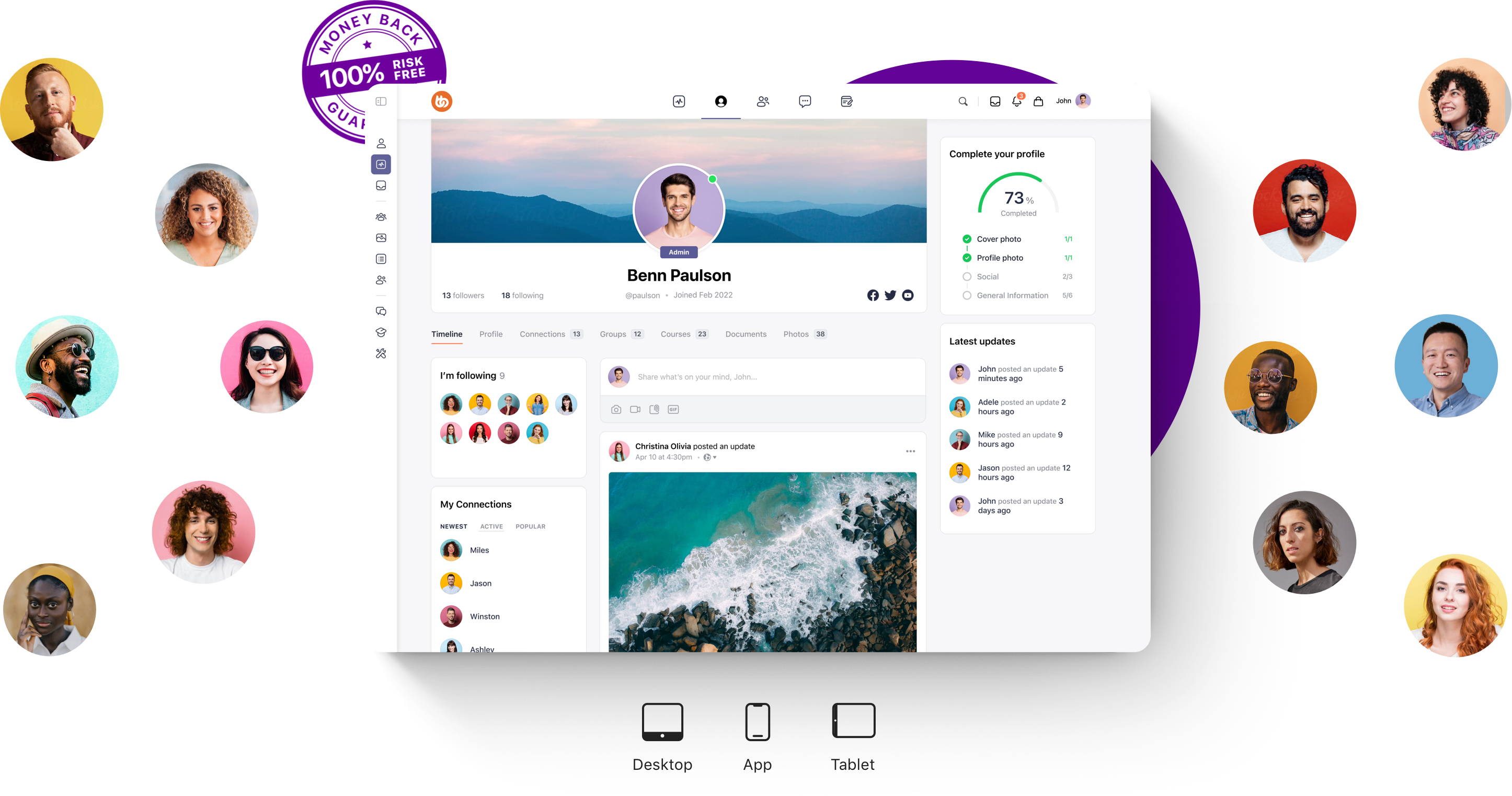
BuddyBoss is designed as a scalable, flexible foundation for long-term community growth, built on WordPress and extended through integrations. The team delivers continuous innovation, rolling out new features and improvements without disrupting your existing setup.
Its community‑driven development approach ensures that updates reflect real user needs, evolving in step with how communities actually engage.
Backed by the proven longevity of the WordPress ecosystem, BuddyBoss provides a stable and widely supported foundation you can rely on. Most importantly, it offers a true growth partnership, a platform designed to scale with you, so whether you manage a few hundred members or grow to thousands, you won’t be forced into another costly migration.
View Apps Plan
Launch your own native iOS & Android app with BuddyBoss to boost engagement and learning
FAQs on Why Communities Switch Platforms
Does BuddyBoss offer one-click migration from Circle or Mighty Networks?
No, BuddyBoss does not provide one-click migration from platforms like Circle or Mighty Networks. Migration is supported via WordPress import/export tools, CSV member imports, or through professional partner services.
Can I run a multilingual community with BuddyBoss?
Yes, BuddyBoss supports multilingual communities via integrations with popular plugins like WPML or Polylang, allowing you to configure multiple languages for your international audience.
What happens to my existing members’ data if I switch to BuddyBoss?
Member data can be imported via CSV files. For more complex migrations, professional help may be required to ensure all content, profiles, and engagement history transfer smoothly.
Conclusion on Why Communities Switch Platforms
Every new platform brings fresh opportunities to innovate and serve your community better. By following a clear plan, you’ll set yourself up for smooth growth and stronger engagement on the other side.
If you’re considering a switch, choose a platform that’s scalable, reliable, and built to grow with your community for the long term.

-
 Article
 Article
- Building Your Online Community