
Introduction
When configuring Android App Links in Play Console, you might see a “Failed domain checks” error under Deep Links. This indicates your app’s domain verification is incomplete or misconfigured. Follow the steps below to resolve it.
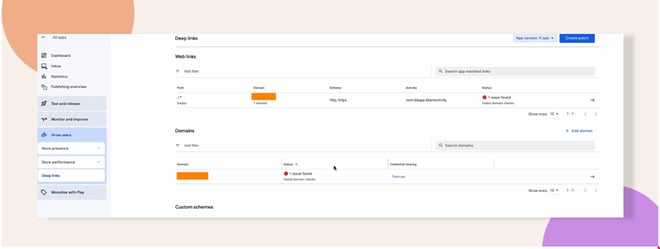
Verify Android App Links Configuration
- In your backend dashboard, navigate to the Android App Links section.
- Ensure Android App Links are enabled.
- For detailed setup guidance, see the BuddyBoss documentation:
https://www.buddyboss.com/resources/docs/app/app-setup/configure-android-app-links/
Validate the assetlinks.json File
- Visit https://<your-domain>/.well-known/assetlinks.json in a browser to verify the file loads over HTTPS without errors.
- Check that the JSON includes your app’s package name and correct SHA‑256 certificate fingerprint in the prescribed format.
- Use Google’s verification steps to test domain associations:
https://developer.android.com/training/app-links/verify-android-applinks#test-dal-files
Troubleshooting and FAQs
Q: The assetlinks.json URL returns 404. What now?
A: Place assetlinks.json in the /.well-known/ directory at your domain root, and ensure your web server serves it over HTTPS.
Q: How can I confirm my JSON is correct?
A: Run it through any JSON validator or use the Android Developer testing commands outlined by Google.
Q: Will fixes be recognized immediately?
A: Domain verification is usually instant, but DNS or CDN caching can delay changes by up to an hour.
Q: Can I test on an emulator?
A: Yes, use an Android emulator with Google Play services to test your App Link behavior before releasing to real devices.


