
Introduction
When submitting your app to Google Play Console, you may encounter a yellow warning that reads
“There is no deobfuscation file associated with this app bundle.”
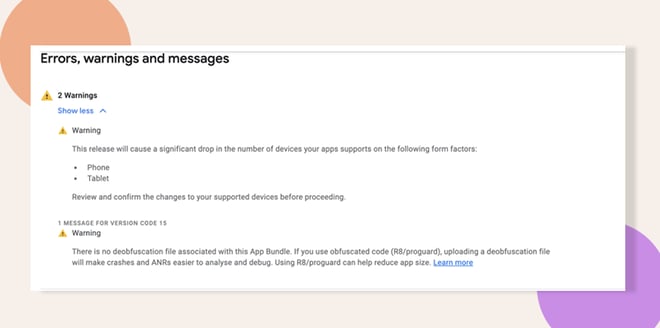
Ignore the Warning
- Note the warning in your submission log.
- Continue with the publishing process; this warning does not block your app from being submitted or approved.
Understand Our Obfuscation Policy
- We do not obfuscate our code, as obfuscation can negatively impact performance.
- The absence of a deobfuscation file triggers the warning in Google Play Console.
- Our App team will review obfuscation and deobfuscation files when updating to newer library and React Native versions.
Troubleshooting and FAQs
Q: Will this warning prevent my app from being published?
A: No. You can safely ignore it; it does not block publishing.
Q: Why don’t we obfuscate our code?
A: Obfuscation can affect runtime performance and complicate crash reporting, so we defer it until necessary.
Q: Should I upload a deobfuscation file in future releases?
A: Only if we enable obfuscation. At that time, our App team will generate and include the appropriate deobfuscation files.


