
Introduction
Member Access Controls let you restrict social features in your BuddyBoss community based on criteria such as membership level, profile type, GamiPress rank, and more.
This pro feature (available with the BuddyBoss Platform Pro plugin) integrates with membership plugins to manage access to groups, activity posts, private messages, media, and connections.
Set Up Group Access Controls
- In your WordPress Dashboard, go to BuddyBoss > Settings > Groups.
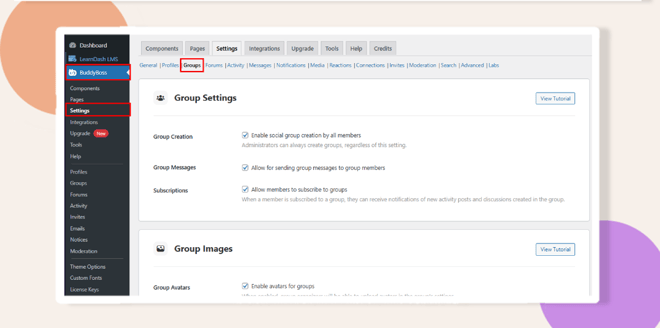
- Scroll to the Group Creation section.
- Check Enable Social Group Creation to allow members to create groups.
- Click Save Settings.
- Check Enable Social Group Creation to allow members to create groups.
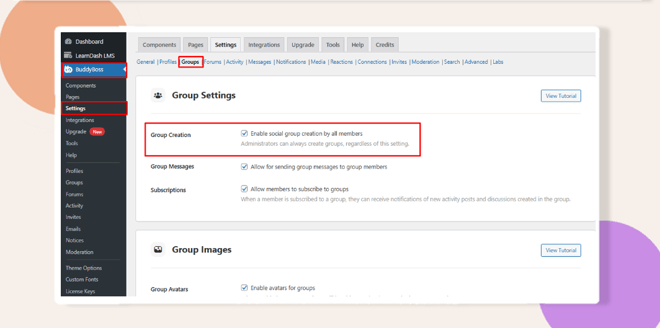
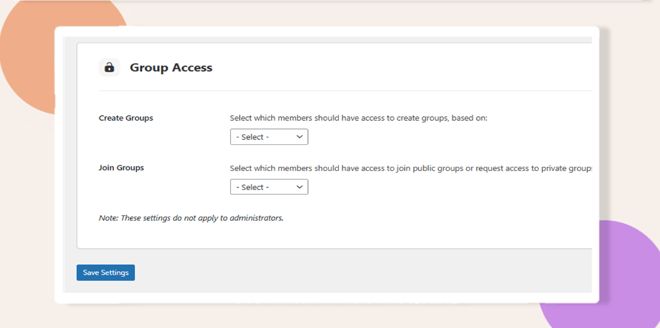
- In the Group Access section, set filters (e.g., membership level, profile type) to control who can create groups.
- In the Join Groups section, configure filters so only eligible members can join or request access.
- Click Save Settings again.
Configure Activity Post Controls
- Go to BuddyBoss > Settings > Activity.
- Scroll to the Activity Access section.
- Set filters (e.g., GamiPress achievement levels) to control who can create activity posts.
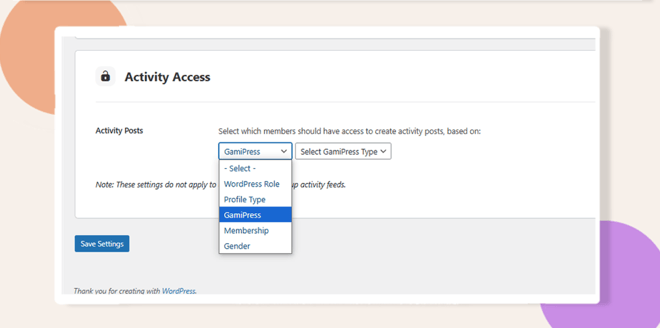
- Click Save Settings.
Configure Message Access Controls
- Go to BuddyBoss > Settings > Messages.
- Scroll to the Message Access section.
- Apply filters to restrict who can send private messages.
- Example: Allow only teachers to message students.
- Example: Allow only teachers to message students.
- Click Save Settings.
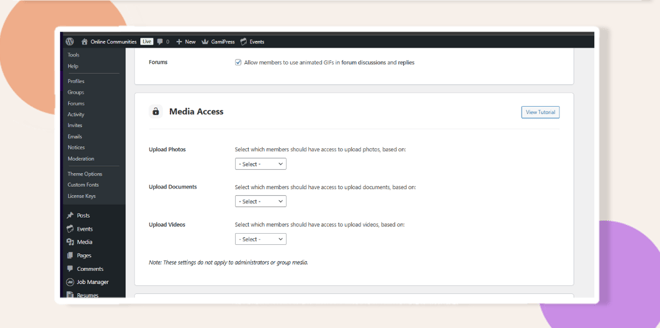
Set Up Media Access Controls
- Go to BuddyBoss > Settings > Media.
- Scroll to the Media Access section.
- Set filters to control who can upload photos or documents (e.g., limit uploads to editors or authors).
- Click Save Settings.
Configure Connection Access Controls
- Go to BuddyBoss > Settings > Connections.
- Scroll to the Connection Access section.
- Apply filters to manage who can send and receive connection requests (e.g., restrict based on membership groups).
- Click Save Settings.
Troubleshooting and FAQs
Q: Why isn’t group creation working even after enabling it?
A: Ensure the BuddyBoss Platform Pro plugin is installed and updated, and confirm that Enable Social Group Creation is checked under Groups settings.
Q: How do I restrict media uploads and private messaging to specific roles?
A: In the Media and Messages settings, apply filters based on WordPress roles or membership criteria, then save your changes.


