⚡️Cyber Monday Flash Sale 70% Off:
H :
M :
S
⚡️
  1. Home
  2. Knowledge Base
  3. Customizations
  4. CSS
  5. How to Change the Blog Category Page Title Font Size

How to Change the Blog Category Page Title Font Size

Introduction

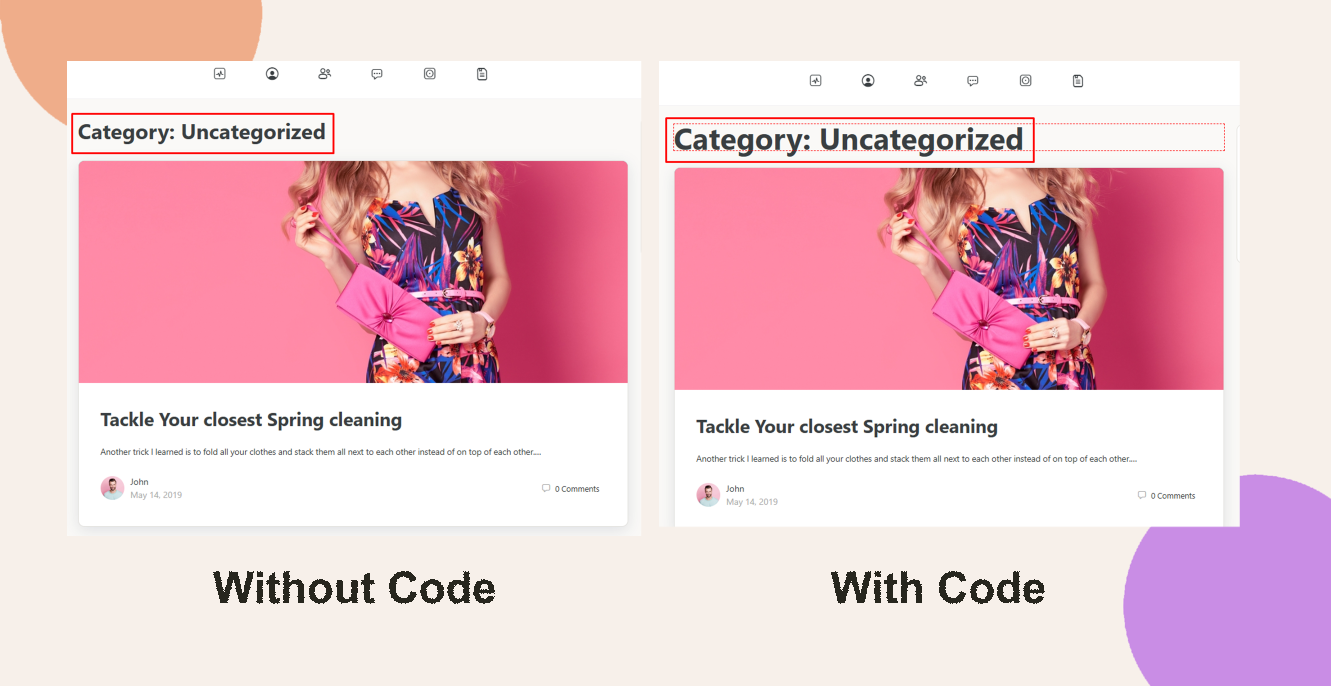
The blog category archive page title on your blog uses the theme’s default font size, which may not suit every design. You can easily customize it by adding a small CSS snippet via the Theme Options.

Custom Workaround

  1. Go to BuddyBoss > Theme Options
  2. Under Custom Codes, Enable CSS

Append the following:

body.archive header.page-header h1 {

  font-size: 28px;

}
  1. Save Changes

Note: Any modifications are considered “custom work.” You may review our Support Policy for details.

Troubleshooting and FAQs

Q: My blog title size didn’t change—what should I check?
A: Clear your site, CDN, and browser caches. Verify you’re on an archive page (e.g., category or date archive), not a single post.

Q: How can I revert this change?
A: Remove or comment out the CSS snippet from Custom Codes and save the Theme Options.

Was this article helpful?

Related Articles

Subscribe to Our Newsletter

Stay In Touch

Subscribe to our Newsletter, and we’ll send you the latest news from BuddyBoss

  • This field is hidden when viewing the form
  • This field is for validation purposes and should be left unchanged.

To speak to our Agency consultant, fill in the form found at our Contact Page.

  • Get Started

    Enter your name and email address to get started with your project...

  • This field is for validation purposes and should be left unchanged.