With the BuddyBoss Wall plugin, you can turn your BuddyPress activity stream into a two-way interactive Facebook-style “Wall”. A member can post an update, control the privacy of the update, and other users can interact and like each other’s posts.
Here’s a tutorial video on how to use the plugin:
Installing the plugin
- Buy and download the BuddyBoss Wall plugin from the link below
https://www.buddyboss.com/product/buddyboss-wall/ - Extract the downloaded buddyboss-wall.zip file to the WordPress plugins folder yourhostname/wordpress/wp-content/plugins OR
Go to your WordPress Dashboard > Plugins > Add New. Click the Upload Plugin button. Browse to the download file location, select the buddyboss-wall.zip & install the plugin. - Click the Activate Plugin button to activate the BuddyBoss Wall plugin on your website. OR
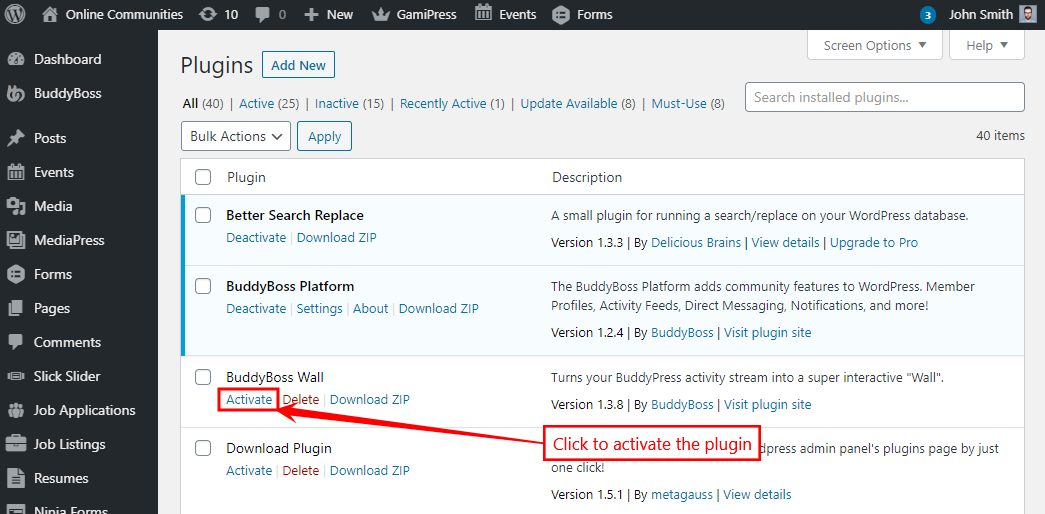
To activate the plugin on your website site go to WordPress Dashboard > Plugins and then click the Activate button for BuddyBoss Wall.