
Introduction
The Activity Post Title feature in the BuddyBoss Platform brings structure and clarity to community posts. Members can now add a title when creating posts in the activity, profiles, and group feeds. Activity Post Title is fully integrated with search results, and supported in the BuddyBoss API. This guide explains how to use titles in activity feeds posts.
The Activity Post Title field is available for all members. You can also configure it so that Activity Post titles are mandatory before publishing a post.
Tutorial Video
Use Titles in Activity Feeds Posts
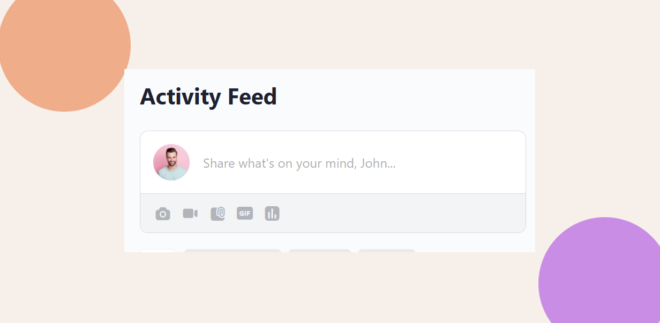
- Click the Activity Post content box to start creating your Activity Post.
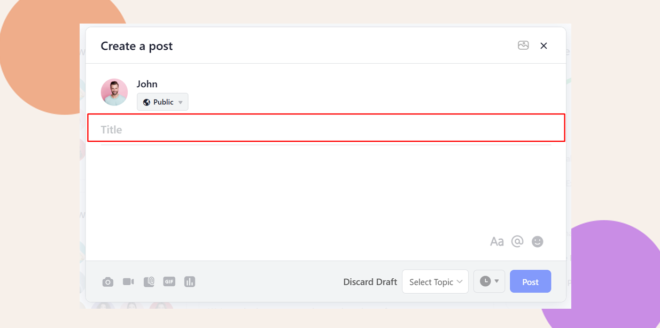
- You’ll see a Title field right above the content box. Add your title, then type your content below as usual.
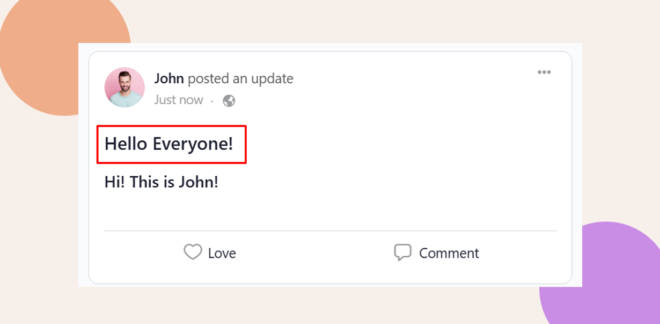
- Click Post to publish your content. The Activity Post Title will appear above the content in the feed.
Making Post Titles Mandatory
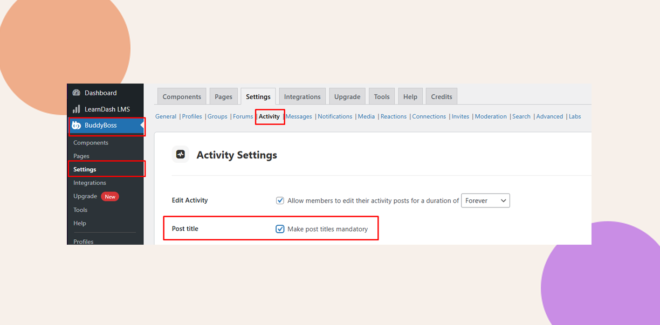
- Navigate to BuddyBoss Dashboard > Settings > Activity.
- Locate the Post Title option.
- Tick the checkbox Make post titles mandatory.
- Click Save Settings to apply the changes.
- Once enabled, members will be required to add a Post Title before they can publish a post.
Troubleshooting & FAQs
Q: Why don’t I see the Title field when creating posts?
A: Ensure the Post Title option is enabled under BuddyBoss Dashboard > Settings > Activity. Also confirm your BuddyBoss Platform is updated to the latest version.
Q: Can I require members to always add a post title?
A: Yes. Enabling the Post Title option makes titles mandatory before a post can be published.
Q: Does post titles appear when editing or scheduling posts,
A: Yes. This is done to ensure consistency across all activity posts.
Q: Can admins change an Activity Post title when editing a post in the backend
A: Yes. As an admin, you’ll see the Title field when editing an activity post from the backend.