In 2025, over 70% of online course creators are prioritizing community-building features over standalone content delivery.
A shift driven by the rising demand for connection, collaboration, and real-time interaction in learning environments.
And that is where social learning platforms are becoming a new standard of learning. Social learning platforms blend structured content with features like forums, live chat, private groups, activity feeds, and gamification to make learning feel more like an experience and less like a lecture.
Whether you’re creating a membership site, a cohort-based course, or a niche community, offering these interactive elements helps your audience stay motivated, engaged, and coming back.
In this article, we’ll explore the top social learning platforms for online courses and communities, along with their standout features and best use cases.
What Are Social Learning Platforms?

Social learning platforms are online systems that combine traditional course delivery with built-in social features. They’re designed to help learners not just consume content, but also interact, collaborate, and stay engaged throughout the learning journey.
Unlike standard eLearning platforms, which focus mainly on one-way content delivery, social learning platforms introduce a community element. This helps increase motivation, accountability, and retention rates especially in long-term or cohort-based programs.
They’re ideal for creators running online courses, membership sites, or training communities that value interaction as much as instruction.
What are the Benefits of Social Learning Platforms?
1. Higher Engagement
When learners don’t feel alone, they’re more likely to stay involved. Social features like discussion boards, group challenges, and live chats keep them motivated, curious, and active.
2. Stronger Community Building
These platforms create a space where learners feel a sense of belonging. Whether it’s through niche groups, mastermind circles, or live meetups, students form genuine connections that enhance the learning journey.
3. Peer-to-Peer Knowledge Sharing
Everyone brings something to the table. Social learning empowers learners to share tips, real-life examples, and personal insights turning your course into a two-way street of knowledge exchange.
4. Better Retention & Completion Rates
When learners are held accountable by their peers, they’re more likely to show up and follow through. A little friendly competition or encouragement can go a long way in reducing dropouts.
5. Scalable, Organic Growth
A thriving community becomes your biggest marketing asset. Happy, engaged members naturally promote your platform through word-of-mouth, testimonials, and referrals, bringing in new learners without paid ads.
6. Continuous Feedback Loop
Your community is a goldmine for insights. From real-time questions to candid conversations, you get instant feedback to improve course content, spot trends, and keep your offerings relevant.
Features Checklist for Choosing the Right Platform
Not all social learning platforms are created equal and the best one for you depends on your goals, your audience, and the kind of learning experience you want to deliver.
Before diving in and committing to a platform, use this checklist to assess what features truly matter to you. Some tools are packed with advanced functions, while others focus on simplicity and ease of use. This guide will help you cut through the noise and choose wisely.
Here’s a breakdown of the key features to consider, along with how important each one might be for your specific use case:
- Course Builder & Customization – Essential for creators who need flexible layouts, multimedia support, and structured learning paths.
- Membership & Access Control – Crucial if you're offering tiered content, paid access, or gated resources.
- Community Features – Important for building engagement through forums, groups, or activity feeds.
- eCommerce & Payment Integration – A must for selling courses, memberships, or digital products directly.
- Mobile App Support – Vital if your learners are mobile-first or you want to offer learning on-the-go.
- Gamification Tools – Adds value for communities focused on motivation, progress tracking, or younger audiences.
Analytics & Reporting – Key for tracking user progress, drop-off points, and refining your content.
Marketing & CRM Integrations – Great for growing and nurturing your audience through automation and campaigns.
Top 8 Social Learning Platforms for Online Courses and Communities
Here are some of the best social learning platforms that combine online courses with community-driven experiences.
| Platform | Best For | Key Strength | Pricing Starts At | Mobile App |
| BuddyBoss | WordPress users and open source lovers wanting full control | Fully customizable with native app | Platform free, theme- $228/yr + $219/mo | Yes |
| Thinkific Communities | Existing Thinkific users | Seamless LMS integration | $74/mo | Yes |
| Circle | Community-focused creators | Clean UI + powerful community tools | $49/mo | Yes |
| Mighty Networks | Branded community experiences | All-in-one with branded app | Free / $119/mo | Yes |
| Kajabi | Course sellers + marketers | Marketing + learning suite | $149/mo | Yes |
| Podia | Budget-conscious solo creators | Easy-to-use + built-in tools | $39/mo | No |
| Skool | Engaged, gamified communities | Simple + highly engaging | $99/mo | Yes |
| LearnWorlds | Interactive academies with branding needs | Interactive learning + white-label app | $29/mo | Yes |
1. BuddyBoss – Best for WordPress-Based Communities and Online Courses
If you're already using WordPress or planning to, BuddyBoss is one of the most powerful and flexible social learning platforms available today.
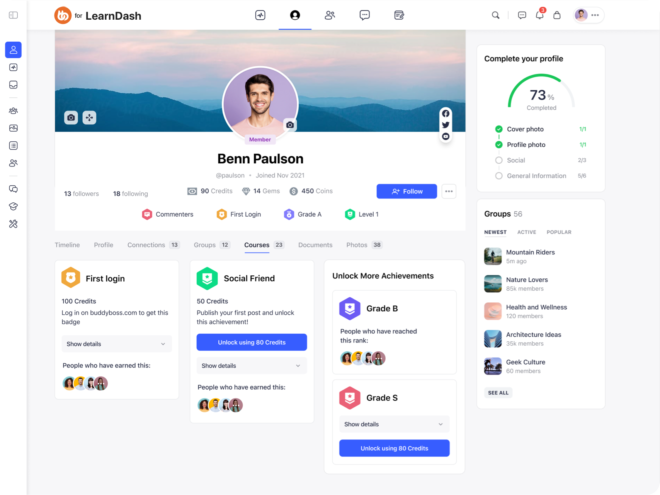
It’s not just a plugin or a theme; it’s an entire ecosystem designed to help you build immersive learning communities, membership sites, and online academies all under your own brand.
Thousands of coaches, educators, consultants, and course creators trust BuddyBoss to deliver structured learning alongside rich community engagement.
Key Features:
- Community features: profiles, activity feeds, groups, forums, messaging
- LMS support via LearnDash, Tutor LMS, or LifterLMS
- White-label mobile app (iOS + Android) with push notifications
- Event management, Zoom integration, and gamification
- Memberships, subscriptions, and custom branding
- Full WordPress customization with plugins & themes
Best Use Case: Ideal for course creators, membership site owners, and organizations wanting full control on WordPress while combining learning and community.
Pricing: BuddyBoss Platform: Free (community plugin). BuddyBoss Theme + Platform Pro: $228/year. BuddyBoss App (iOS + Android): Starting at $219/month billed annually. Includes white-label, app publishing, and regular updates.
Integrations: LearnDash, LifterLMS, WooCommerce, GamiPress, Zoom, MemberPress, Mailchimp, Elementor and 100s more.
Pros:
- Deep customization options
- Strong WordPress ecosystem
- Own your platform & data
Cons:
- Requires WordPress setup
- Learning curve for non-tech users
Mobile/App Experience: Offers a fully customizable white-label mobile app with push notifications and offline access.
User Reviews
“BuddyBoss has been a game-changer for my business. The mobile app keeps my students engaged!” — Lisa, Online Educator
Support & Community: Robust documentation, active community forum, and ticket-based support with high satisfaction.
Verdict / Ideal For: BuddyBoss is ideal for serious creators and businesses who want a branded platform and mobile app, without giving up control to SaaS platforms. Perfect for scaling courses, memberships, and learning communities in your own ecosystem.
Try BuddyBoss—built for WordPress and perfect for combining courses, memberships, and social interaction.
2. Thinkific Communities – Best for Integrated Course + Community
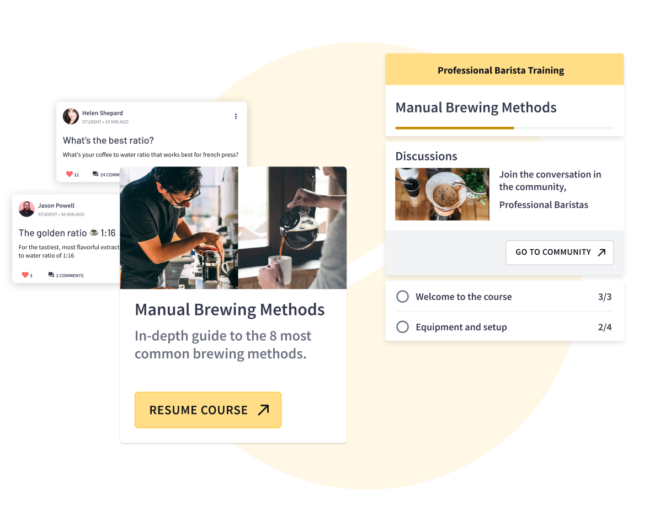
Thinkific now offers integrated Communities alongside its course platform, enabling creators to bring discussions, challenges, and engagement directly into the learning experience.
Key Features:
- Course + community in one platform
- Posts, threads, likes, and comments
- Challenges & group learning tools
- Mobile-friendly experience
Best Use Case: Great for creators who want to boost student interaction within their Thinkific course environment.
Pricing: Free plan available. Communities available on Start ($74/mo) and Grow ($149/mo) plans.
Integrations: Zoom, Shopify, Stripe, ConvertKit, Zapier
Pros:
- Seamless within Thinkific courses
- No need for external community tools
Cons:
- Limited customization
- Not standalone (only works within Thinkific)
Mobile/App Experience: Mobile responsive but no standalone mobile app for communities.
User Reviews:
“The community feature helped my students stay accountable and connect. Love how it's built in!” — Jordan, Course Creator
Support & Community: Email and live chat support, Help Center, active creator community
Verdict / Ideal For: Ideal for Thinkific users who want native community-building tools.
3. Circle – Best for Community-First Courses
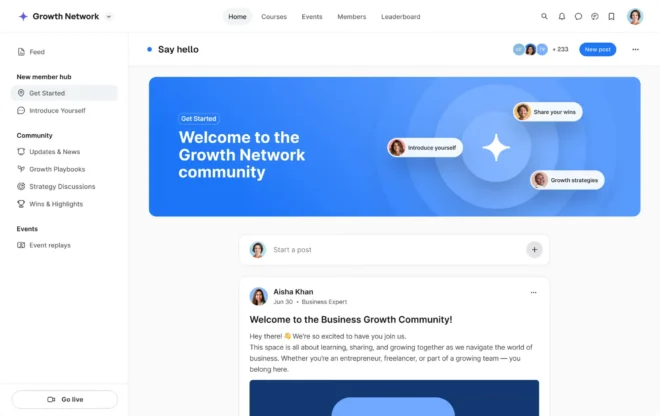
Circle is a modern, sleek community platform that supports courses, memberships, live streams, and content hubs all in one flexible, white-label interface.
Key Features:
- Spaces with threaded discussions
- Events & live video rooms
- Course hosting
- Rich member profiles
- Automation & email broadcasts
Best Use Case: Creators, coaches, and membership businesses seeking an all-in-one hosted social learning environment.
Pricing: Starts at $49/month. Professional plan at $99/month, with a 14-day free trial.
Integrations: Zapier, ConvertKit, Slack, Stripe, Notion, Webhooks
Pros:
- Intuitive and easy to use
- Beautiful user interface
- Fast onboarding
Cons:
- Limited LMS features
- Requires external course tools for advanced learning paths
Mobile/App Experience: Responsive on mobile; native apps available for Circle communities.
User Reviews: “Circle makes it easy to build vibrant, engaged communities. It just works!” — Amanda, Coach
Support & Community: Priority chat, resource hub, webinars, and a strong Circle community
Verdict / Ideal For: Perfect for community-first creators who value design, speed, and ease.
4. Mighty Networks – Best for Community-First Learning
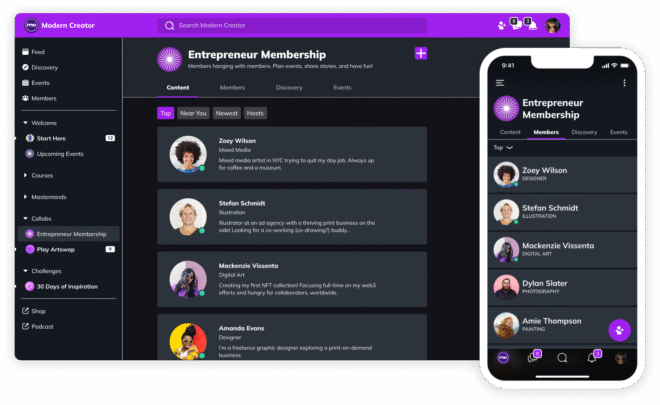
Mighty Networks lets you build branded community spaces with courses, events, and member interaction—all under your own app and domain. It’s designed for creators, entrepreneurs, and organizations who want to build thriving networks around their expertise.
Key Features:
- Online courses with modular structures
- Community features like posts, polls, and events
- Mobile app and web version branded with your logo
- Bundles, subscriptions, and one-time payments
- Analytics for course and member engagement
Best Use Case:
Educators and experts who want to own their brand and mobile app while creating a community-based learning environment.
Pricing:
Free plan available; paid plans start at $39/month, $119/month for full branding
Integrations: Zapier, Stripe, Calendly, and embeds from Vimeo, YouTube, etc.
Pros:
- All-in-one community and course platform
- Full control of branding and app experience
Cons: Limited third-party integration options
Mobile/App Experience:
Native mobile apps (iOS and Android) with push notifications, branded UI, and course access on the go.
User Reviews:
“The ability to run our own app and fully brand it changed everything for our academy.” – Kevin Chan, Leadership Coach
Support & Community:
Priority support on paid plans, large creator community, weekly training sessions.
Verdict / Ideal For:
Best suited for creators and entrepreneurs who want a branded mobile learning experience and community in one place.
5. Kajabi – Best for All-in-One Course + Marketing Solution
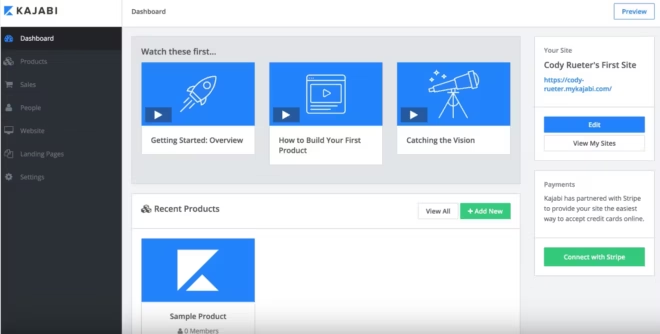
Kajabi is a robust, all-in-one platform that allows you to create online courses, host communities, build websites, run email marketing, and sell digital products all under one roof. It's built for creators who want control over their brand and business without relying on a stack of different tools.
Key Features:
- Course creation with drip content, assessments, and certificates
- Built-in website and landing page builder
- Email marketing and automation tools
- Mobile app for learners
- Coaching and podcast hosting
- Integrated community space (Kajabi Communities)
Best Use Case: Ideal for coaches, educators, and entrepreneurs who want a scalable, all-in-one system for digital products, marketing, and community engagement.
Pricing: Starts at $149/month for the Basic plan. Growth plan at $199/month and Pro plan at $399/month. 14-day free trial available.
Integrations: Zapier, ConvertKit, Stripe, Calendly, ActiveCampaign, Mailchimp, Google Analytics, and more.
Pros:
- All-in-one tool – no need for separate website, email, and LMS
- Great for automating marketing funnels
- Clean course experience with progress tracking
Cons:
- Expensive for beginners
- Slight learning curve for non-tech-savvy users
- Community features are improving but not as flexible as standalone tools
Mobile/App Experience: Kajabi offers a powerful mobile app for both iOS and Android where users can access courses, communities, and coaching in one place.
User Reviews:
“Kajabi is a business in a box. Everything just works together website, email, products, all of it.” — James, Online Business Coach
Support & Community: 24/7 live chat, a rich knowledge base, Kajabi University, webinars, and an active user community.
Verdict / Ideal For: Perfect for digital entrepreneurs and coaches who want one reliable platform to manage their entire business from content to community to conversion.
6. Podia – Best for Simplicity and Affordability
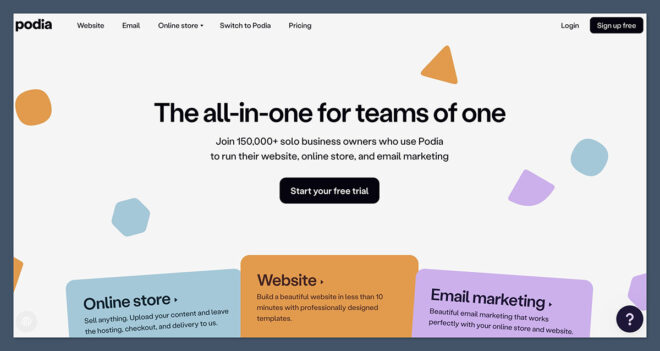
Podia is a creator-friendly platform built for selling digital products, online courses, webinars, and memberships. It’s known for its simplicity, clean interface, and transparent pricing. If you want to launch fast and grow your digital business without needing extra tools, Podia is a solid pick.
Key Features:
- Online courses with drip, bundles, and unlimited video hosting
- Digital product selling (eBooks, PDFs, templates, etc.)
- Memberships and community spaces
- Email marketing and campaigns
- Webinars and live events with Zoom/YouTube integrations
- Custom website builder with zero transaction fees
Best Use Case: Great for solo creators, educators, and small teams looking to sell courses, products, or memberships without technical complexity.
Pricing: Starts at $0/month with an 8% transaction fee. Paid plans:Mover- $39/month (no transaction fee), Shaker- $89/month (adds affiliate marketing & embedded checkout)
Free trial available.
Integrations: Zoom, YouTube Live, ConvertKit, Mailchimp, Stripe, PayPal, Zapier, Calendly, Google Analytics
Pros:
- Beginner-friendly interface
- Affordable pricing with no hidden fees
- Unlimited courses and products on all paid plans
Cons:
- Limited design customization
- Community features are basic compared to competitors
- Not ideal for complex course structures or certifications
Mobile/App Experience: No native mobile app yet.
User Reviews:
“Podia makes it easy to sell anything digital. I launched my course and made sales within days!” — Lena, Freelancer & Course Creator
Support & Community: Live chat support, help docs, free creator resources, weekly webinars, and an active Podia Creator Community.
Verdict / Ideal For: Perfect for beginners and budget-conscious creators who want a no-fuss platform to sell online courses, downloads, and memberships.
7. Skool – Best for Simplicity and High Engagement
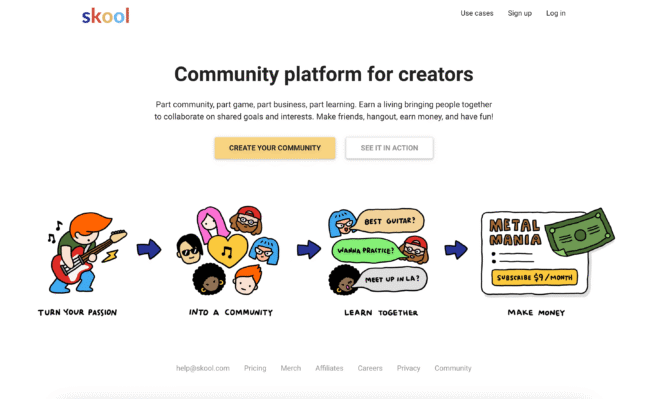
Skool is a fast-growing community and course platform that prioritizes ease of use, member engagement, and fun. It combines a clean community feed with gamified learning, making it ideal for course creators, coaches, and community-led programs. It feels more like a social app than a traditional LMS, which is why members keep coming back.
Key Features:
- Centralized community with post reactions and threads
- Course hosting with video, text, and downloads
- Points, levels, and leaderboards for gamified engagement
- Calendar and event scheduling
- Unified member profiles across community and courses
- Private or public groups with customizable access
Best Use Case: Perfect for coaches, educators, and creators who want to build an engaging, community-first learning space with minimal tech hassle.
Pricing: Flat pricing at $99/month per group includes unlimited members, courses, and community posts. 14-day free trial available.
Integrations: Zapier, Stripe, Webhooks (No direct email marketing tools or advanced LMS integrations, but basic automation is possible.)
Pros:
- Simple and fast setup
- Highly engaging with gamification
- Active user base and high retention
- No need for third-party community tools
Cons:
- Limited customization and branding
- No native email marketing
- Only one pricing tier
Mobile/App Experience: Clean, responsive mobile site and native iOS + Android apps. Fast, lightweight, and designed for community interaction on the go.
User Reviews:
“Skool made my community feel alive again. The gamification is genius and my members love it.” — Derrick, Coach & Course Creator
Support & Community: Skool’s own community is super active and responsive. Email support is fast. Weekly updates and tutorials from the team. No live chat, but strong peer-to-peer help via the Skool Community.
Verdict / Ideal For: A great pick for coaches, course creators, and online community leaders who value simplicity, speed, and fun. If you don’t need heavy LMS features but want people to show up and engage, Skool nails it.
8. LearnWorlds – Best for Interactive & Branded Learning Academies
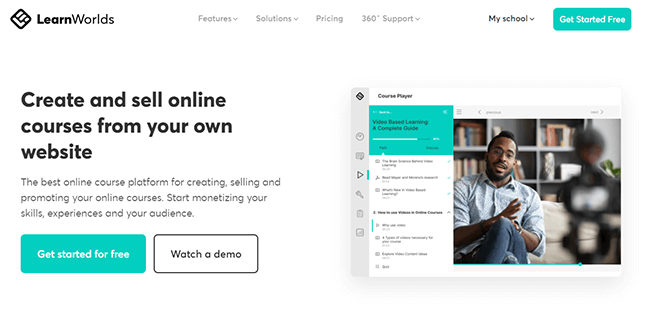
LearnWorlds is a robust online course platform built for educators, trainers, and organizations that want full control over branding, interactivity, and learning analytics. It combines powerful course creation tools with community features, making it ideal for those building structured, scalable learning experiences.
Key Features:
- Advanced course builder with interactive video, quizzes, and assignments
- Built-in social community (discussion boards, learner profiles, timelines)
- Custom branded mobile app (white-label option)
- Certificates, assessments, and SCORM support
- Drip content and learning paths
- Built-in sales pages, checkout, and affiliate tools
Best Use Case: Ideal for educators, training companies, and brands wanting to launch polished, interactive online academies with strong community support.
Pricing: Starts at $29/month (Starter – $5 fee per course sale). Pro Trainer Plan: $99/month (no transaction fees). Learning Center Plan: $299/month. 30-day free trial available.
Integrations: Zapier, Mailchimp, ActiveCampaign, Zoom, HubSpot, Stripe, PayPal, Google Analytics, and more.
Pros:
- Highly customizable platform with rich features
- Interactive video and advanced learning tools
- White-label and app branding options
- Great for academic-style learning
Cons:
- Slight learning curve for beginners
- Community tools are limited compared to standalone platforms
- Starter plan has transaction fees
Mobile/App Experience: Responsive web experience and white-label mobile app (on higher-tier plans). Excellent for learners who want a full-featured branded experience.
User Reviews:
“LearnWorlds helped us build a branded academy that feels like our own. Our students love the interactive videos!” — Sophie, Corporate Trainer
Support & Community: 24/7 support (chat & email), knowledge base, onboarding webinars, and an active Facebook group. Priority support available for premium plans.
Verdict / Ideal For: A great fit for creators who want more than just videos and PDFs. LearnWorlds is perfect for corporate training, professional development, or branded academies that demand interactivity, structure, and customization.
How to Choose the Right Social Learning Platform
When deciding which platform fits your needs, consider:
- Your audience size: Are you teaching a small niche group or a large organization?
- Features you need: Do you want gamification, mobile apps, or advanced analytics?
- Your budget: Some platforms have one-time fees, while others are subscription-based.
- Hosting preference: Do you want a hosted solution (Thinkific, Kajabi) or more control with self-hosted WordPress (BuddyBoss)?
- Community vs. Course priority: Is your focus more on structured learning or community engagement?
Also Read- How to Choose the Right LMS for Your Needs
FAQs on Top Social Learning Platforms
What is the difference between a social learning platform and an LMS?
LMS platforms focus on course delivery, while social learning platforms combine learning with community tools, helping boost engagement and retention.
Can I migrate my existing course into a social learning platform?
Yes. Most platforms offer migration tools or services to help you move content and members.
Do I need a mobile app for my community?
Not always, but it helps. Platforms like BuddyBoss, Mighty Networks, and Kajabi offer native apps to improve engagement and accessibility.
Which platform is best for monetizing my learning community?
BuddyBoss, Kajabi, and Podia all offer built-in monetization tools like memberships, subscriptions, and paywalls.
Final Thoughts
Traditional online learning often feels isolating, but social learning platforms bring learners together, creating a richer and more interactive experience. Whether you want to build a thriving online course business, a professional network, or an engaged membership site, these platforms make it possible.
👉 Looking for the ultimate learning + community experience?
Try BuddyBoss—built for WordPress and perfect for combining courses, memberships, and social interaction.