The future of education and community building has changed dramatically with artificial intelligence.
Course creators, teachers, and community owners now have access to powerful AI tools for course creators that can can reduce initial draft time dramatically from weeks to hours while maintaining quality and engagement.
Whether you're building your first online course, managing a classroom, or growing an engaged community, the right AI tools can multiply your impact while freeing up time for what matters most: connecting with your learners and members.
This comprehensive guide explores the most effective AI tools for course creators across every stage of the content creation and community management process, organized by use case and pricing to help you build your perfect AI toolkit.
Bonus: Start with exploring our video on helpful tools you need to deliver your online courses-
Why AI Tools for Course Creators Matter
Traditional course creation demands immense time investment.
industry estimates suggest that a typical online course requires hours of development time for content creation, video production, assessment design, and platform setup.
Community management adds another layer of complexity with constant content needs, member engagement, and administrative tasks.
AI tools for course creators address these challenges by automating repetitive tasks, generating initial content drafts, personalizing learning experiences, and scaling your reach without proportionally scaling your workload.
The result? Creators report huge time savings on course development, teachers spend less time on administrative tasks and more time with students, and community owners engage members more effectively with personalized content at scale.
Quick Reference: Free vs Paid AI Tools
Choosing the right AI tools can make a big difference in cost, features, and results. This quick reference compares free and paid options side-by-side, so you can build your ideal toolkit without overspending or missing essential capabilities:
| Category | Tool Name(s) | Price/Access |
| Free AI Tools | Coursebox AI (limited), Mini Course Generator (trial), Learning Studio AI (credits), Google Gemini for Education, ChatGPT (limited), Canva for Education (K-12), NotebookLM, Perplexity AI (limited), Claude (limited), Gamma AI (limited) | Free or limited/trial |
Best Value Paid (<$30/mo) | CourseAI, MagicSchool AI, Grammarly Premium, Otter.ai, Notion AI (per user), Descript, ElevenLabs | $5–$29.99/month |
| Premium Investment ($30+) | Heights AI, Jasper AI, Synthesia, HeyGen, Murf.ai, Thinkific AI (Platform plans) | $19–$39+/month |
| Enterprise/Institutional | Lingio (custom), Turnitin AI Detection, Gradescope, MagicSchool Enterprise | Custom pricing |
Choose tools based on your budget, technical comfort, and primary use case. Mix free and paid tools to create your optimal stack while managing costs effectively.
Course Creation & Development AI Tools
Let's get started with Free AI Course Creators-
1. Coursebox AI (Free Tier Available)
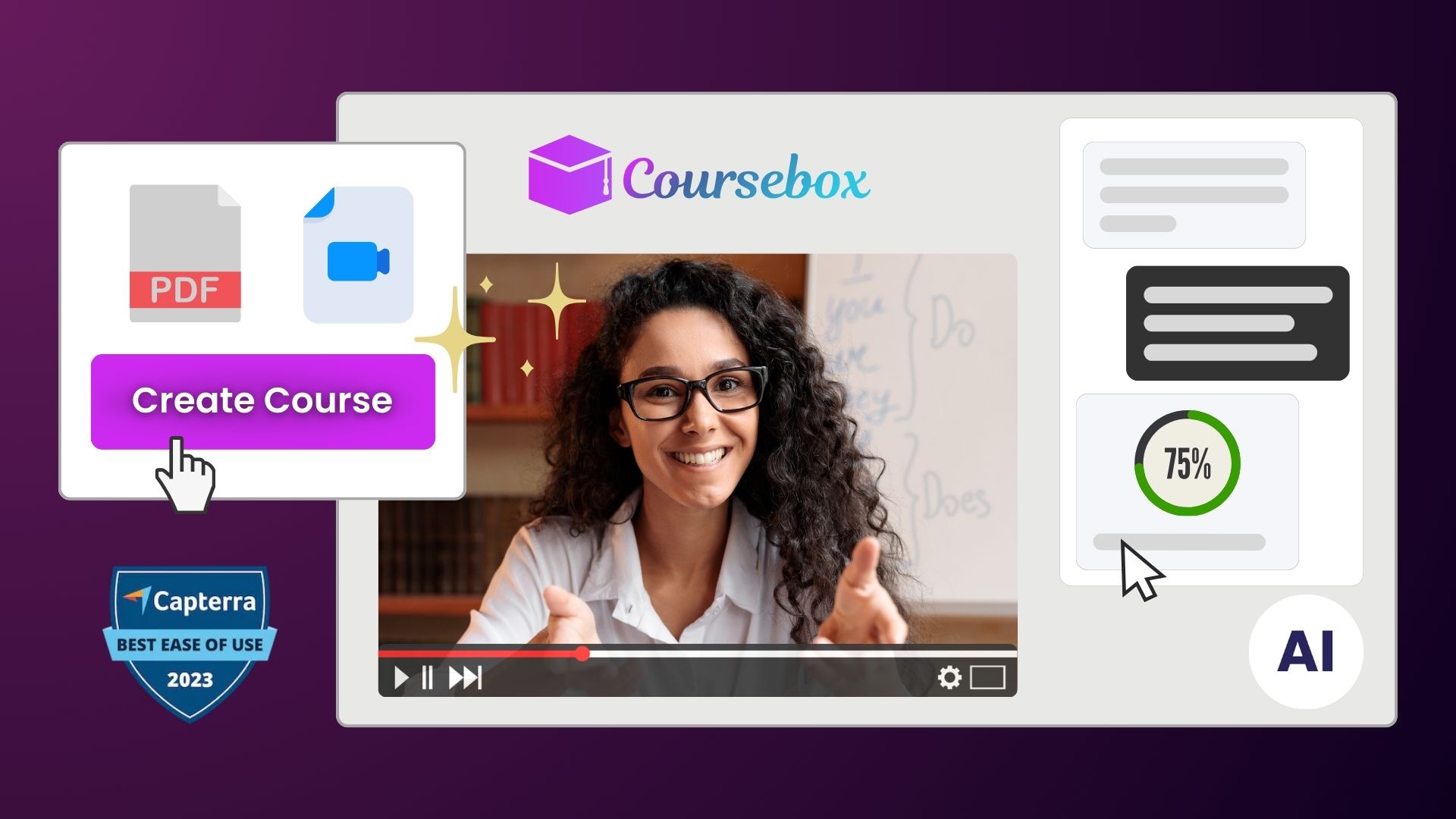
Coursebox stands out among ai tools for course creators with its all-in-one approach to course generation. Upload your existing materials PDFs, documents, presentations and watch as the AI transforms them into structured learning experiences complete with quizzes and interactive elements.
Key Features:
- Automated course outline generation from any content source
- AI-powered quiz and assessment creation
- Interactive chatbot trained on your course content for learner support
- SCORM export for LMS integration
- Mobile app with your branding
Best For: Corporate trainers needing rapid course deployment, educators converting existing materials into interactive experiences
Pricing: Free tier with limited courses; paid plans from $49/month
2. Mini Course Generator
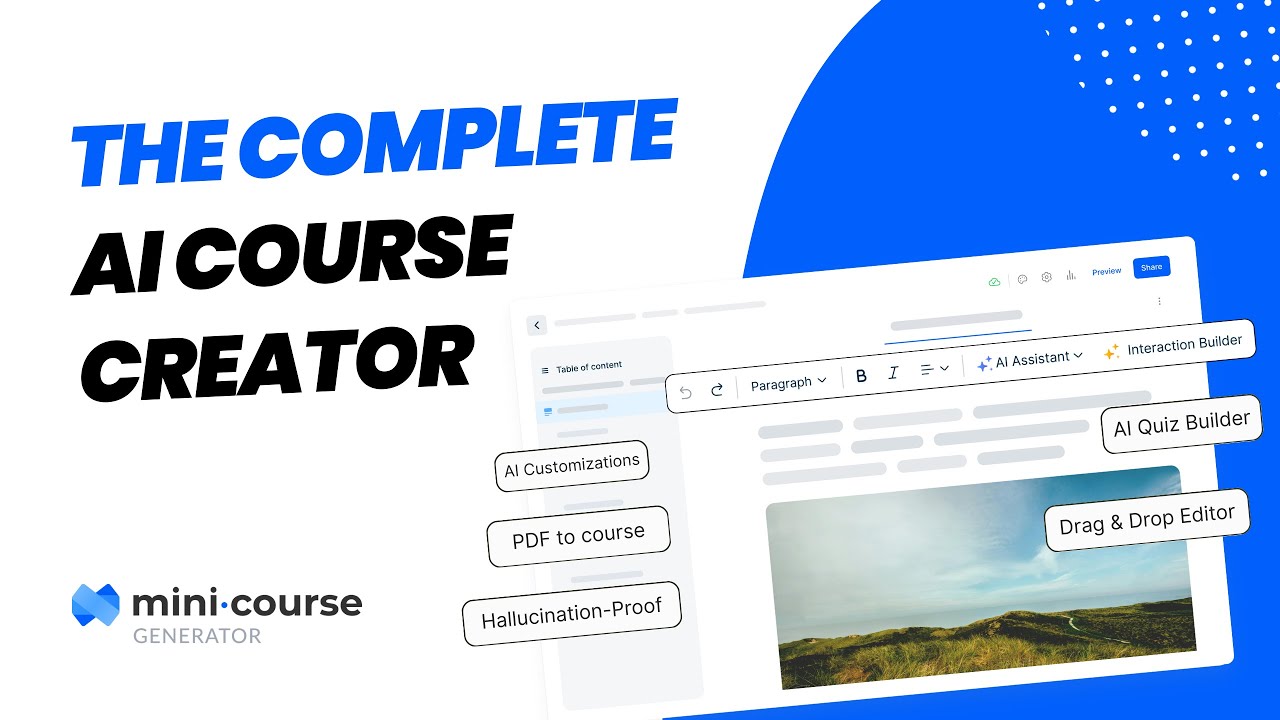
Mini Course Generator specializes in creating bite-sized learning experiences perfect for lead magnets, customer onboarding, or micro-learning initiatives. Vendor claims reduced hallucinations content by grounding AI generation in your uploaded resources.
Key Features:
- PDF-to-course conversion with high accuracy
- 7 customization aspects including AI image style and focus areas
- Automatic interaction generation (timelines, matching games, simulations)
- White-label options for branded experiences
- No per-learner pricing—scales with your growth
Best For: Community owners creating member onboarding sequences, coaches developing lead magnets, product managers building customer education
Pricing: Free trial; paid plans from $19/month
3. Shiken
Shiken transforms documents, links, or text into card-based courses with interactive quizzes and conversational role-plays. Background processing means you can continue working while your course generates, receiving email notifications when complete.
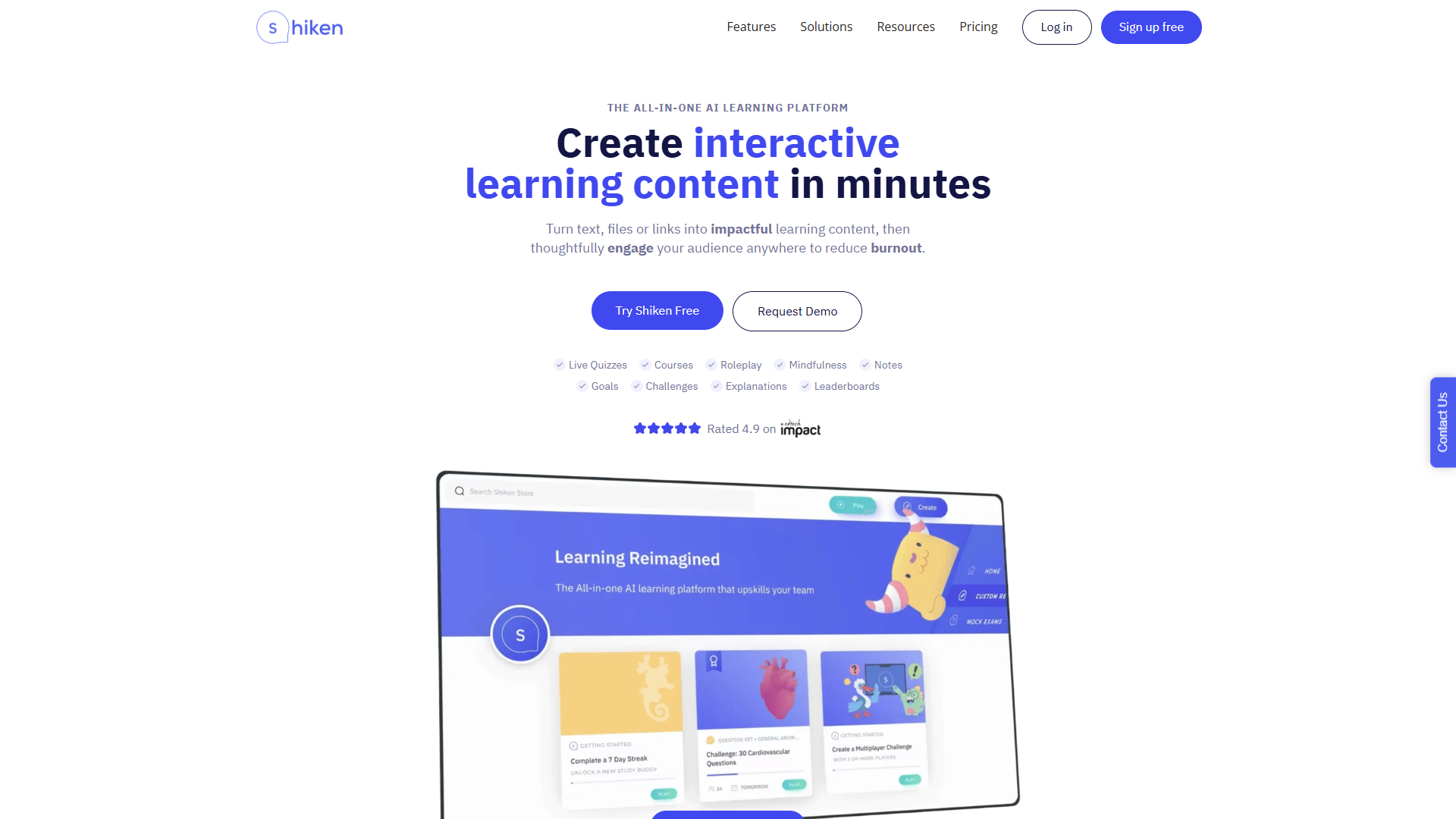
Key Features:
- Card-based learning format for mobile-friendly consumption
- Interactive quizzes and conversational AI role-plays
- Knowledge base for centralizing team information
- Mindfulness and goal-setting features for learner engagement
- Real-time performance analytics
Best For: Organizations building knowledge bases, creators focused on mobile learning experiences
Pricing: Free plan available; paid plans from £39/month
4. Learning Studio AI
Learning Studio AI offers a unique aesthetic approach to course creation, generating visually distinct learning experiences. The platform provides generous free credits for testing and emphasizes speed of deployment for just-in-time training needs.
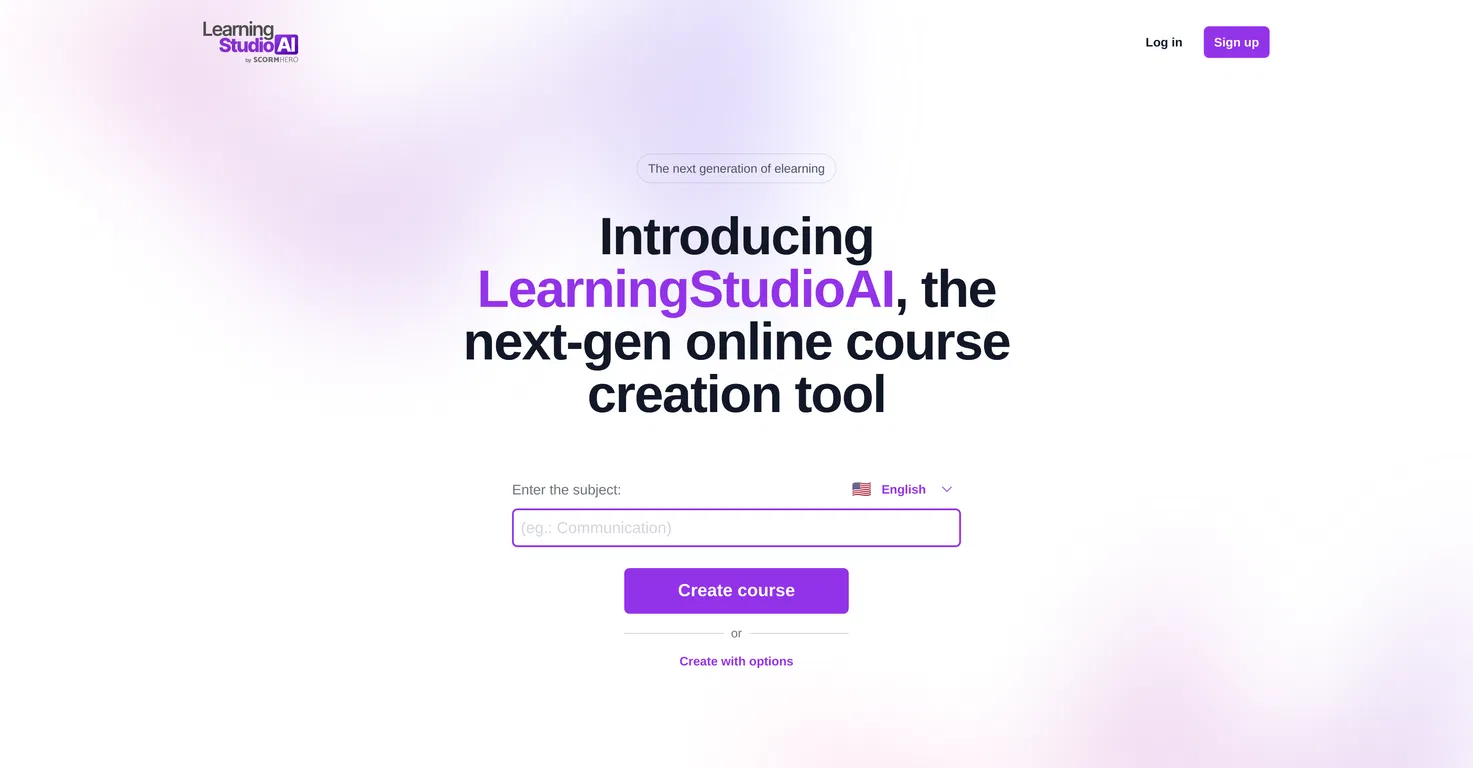
Key Features:
- Fast micro-learning course generation
- AI avatar narration for videos
- Unique visual styling that differentiates from standard courses
- Quick deployment for urgent training needs
Best For: Creating supplementary training materials, building quick product tutorials, rapid response training.
Pricing: 40 free credits; paid credits available for purchase
These tools can be paired with community platforms like BuddyBoss to transform static materials into interactive member experiences
Now let's start with Premium AI Tools for Course Creators–
5. CourseAI ($29.99/month)
CourseAI provides end-to-end course creation including content generation, video script writing, and marketing email creation. The platform considers your audience demographics and psychographics to create truly targeted learning experiences.
Key Features:
- Audience persona development for targeted content
- Course outline and structure generation
- Video script creation with AI voice-overs
- Welcome and sales email generation
- Course hosting capabilities
Best For: Solopreneurs building their first courses, creators monetizing expertise through Teachable or similar platforms.
Pricing: $29.99/month after trial
6. Heights AI ($39/month starting)
Heights AI functions as your 24/7 AI coach for course creation and business growth. Beyond generating courses, it provides strategic guidance on growing your online education business.
Key Features:
- Conversational AI coach for business strategy
- Rapid course outline creation with feedback
- Marketing material generation
- Integration with Heights Platform ecosystem
- Business growth recommendations
Best For: Entrepreneurs building course-based businesses, creators needing both tactical and strategic support
Pricing: From $39/month
7. Lingio (Enterprise Pricing)
Lingio specializes in AI-driven employee training with gamified, mobile-friendly courses. Large corporations and public authorities trust it for skills development and compliance training.
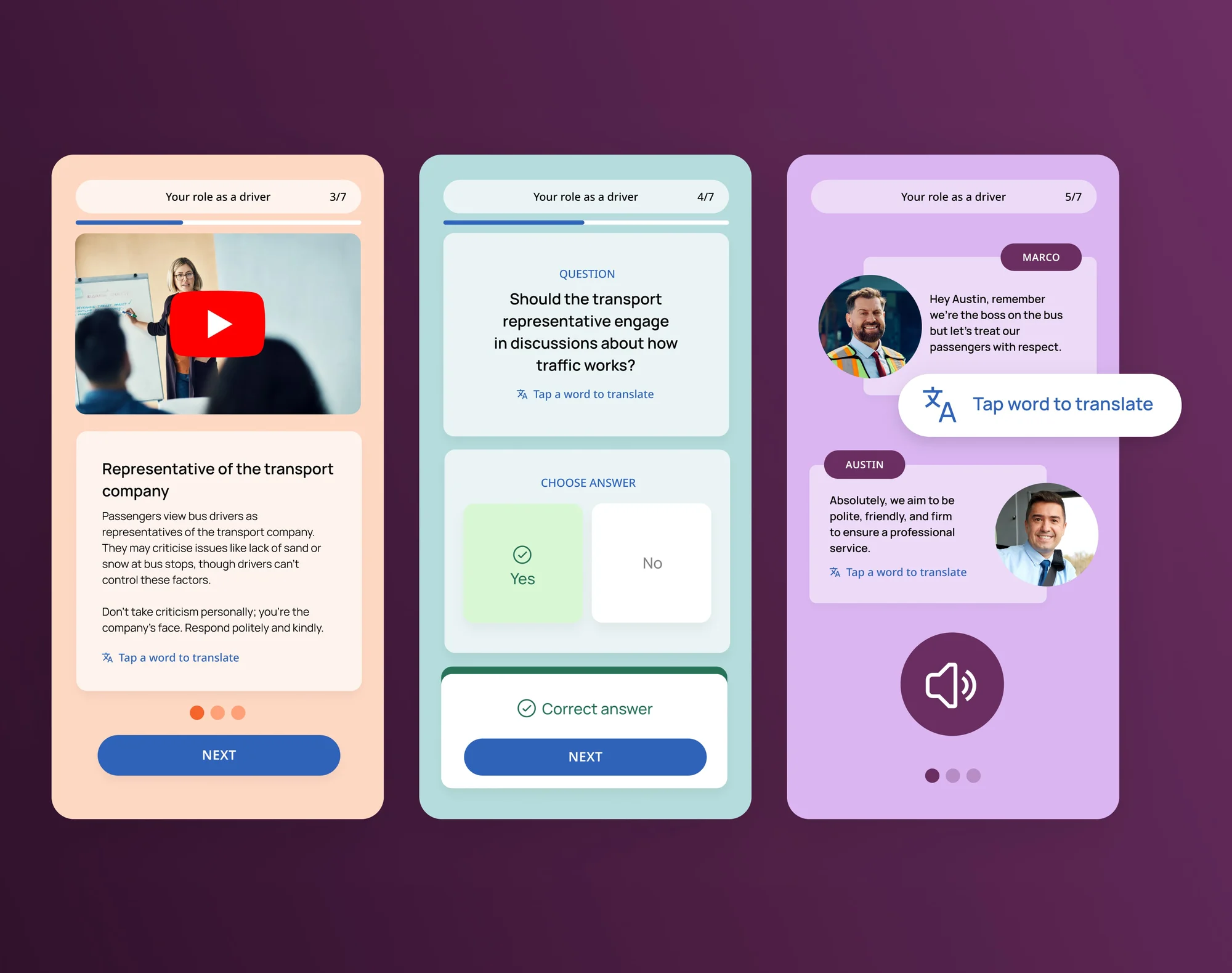
Key Features:
- Gamified learning experiences
- Mobile-optimized course delivery
- Industry-specific course customization
- Rapid transformation of traditional materials
- LMS integration capabilities
Best For: Corporate L&D teams, companies training frontline workers, organizations with compliance requirements
Pricing: Enterprise pricing; contact for quote
Creators using BuddyBoss can combine these AI-generated courses with their existing LMS plugins (e.g., LearnDash, LifterLMS) to deliver structured learning inside their communities.
AI Tools for Teachers & Educators
Let's Start with Free Teaching AI Tools
8. Google Gemini for Education (Free)
Google's Gemini for Education provides premium AI models with enterprise-grade data protection at no cost for educational institutions. Built with Gemini 2.5 Pro, it offers significantly higher limits than consumer versions.
Key Features:
- Premium AI models optimized for learning
- Admin-managed experience with data protection
- Integration with Google Classroom
- Custom AI expert creation (Gems) shareable with students
- Video Overview generation from sources
Best For: K-12 and higher education institutions, Google Workspace for Education users
Pricing: Free for educational institutions
9. ChatGPT Study Mode (Free Tier Available)
ChatGPT's Study Mode provides structured, classroom-ready outputs specifically designed for educational contexts. Teachers generate lesson outlines while students access 24/7 tutoring support.
Key Features:
- Structured quiz and explanation generation
- Lesson outline creation
- Simplified explanations of complex topics
- 24/7 student tutoring support
- Classroom-appropriate content filtering
Best For: Teachers needing quick lesson supplements, students seeking additional support, homeschool educators
Pricing: Free with limits; ChatGPT Plus ($20/month) for unlimited access
10. Canva for Education (Free for K-12)
Canva for Education provides thousands of templates and AI-powered design tools specifically for teachers and students. Magic Write generates text paired with professional design templates.
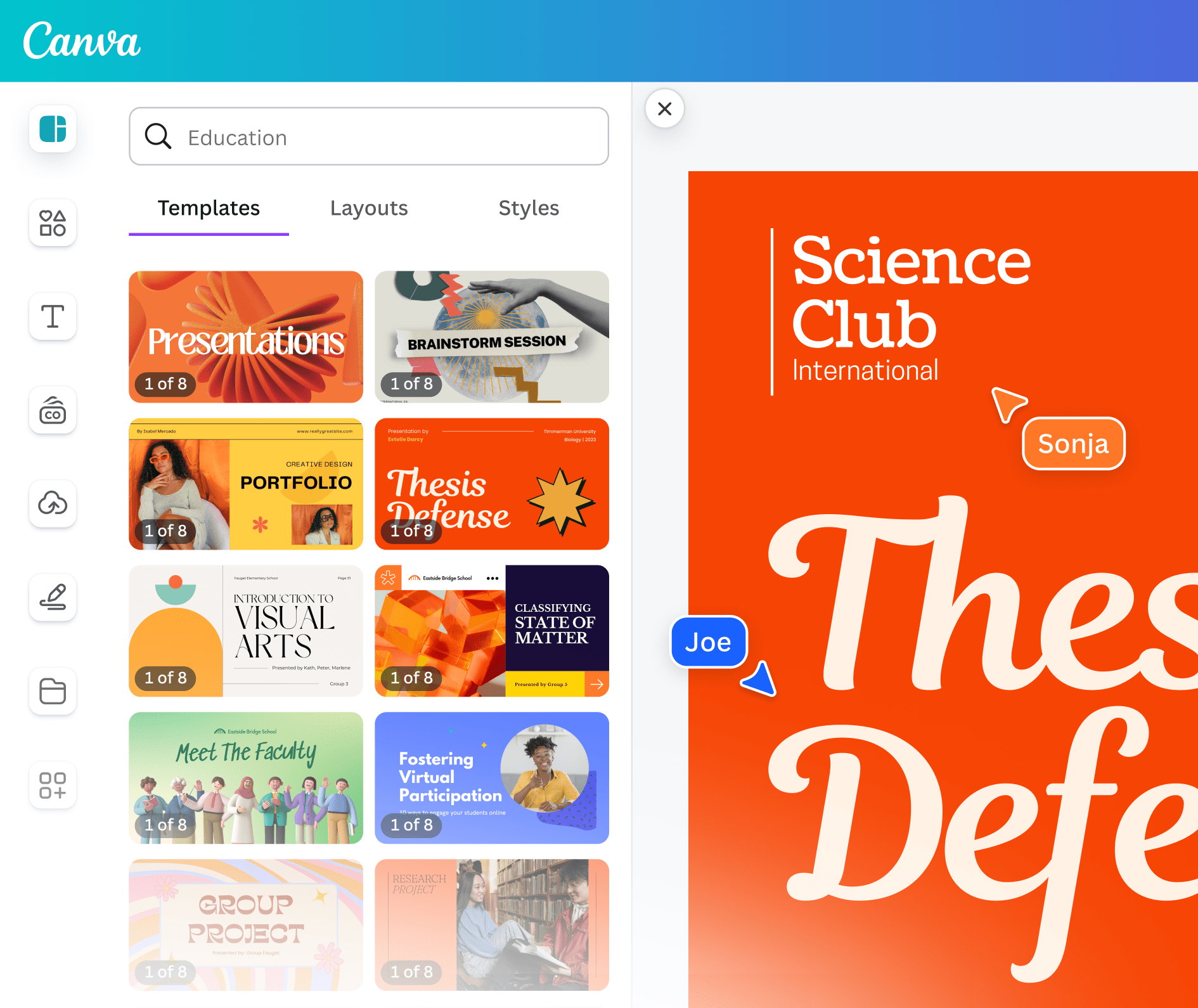
Key Features:
- AI-powered Magic Write for content generation
- Thousands of educational templates
- Collaborative design for group projects
- Professional presentations in minutes
- Interactive lesson material creation
Best For: Visual learners, flipped classroom models, teachers creating engaging presentations
Pricing: Free for K-12 teachers and students
11. NotebookLM by Google (Free)
NotebookLM transforms uploaded sources into interactive learning materials. Teachers receive lesson plans, study guides, and discussion questions with in-line citations ensuring accuracy.
Key Features:
- Source-grounded AI preventing hallucinations
- Audio Overview generation for learning on-the-go
- Quiz and study guide creation
- In-line citations for accuracy
- Collaborative notebooks for group projects
Best For: Research-heavy subjects, literature courses, graduate education, professional development
Pricing: Free
Now let's go ahead with Premium Teaching Tools
12. MagicSchool AI ($12.99/month)
MagicSchool provides 60+ AI-powered tools specifically for educators, trusted by over 5 million teachers. The platform offers both teacher and student-facing tools with robust community support.
Key Features:
- 60+ specialized teaching tools
- Lesson planning and rubric creation
- Parent communication templates
- IEP support documentation
- Student tools for AI literacy
- Enterprise options with district customization
Best For: Individual teachers across all subjects, school districts seeking comprehensive solutions, administrators supporting AI adoption
Pricing: Free tier; full access $12.99/month or $99.96/year; enterprise plans available
13. Eduaide.AI (Professional Plans Available)
Eduaide.AI offers 100+ tools organized into Generators, Organizers, and Games. The platform includes Raina, an AI assistant that helps differentiate content for diverse learners.
Key Features:
- 100+ AI-powered teaching tools
- Dynamic graphic organizers
- Classroom game generation
- Content differentiation for English learners and gifted students
- Editable generated content
Best For:Teachers managing diverse classrooms, special education, English language learning, elementary through high school
Pricing: Free trial; professional plans available
14. Turnitin AI Detection (Institutional Pricing)
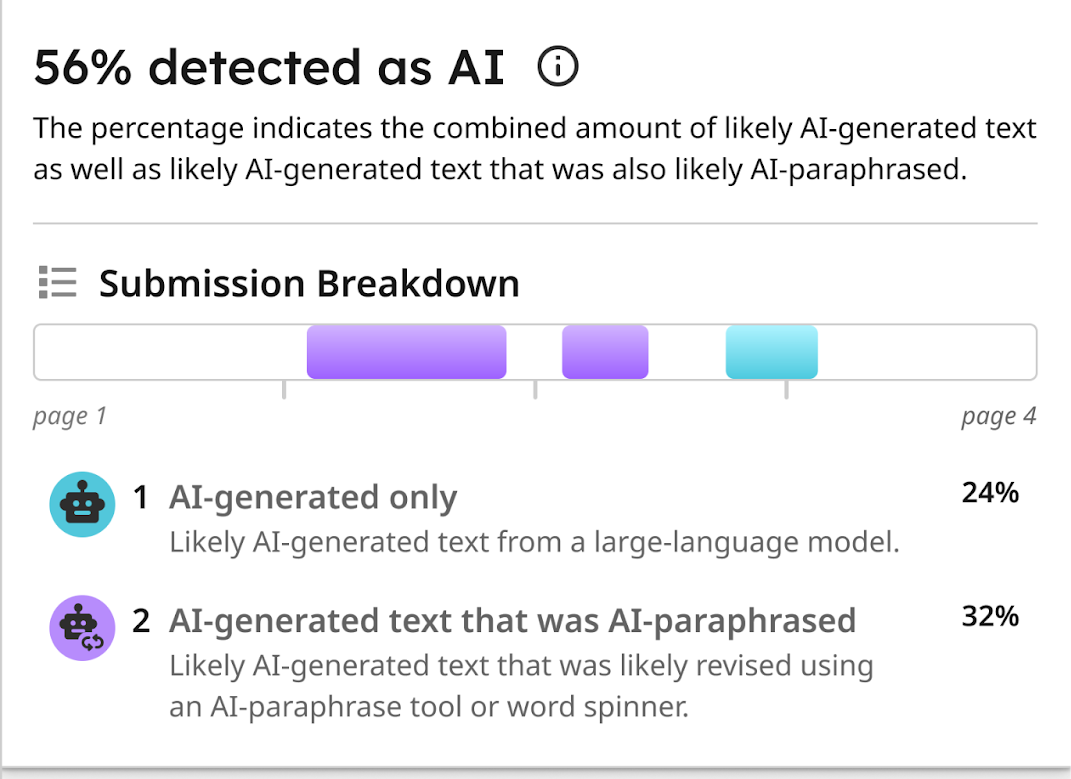
Turnitin expanded beyond plagiarism detection to include AI content detection. The platform provides probability scores indicating whether content may have been AI-generated, maintaining academic integrity.
Key Features:
- AI-generated content detection
- Plagiarism checking
- Probability scoring for AI content
- Integration with learning management systems
- Academic integrity reporting
Best For:Universities, high schools, any institution concerned with academic honesty
Pricing: Institutional licensing
Content Creation AI Tools
Free Content Creation Tools
15. Claude by Anthropic (Free Tier)
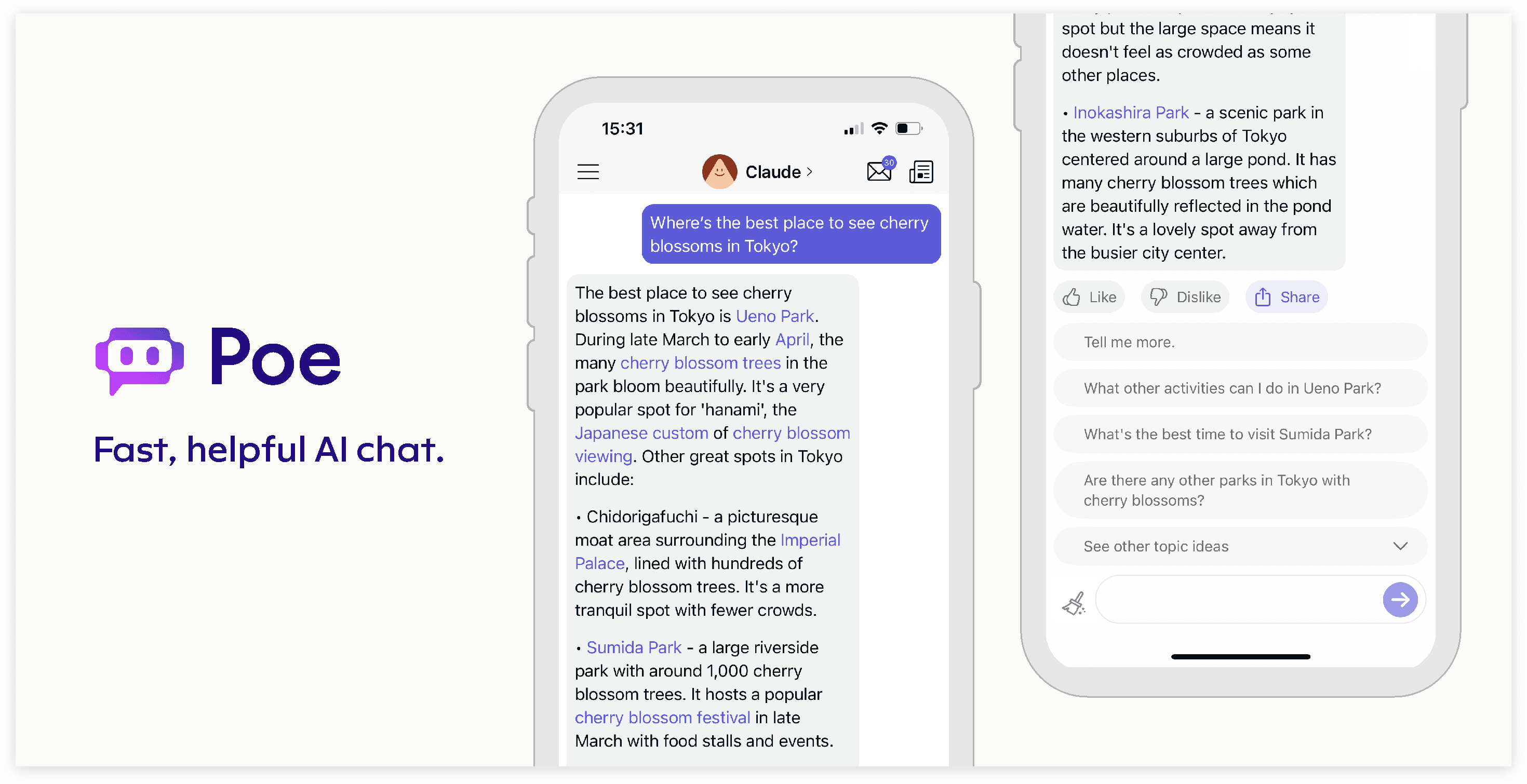
Claude excels at long-form content creation, analysis, and educational material development. The AI maintains context over extended conversations, perfect for iterative course development.
Key Features:
- Extended context window for complex projects
- Excellent at analysis and explanation
- Code generation for technical courses
- Document analysis and summarization
- Thoughtful, nuanced responses
Best For: Course creators developing technical content, community owners creating long-form guides, teachers creating comprehensive curriculum
Pricing: Free with limits; Pro ($20/month) for expanded access
16. Gamma AI (Free Tier Available)
Gamma AI revolutionizes presentation and website creation for educators. No design or coding skills required the AI generates beautiful, professional layouts automatically.
Key Features:
- Presentation creation from simple prompts
- Website and document generation
- Professional design automation
- Interactive content elements
- Mobile-responsive outputs
Best For:Teachers creating lesson presentations, course creators building landing pages, community owners developing resources
Pricing: Free tier; paid plans for additional features
17. Napkin.ai (Free Basic Features)
Napkin.ai converts lecture notes and ideas into visual mind maps and diagrams. Students and teachers use it for brainstorming, project planning, and thesis outlines.
Key Features:
- Text-to-visual conversion
- Collaborative mind mapping
- Project brainstorming support
- Thesis outline visualization
- Team alignment tools
Best For:Visual learners, project-based learning, group collaborations, concept mapping
Pricing: Free basic features; premium for advanced capabilities
Video & Audio AI Tools
Free Video/Audio Tools (with limitations)
18. HeyGen (Free Trial)
HeyGen generates AI avatar videos with text-to-speech in multiple languages. The platform also offers voice cloning and translation capabilities for truly global reach.
Key Features:
- AI avatar video creation
- Text-to-speech in 40+ languages
- Voice cloning for personalized narration
- Video translation and dubbing
- No camera or microphone needed
Best For: Course creators building video content without filming, international education, accessibility features
Pricing: Free trial; paid plans from $29/month
19. ElevenLabs (Free Tier)
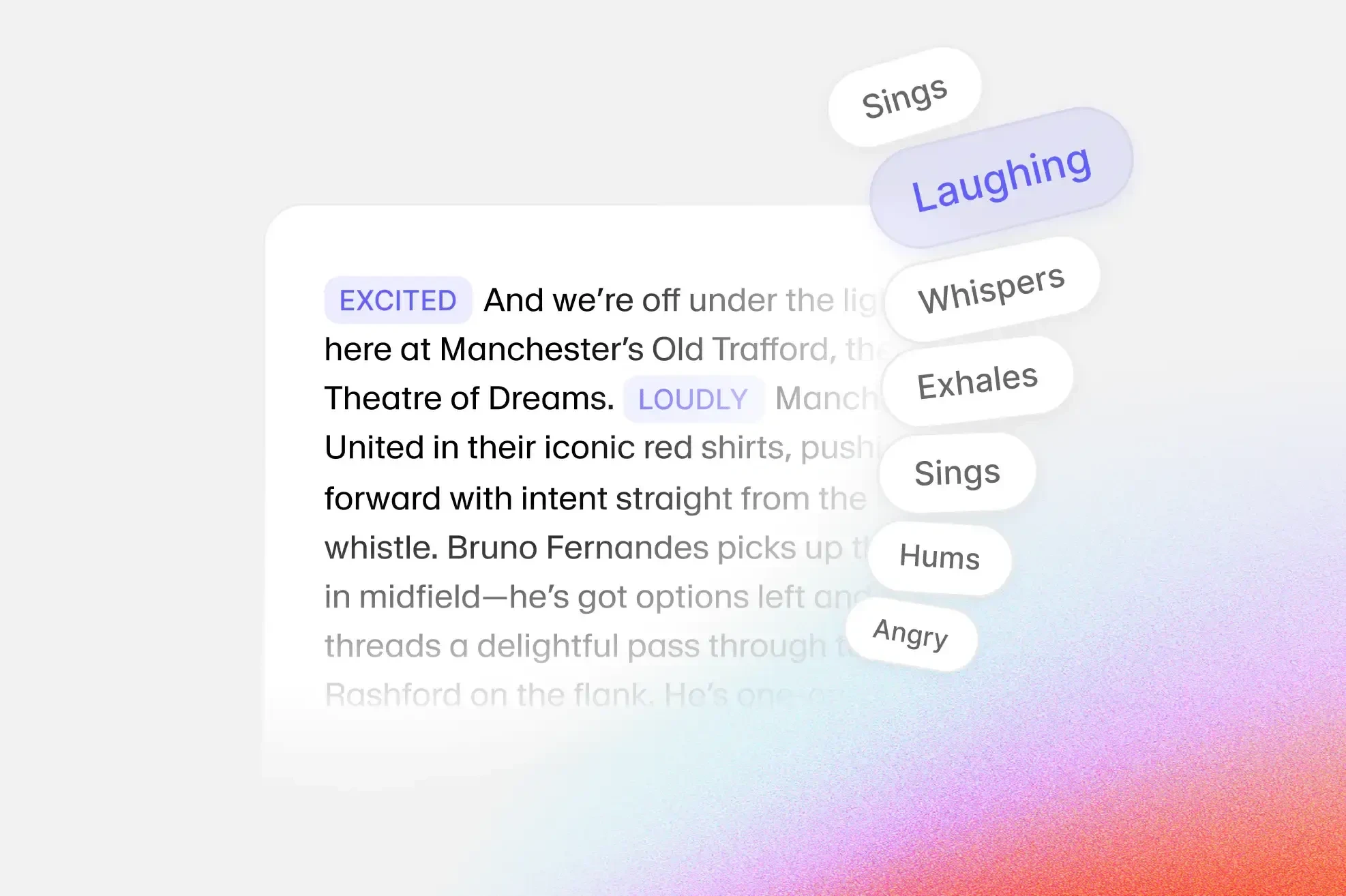
ElevenLabs provides natural-sounding text-to-speech AI perfect for course narration. Multiple voices and languages make content accessible to global audiences.
Key Features:
- Ultra-realistic voice synthesis
- Multiple voice options
- Multi-language support
- Voice cloning capabilities
- API access for automation
Best For: Course audio narration, podcast intro creation, accessibility features, voiceover work
Pricing: Free tier with 10,000 characters/month; paid plans from $5/month
Premium Video/Audio Tools
20. Murf.ai ($19/month starting)
Murf.ai transforms text-based educational content into audio formats with diverse AI voices. The platform ensures you find the right tone for your video or audio content.
Key Features:
- 120+ AI voices across 20+ languages
- Voice customization (pitch, speed, emphasis)
- Background music integration
- Video voiceover sync
- Commercial usage rights
Best For: eLearning voice overs, podcast creation, video course narration, audiobook production
Pricing: From $19/month
21. Descript ($12/month starting)
Descript combines transcription, editing, and AI-powered improvements for video and podcast creation. Edit audio by editing text, revolutionary for educational content.
Key Features:
- Transcription-based editing
- Overdub voice cloning
- Filler word removal
- Studio-quality sound
- Screen recording for tutorials
Best For: Podcast creators, video course producers, tutorial creators, interviews and discussions
Pricing: From $12/month
Specialized AI Tools for Course Creators
Free Specialized Tools
22. Quizizz (Free for Teachers)
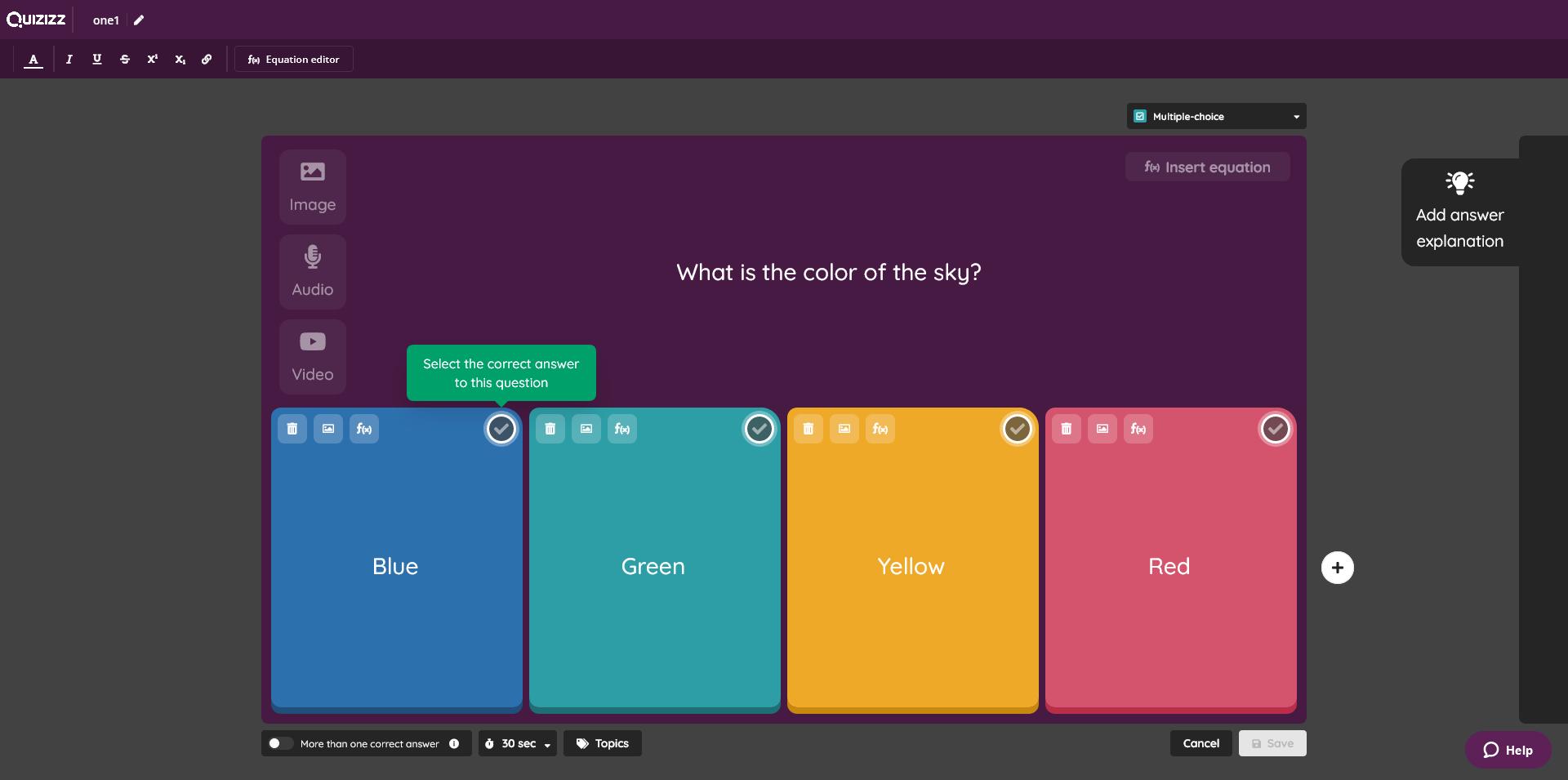
Quizizz generates AI-powered interactive quizzes and assessments with gamification elements. Instant feedback and analytics help track student understanding.
Key Features:
- AI quiz generation from any topic
- Gamified learning experiences
- Real-time student feedback
- Progress tracking and analytics
- Homework and asynchronous options
Best For: Formative assessment, review sessions, homework assignments, student engagement
Pricing: Free for teachers; paid plans for advanced features
23. Gradescope (Institutional Pricing)
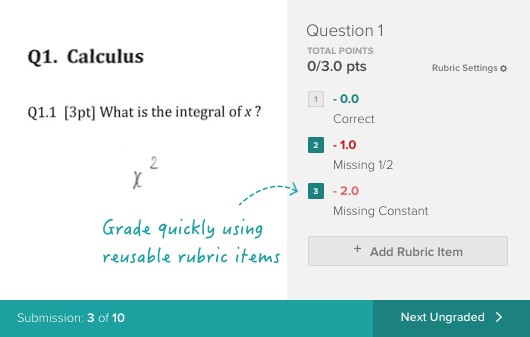
Gradescope uses AI-assisted grading to speed up assessment while maintaining consistency. Particularly effective with structured assignments and rubrics.
Key Features:
- AI-assisted grading
- Handwritten work scanning
- Rubric-based assessment
- LMS integration
- Consistent feedback across classes
Best For: Higher education, structured assessments, large class sizes, consistent grading needs
Pricing: Institutional licensing
Premium Specialized Tools
24. Synthesia ($29/month starting)
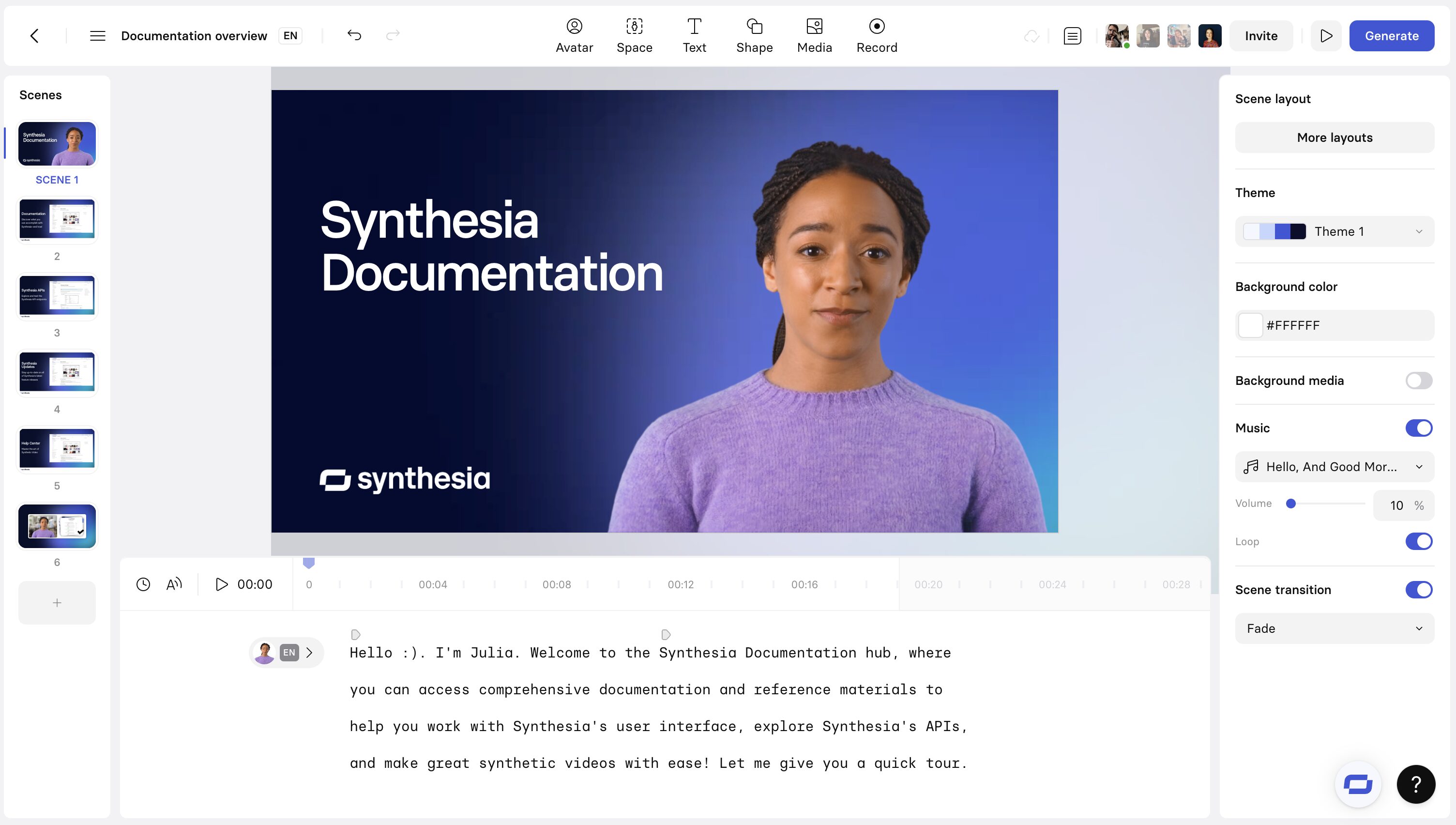
Synthesia creates professional AI avatar videos in 120+ languages without cameras, studios, or actors. Course creators produce video content at scale.
Key Features:
- 140+ AI avatars
- 120+ languages and accents
- Custom avatar creation
- Screen recording integration
- Video templates for courses
Best For: Corporate training at scale, multilingual courses, professional video content without production costs
Pricing: From $29/month
Productivity & Organization AI Tools
Free Productivity Tools
25. Google Workspace AI Features (Free for Education)
Google Workspace integrates AI across Docs, Sheets, Slides, and more. Help me write generates content while Help me organize structures information.

Key Features:
- AI writing assistance in Docs
- Smart Compose in Gmail
- Auto-summarization
- Smart Reply suggestions
- Collaborative AI features
Best For: Google Workspace users, collaborative education, K-12 and higher ed institutions
Pricing: Free for education; business pricing available
26. Grammarly (Free Tier Available)
Grammarly provides AI-powered writing assistance ensuring clear, error-free communication. Tone detection helps educators communicate appropriately across contexts.
Key Features:
- Grammar and spelling correction
- Tone and clarity suggestions
- Plagiarism detection (premium)
- Style guide customization
- Multiple writing modes
Best For: Email communication, lesson plan writing, student feedback, professional correspondence
Pricing: Free basic; Premium from $12/month
How to Choose the Right AI Tools for Course Creators
With dozens of AI tools for course creators available, selection can feel overwhelming. Use this framework to build your perfect toolkit:
Start with Your Core Need
Course Creation Focus: Begin with course generation tools like Coursebox or Mini Course Generator
Teaching Focus: Start with MagicSchool or Eduaide.AI for lesson planning
Content Creation Focus: Begin with ChatGPT, Claude, or Jasper for writing
Video Focus: Start with Synthesia, HeyGen, or Descript
Layer Complementary Tools
Don't rely on a single AI tool stack complementary solutions:
- Course creation tool + writing AI + video tool
- Teaching platform + content creation + assessment tool
- Community platform + content AI + design tool
Test Free Tiers First
Nearly every ai tool for course creators offers free trials or tiers. Test 3-5 tools simultaneously to compare workflows, outputs, and ease of use before committing to paid plans.
Evaluate Based on Your Tech Comfort
Tech-Comfortable Creators: Embrace tools with customization options, API access, and integrations
Tech-Hesitant Creators: Prioritize user-friendly interfaces with templates and guided workflows
Enterprise Users: Seek tools with SSO, admin controls, and compliance features
Calculate ROI
Compare tool costs against time savings:
- If a $50/month tool saves you 10 hours monthly and your time is worth $50/hour, that's an 10x ROI
- Free tools with learning curves may cost more in time than paid tools with better UX
FAQs on AI Tools for Course Creators
Can I use AI tools inside BuddyBoss?
Yes, AI tools can be integrated into BuddyBoss. For example, you can add AI-powered chatbots like ChatGPT using tools such as Uncanny Automator, Zapier, or Zoho Flow. These integrations let you automate community tasks, provide instant AI-powered support, and even generate content or moderate discussions all within your BuddyBoss community.
Are AI tools accurate enough for teaching?
Most leading AI tools offer a high level of accuracy for tasks like generating educational content, auto-grading, and providing feedback. However, it’s important for teachers to review AI-generated outputs for relevance and appropriateness since no tool is completely error-free. AI is best used as a supportive assistant to enhance teaching and save time, while human educators remain responsible for final review and context.
Which AI tools are free for educators?
There are several free AI tools for teachers and educators, including SlidesGo for presentations, Gemini AI for content creation, Magic School’s essential plan, Copyleaks for content detection, Quizizz and Conker AI for basic assessments, Eduaide AI for lesson development, Brisk Teaching for feedback and planning, and Curipod for interactive activities. Many of these tools offer robust free plans or generous trial tiers specifically for educational use.
AI Tools for Course Creators: Start Your AI-Powered Creator Journey Today
The AI tools for course creators revolution isn't coming—it's here. Educators, course creators, and community owners who embrace these tools gain enormous competitive advantages: faster content creation, broader reach, and deeper personalization.
Start small with free tools aligned to your immediate needs. As you gain confidence and see results, layer additional tools and invest in premium features. The goal isn't replacing your expertise but amplifying your impact.
Whether you're creating your first course, managing a classroom, or building a learning community, AI tools for course creators can transform your workflow and multiply your results. The technology exists. The only question is: when will you start using it?