In 2025, creators have more opportunities than ever to reach their audience across diverse platforms and formats.
With the right content planning tools, it’s easier to stay organized, stay consistent, and share content that truly resonates.
But with dozens of planning tools available today from Trello’s simplicity to Airtable’s database power it’s hard to know which one really fits your workflow.
In this guide, we’ll explore the best content planning tools for creators in 2025, what makes them stand out, and how they can streamline your workflow.
Why Content Planning Tools Are Essential

Posting content on the fly might work for a while, but to grow sustainably, creators need a plan. Content planning tools help you:
Here’s How Content Planning Tools Help You Win:
Centralize Ideas & Campaigns
Instead of scattered notes, spreadsheets, or last-minute brainstorming, you can store all your content ideas, drafts, visuals, and campaigns in one place for easy access and planning.
Stay Ahead of Key Dates
Plan for upcoming launches, holidays, seasonal trends, or industry events without the last-minute scramble. A good content calendar keeps your strategy aligned with your goals.
Stay Consistent Without Burnout
Consistency builds trust but it shouldn't come at the cost of your sanity. With planning tools, you can batch content, schedule posts, and maintain a steady presence without being online 24/7.
Improve Team Collaboration
If you work with a team, editor, VA, or client, planning tools streamline communication. Everyone stays on the same page with deadlines, responsibilities, and content status.
Analyze & Optimize
Many tools offer built-in analytics or integrate with your data platforms. That means you can review what’s working, what isn’t, and fine-tune your content strategy with confidence.
Also Read-How to Create and Manage Membership Sites
Best Content Planning Tools for Creators in 2025
Here’s a look at the top tools that are making content planning easier, more strategic, and more fun for creators this year:-
- Notion
- Trello
- Airtable
- Asana
- Loomly
- ContentCal (Adobe Express)
- CoSchedule
- ClickUp
- Buffer
- Planable
Quick Comparison: Best Content Planning Tools for Creators in 2025
Here’s a quick comparison of the top content planning tools for creators in 2025, including pricing, best use cases, and key highlights.
| Tool | Starting Price (2025) | Best For | Key Highlight |
| Notion | Free (Paid from $8/mo) | Solo creators & small teams | Highly customizable with AI-powered templates |
| Trello | Free (Paid from $5/mo) | Visual thinkers & simple workflows | Drag-and-drop boards & automation features |
| Airtable | Free (Paid from $12/mo) | Data-driven creators managing multiple formats | Combines spreadsheet + database flexibility |
| Asana | Free (Paid from $10.99/mo) | Teams & agencies handling high-volume contentTask automation & timeline views for planning | Task automation & timeline views for planning |
| Loomly | From $26/mo | Social media creators & small brands | Post optimization + platform-specific tips |
| ContentCal (Adobe Express) | From $9.99/mo (via Adobe Express) | Brands needing content approvals | AI-assisted campaigns + built-in design tools |
| CoSchedule | From $29/mo | Creators juggling blogs, social, & email | All-in-one marketing calendar + AI headlines |
| ClickUp | Free (Paid from $7/mo) | Creators managing tasks, goals & content | Modular dashboards + AI-powered task prioritization |
| Buffer | Free (Paid from $6/mo) | Solo creators & small brands focused on socials | Simple scheduling + AI-assisted consistency tools |
| Planable | From $11/mo (billed annually | Social teams needing fast feedback & sign-offs | Pixel-perfect previews + real-time commenting |
1. Notion – Flexible Planning for All Creators
Best for: Solo creators and small teams who want flexibility
Why it stands out in 2025: AI-powered templates and integrations that make content organization effortless
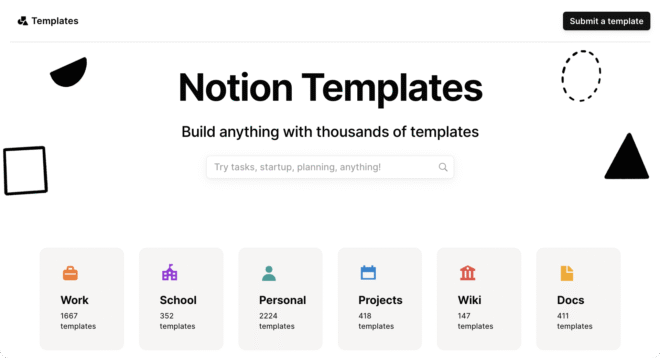
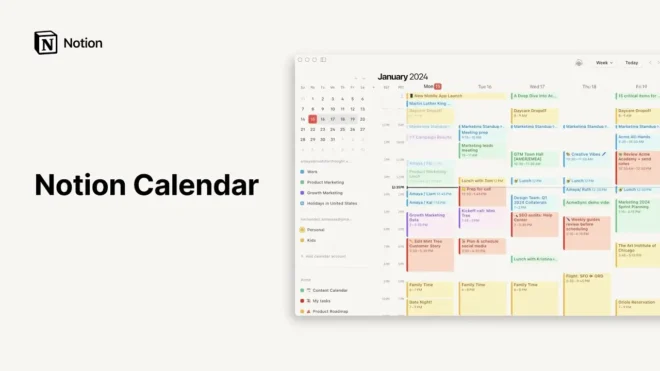
Notion continues to be a favorite among creators because of its endlessly customizable features. You can build a simple content calendar, track ideas, create campaign dashboards, and even manage your brand assets all in one workspace.
Key Features:
- AI-Powered Templates for automating workflows, content outlines, and campaign structures
- Database Views (calendar, board, gallery, table) for visual planning
- Team Collaboration with comments, mentions, and shared workspaces
- Web Clipper and Notion AI for quick idea capture and content drafting
- Integration-Friendly with tools like Slack, Google Drive, and Zapier
Potential Drawbacks:
Notion can feel overwhelming for new users due to its flexible but complex interface. It lacks native publishing features, so creators need separate tools to post content. Also, large workspaces may cause performance lag on lower-powered devices.
Should You Consider It?
If you want a customizable, all-in-one planning hub. If you’re comfortable using integrations or third-party tools for publishing, Notion’s flexibility makes it a powerful choice for organizing ideas, campaigns, and content pipelines.
2. Trello – Visual Content Calendars Made Simple
Best for: Creators who prefer a drag-and-drop style workflow
Why it stands out in 2025: Enhanced automations and improved cross-platform syncing
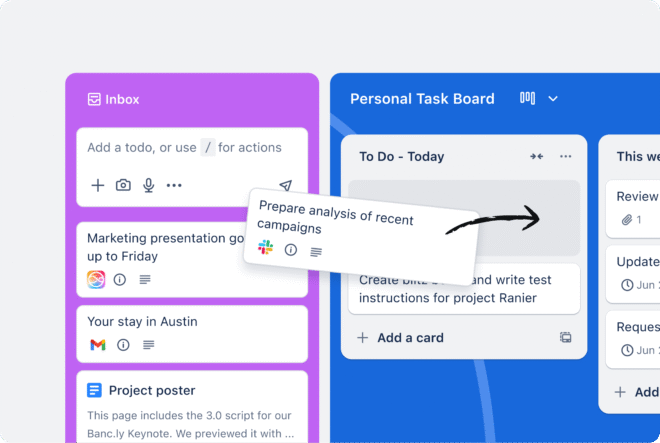
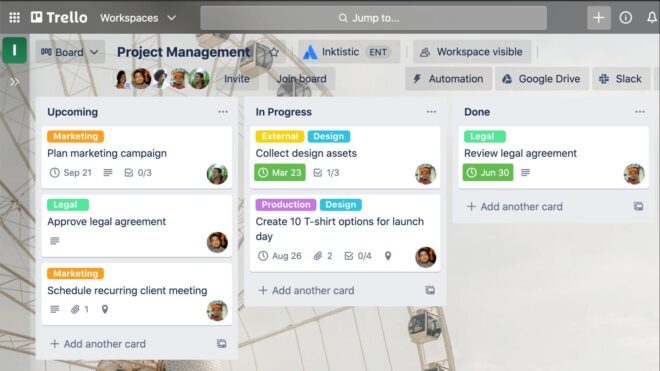
Coming in second place, Trello uses boards, lists, and cards to help you visually plan your content. It’s ideal for mapping out a content workflow from ideation to publishing, especially if you’re more of a visual thinker.
Key Features:
- Drag-and-Drop Boards that mirror your creative workflow
- Customizable Labels, Due Dates, and Checklists for tracking content progress
- Calendar & Timeline Views for editorial scheduling
- Trello Power-Ups (integrations) with tools like Google Drive, Slack, and Mailchimp
Potential Drawbacks:
Trello’s simplicity can become a limitation for creators handling complex content workflows, multiple clients, or diverse content formats. It lacks built-in analytics, so performance tracking requires external tools. Without a good system for tagging and archiving, boards can also get cluttered over time.
Should Creators Consider It?
If you're a visual planner or solo creator who values simplicity and clarity Trello is a good choice. Trello’s drag-and-drop interface is intuitive and great for getting started quickly. It’s ideal for light to moderate content planning, and you can expand its capabilities with Power-Ups as your needs grow.
3. Airtable – For Data-Driven Creators
Best for: Creators managing multiple platforms, formats, and collaborators
Why it stands out in 2025: Seamless integration with analytics tools and AI-generated workflow suggestions
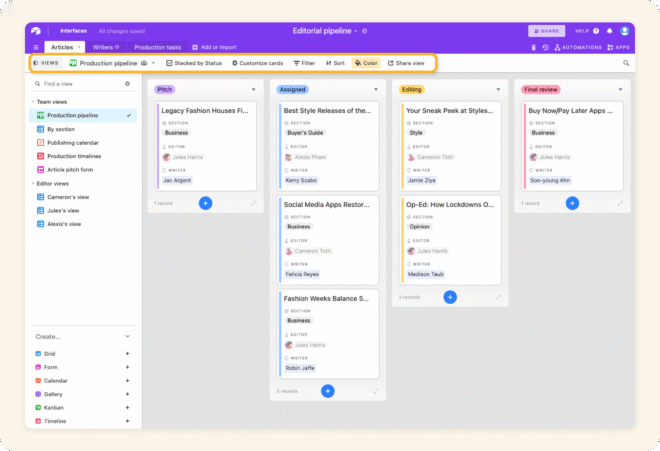
Combines the simplicity of a spreadsheet with the power of a database. With Airtable, you can track campaigns, deadlines, assets, and even analytics all in one place.
Key Features:
- Grid, Calendar, Kanban, and Gallery Views for different planning styles
- Relational Databases to connect campaigns, content types, and collaborators
- Real-Time Collaboration with comment threads, user permissions, and update tracking
- Powerful Integrations with Google Analytics, Zapier, Slack, Notion, and more
- Automations & AI Workflows that suggest tasks, flag delays, or optimize publishing routines
Potential Drawbacks:
Airtable’s advanced features like relational databases and custom automations come with a learning curve, especially for new users. Its free plan is limited, and managing large media files isn’t ideal. Mobile functionality is basic, and building custom workflows can take time without pre-built templates.
Should Creators Consider It?
If you're a data-driven creator managing multiple content channels or collaborating with a team. Airtable shines when you need structured planning, detailed tracking, and integration with analytics or marketing tools. It’s especially powerful for those who want to centralize complex content operations in one flexible system.
4. Asana – Team-Friendly Content Planning
Best for: Agencies or teams managing high-volume content
Why it stands out in 2025: Improved timeline views and automated task prioritization
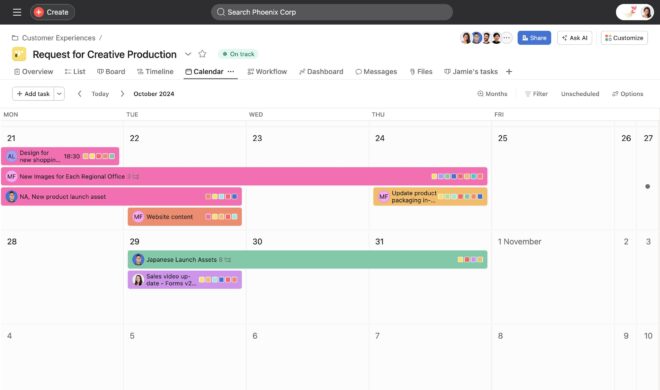
Asana is a great tool if you work with a team or clients. Asana makes task assignments, deadlines, and collaboration seamless, ensuring everyone knows what’s happening and when.
Key Features of Asana
- Easily assign tasks, set due dates, and track progress across projects.
- Choose from list, board, calendar, or improved timeline views to suit your planning style.
- Comment threads, @mentions, file attachments, and team updates streamline communication.
- Automate task prioritization, status updates, and recurring assignments to save time.
- Works with Slack, Google Drive, Notion, Loom, and more for a connected content stack.
Potential Drawbacks:
Asana can feel overly complex for solo creators or small teams, especially when managing simple content workflows. Its most powerful features like advanced automations and timeline views are locked behind premium plans. Setting up custom workflows takes time, and without careful notification settings, teams may experience alert fatigue.
Should Creators Consider It?
Absolutely, if you're part of a team or agency managing high-volume, multi-channel content. Asana excels in keeping teams aligned with deadlines, roles, and responsibilities. For creators handling collaborative campaigns, it offers the structure and automation needed to scale efficiently. For simpler needs, though, it may be more tool than you need.
5. Loomly – Social Media Content Made Easy
Best for: Social media-first creators and brands
Why it stands out in 2025: Advanced AI-driven post optimization and platform-specific content tips
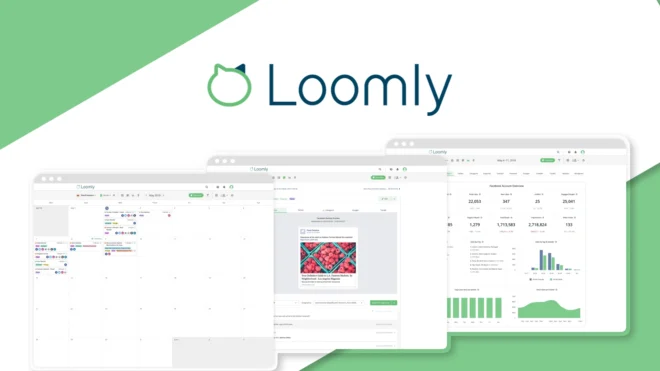
Loomly is designed specifically for social media creators. It helps you plan, create, schedule, and analyze your posts all from one dashboard.
Key Features:
- Unified Dashboard for planning, drafting, and scheduling posts across platforms
- AI-Powered Optimization Tips for captions, timing, and platform best practices
- Content Calendar and Grid View to visually organize your social strategy
- Approval Workflow for teams and clients
- Post Performance Analytics to track reach, engagement, and growth
- Platform-Specific Formatting to tailor content for Instagram, LinkedIn, Facebook, X, and more
Potential Drawbacks:
Loomly is built for social media, so it's not ideal if you manage blog posts, email campaigns, or broader content types. Its design tools are basic, so you’ll still need external platforms like Canva for visuals. Also, advanced features like team approvals and detailed analytics are locked behind higher-tier plans.
Should Creators Consider It?
If social media is your main content channel, Loomly is a streamlined, user-friendly tool that saves time and improves content quality. It’s especially valuable for small teams or brands that want scheduling, optimization, and feedback tools in one place. For multi-format content creators, though, it works best as part of a broader stack.
6. ContentCal (Now Part of Adobe Express)
Best for: Brands that need approvals and content sign-offs
Why it stands out in 2025: AI-assisted campaign planning and easy design integration
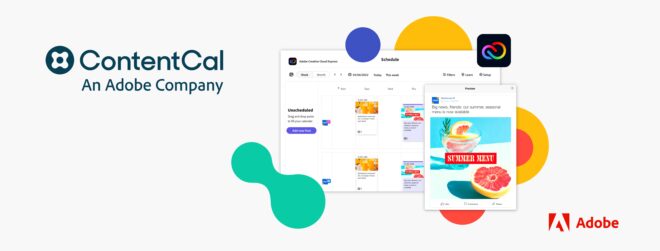
ContentCal now integrated with Adobe Express, remains a strong choice for those who want a dedicated social content planner. It helps with ideation, scheduling, and approvals, especially helpful for brands and teams.
Key Features:
- Visual Content Calendar for planning, scheduling, and managing social posts across multiple platforms
- Approval Workflows that streamline client or team sign-offs before content goes live
- Content Hub for storing, organizing, and reusing assets and copy
- Collaboration Tools with comments, tags, and role-based permissions
- Adobe Express Integration for quick creation of branded visuals directly inside the planner
- AI Campaign Suggestions to assist with ideation and post optimization
- Multi-Platform Publishing including Instagram, Facebook, LinkedIn, Twitter, and more
Potential Drawbacks:
ContentCal is now tightly integrated with Adobe Express, which means it’s best suited for users already within the Adobe ecosystem. It’s heavily social-focused, so creators working with blogs, newsletters, or YouTube may need additional tools. Pricing also scales quickly depending on team size and features needed.
Should Creators Consider It?
Yes, especially for brands and teams that value a structured content approval process and strong visual design support. The Adobe integration makes it easy to create polished, on-brand assets, while the planning tools help keep campaigns organized. For creators outside social media or Adobe's suite, other platforms may offer broader flexibility.
7. CoSchedule – All-in-One Marketing Calendar
Best for: Creators juggling blogs, social media, and email marketing
Why it stands out in 2025: AI-powered headline suggestions and improved cross-channel campaign tracking
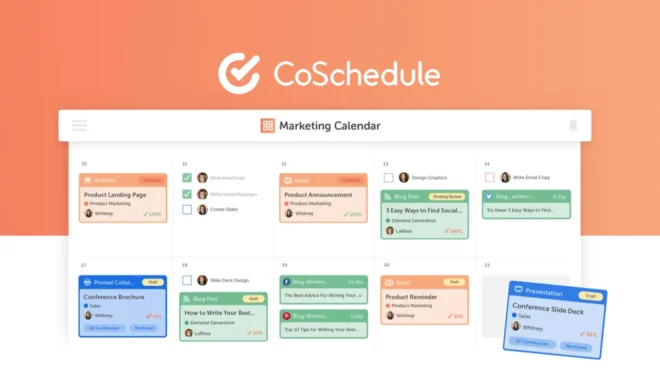
CoSchedule is more than just a content calendar; it's a full-fledged marketing hub. It lets creators plan, write, schedule, and track all their content across blogs, newsletters, and social channels in one streamlined dashboard.
Key Features:
- Unified content calendar for blog posts, emails, and social media
- AI Headline Analyzer to boost clicks and engagement
- Campaign templates for repeatable, multi-channel launches
- Integrations with WordPress, Mailchimp, HubSpot, and more
- Team collaboration tools and approval workflows
Potential Drawbacks:
CoSchedule can get expensive for solo creators if you want advanced features like automation and analytics. Also, while it covers a wide range of content, it's not as customizable as tools like Notion or Airtable for broader project management.
Should Creators Consider It?
If you're a content-heavy creator running a blog, email list, and social media channels, CoSchedule helps you bring everything under one roof. It’s ideal for simplifying campaign planning and ensuring consistent output across platforms. Just make sure the pricing aligns with your current scale.
8. ClickUp – All-in-One Project and Content Management
Best for: Creators who want to manage content, tasks, and goals in one place
Why it stands out in 2025: Modular dashboards and AI-powered task prioritization
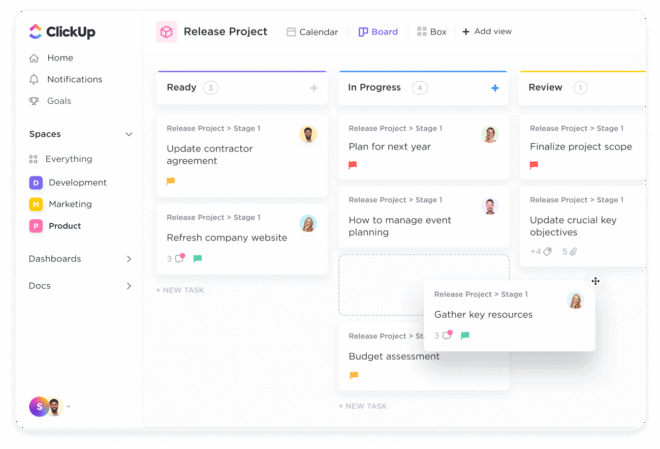
ClickUp is a powerful, all-in-one workspace designed to help creators centralize content planning, task management, goal tracking, and documentation.
Key Features:
- Docs, tasks, timelines, and content calendars in one workspace
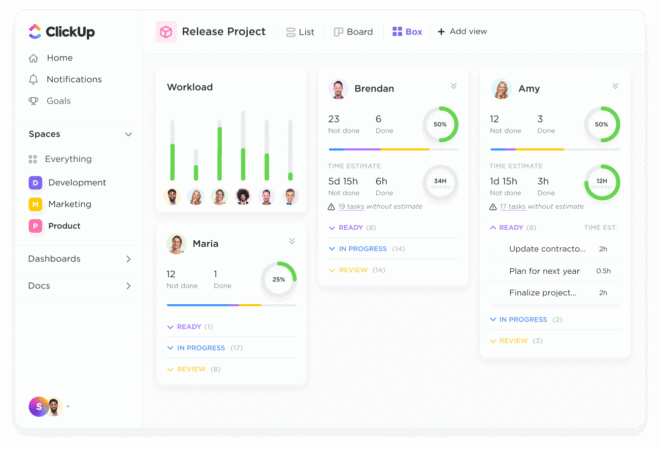
- Custom views (Kanban, List, Gantt, Box, Calendar)
- Native time tracking and goal setting
- Automation for content pipelines
- AI writing and planning assistance
Potential Drawbacks:
ClickUp can feel overwhelming at first due to its vast feature set. Larger workspaces may also experience occasional performance slowdowns, especially when heavily customized.
Should Creators Consider It?
If you’re managing complex workflows or juggling multiple content projects. ClickUp offers unmatched flexibility and scalability, making it perfect for creators ready to streamline and scale their content operation. Just be prepared for a slight learning curve upfront.
9. Buffer – Simple Scheduling with a Focus on Consistency
Best for: Solo creators and small brands focused on social content
Why it stands out in 2025: AI-assisted scheduling and built-in engagement tools
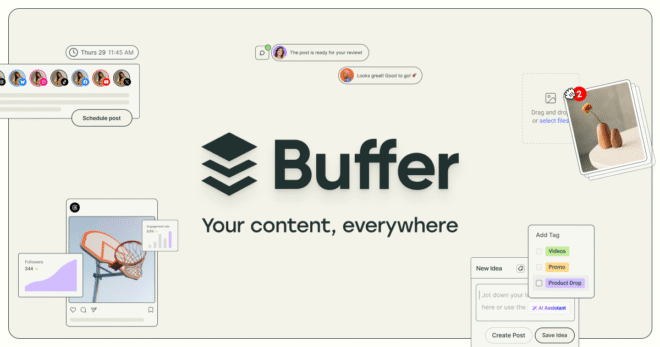
Buffer is a clean, easy-to-use platform designed to help creators plan, schedule, and track social media content.
Key Features:
- Queue-based scheduling for multiple social platforms
- Post performance analytics and engagement reports
- AI caption generator and hashtag suggestions
- Browser extension for easy sharing
- Team collaboration with limited roles
Potential Drawbacks:
Buffer lacks advanced campaign planning or editorial calendar tools, making it less ideal for creators managing multi-channel or long-form content strategies.
Should Creators Consider It?
If your primary focus is social media and you want a reliable, no-fuss scheduling tool. Buffer is perfect for creators who value simplicity, consistency, and time-saving automation. For more complex content operations, you may need to pair it with a separate planning or project management tool.
10. Planable – Real-Time Collaboration for Social Teams
Best for: Content teams needing fast feedback loops
Why it stands out in 2025: Comment-first workflow and pixel-perfect previews
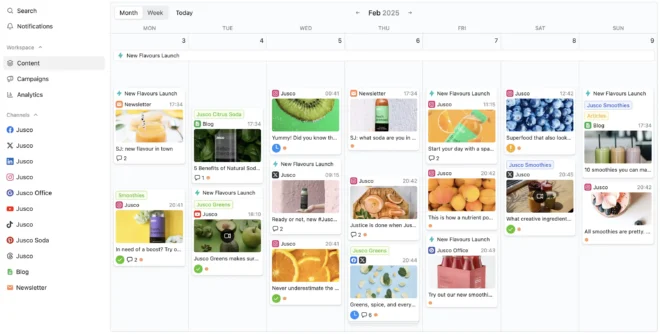
Planable is a collaboration-first tool designed to streamline the content review and approval process. It offers live previews and real-time commenting, making it especially useful for social teams who need quick feedback and visual accuracy across platforms.
Key Features:
- Live content preview before publishing
- Real-time commenting and team feedback
- Multi-channel scheduling from one dashboard
- Approval workflows for client or manager sign-off
- Calendar and grid views
Potential Drawbacks:
Planable is focused on social media, so it lacks support for long-form, blog, or email content. It also offers fewer automation options compared to other social tools like Buffer or Later.
Should Creators Consider It?
If your workflow involves multiple collaborators or clients and fast turnaround times. Planable is ideal for social-first teams that value clarity, speed, and visual precision. Just know you'll need additional tools for broader content types or automation-heavy strategies.
How to Pick the Right Tool for You
With so many content planning tools for creators, how do you choose the right one? Ask yourself:
Do I need a simple personal planner or a robust team solution?
Am I managing multiple platforms or just one?
Do I need advanced analytics and integrations?
What’s my budget for content planning tools?
Start with one tool that meets your immediate needs, then upgrade or expand your workflow as you grow.
Frequently Asked Questions
1. Do I need a different tool for publishing my content?
It depends on the platform. Some tools like Buffer and Loomly include scheduling and publishing features. Others, like Notion or Airtable, focus more on planning and require integration with external publishing tools.
2. What tool is best for a content team that needs feedback and approval workflows?
Planable and ContentCal (via Adobe Express) are ideal for teams that need real-time collaboration, visual previews, and approval steps before publishing.
3. Are free plans available for these tools?
Yes, many tools like Notion, Trello, Asana, Airtable, and Buffer offer free plans with basic features. However, advanced functionality like automations, analytics, and multi-user permissions often require paid plans.
4. Can I use more than one tool for content planning?
Absolutely. Many creators use a combination—like Notion for ideation, Buffer for scheduling, and ClickUp for team task management—to cover every part of the content lifecycle.
5. Which tool is best for managing content across blogs, emails, and social media?
CoSchedule is designed for multi-channel content strategies. It supports blogs, newsletters, and social content with a unified calendar and performance tracking.
6. How do I choose the right content planning tool for me?
Start by evaluating your content type, team size, platform needs, and preferred workflow. Pick a tool that aligns with your immediate goals and allows for flexibility as your content strategy grows.
Final Thoughts
In 2025, content creation is more competitive than ever. But with the right content planning tools for creators, you can stay organized, consistent, and ahead of trends without feeling overwhelmed.
👉 Want an easy way to organize, schedule, and publish content while building a community?
Consider integrating BuddyBoss later to bring community support into your planning workflow.