














A 3-second delay in page loading increases bounce rates by 32%. When load time stretches to 5 seconds, bounce rates jump to 90%.
Google’s research on mobile page speed reveals these stark numbers, and they directly impact your bottom line. A 100-millisecond delay in load time can hurt conversion rates by 7%.
Example- For an eCommerce site generating $100,000 monthly, that’s $7,000 in lost revenue from a barely perceptible slowdown.
Every page request triggers multiple database queries, theme processing, and plugin execution. Cache plugins for WordPress solve this bottleneck by storing pre-generated versions of your content, serving pages in milliseconds instead of seconds.
What is Caching in WordPress?
Caching stores frequently accessed data in temporary storage locations for faster retrieval. When someone visits your WordPress site, the server normally processes PHP code, queries the database, and generates HTML output from scratch. Caching skips most of this process by serving pre-built pages instantly.
WordPress caching operates at multiple levels:
Page Caching creates static HTML versions of your dynamic pages. Instead of rebuilding each page per visit, the cache serves the stored HTML file. This delivers the biggest performance gains for most sites.
Browser Caching instructs visitors’ browsers to store images, CSS files, and JavaScript locally. Return visitors load these assets from their device rather than downloading them again.
Object Caching stores database query results in memory. Popular posts, navigation menus, and widget data get retrieved from cache instead of hitting the database repeatedly.
Server-Side Caching happens at the hosting level through technologies like Varnish or Redis. Your hosting provider may offer this independently of WordPress plugins.
Google’s Core Web Vitals—Largest Contentful Paint, First Input Delay, and Cumulative Layout Shift, directly measure user experience metrics that caching improves. Sites with optimized caching typically see LCP scores under 2.5 seconds, well within Google’s “good” threshold.
Benefits of Using Cache Plugins
Cache plugins for WordPress deliver measurable improvements across multiple performance metrics.
Faster Page Load Times: Well-configured caching can reduce load times by more than half in some cases..
Better SEO Rankings: Google’s algorithm considers page speed as a ranking factor, so faster sites may have an advantage when content quality is comparable. The correlation isn’t guaranteed, but speed removes a potential ranking penalty.
Improved User Experience: Faster sites feel more responsive and professional. Users complete more actions, view more pages, and return more frequently when sites load quickly.
Reduced Server Load: Cached pages require minimal server resources to serve. A high-traffic site might handle 10x more concurrent visitors with proper caching than without it. This prevents server crashes during traffic spikes.
Key Features to Look for in a WordPress Cache Plugin
Not all cache plugins offer the same capabilities. Essential features separate effective solutions from basic ones.
Easy Setup & User-Friendly Dashboard: The best plugins work immediately after activation with minimal configuration. Complex settings should be optional, not required. Look for clear explanations of each feature and one-click optimization options.
Compatibility: Your chosen plugin must work with your theme, other plugins, and hosting environment. Popular plugins maintain extensive compatibility testing, but specialty themes or plugins might require specific cache solutions.
CDN Integration: Content Delivery Networks distribute your static files across global servers, reducing load times for international visitors. Native CDN integration simplifies setup and management.
Mobile Caching: Mobile traffic often exceeds desktop traffic, and mobile users expect fast loading despite slower connections. Dedicated mobile caching ensures optimal performance across all devices.
Database Optimization: WordPress databases accumulate spam comments, post revisions, and unused data over time. Built-in database cleanup tools maintain optimal performance without requiring separate plugins.
Support & Regular Updates: WordPress core, themes, and plugins update frequently. Your cache plugin needs regular updates to maintain compatibility and security. Responsive support helps troubleshoot conflicts quickly.
Best Cache Plugins for WordPress in 2025 (Compared)
Speed is crucial for a great WordPress experience, especially as sites grow and visitors expect instant access. Choosing the best cache plugin in 2025 can dramatically improve page load times, boost SEO rankings, and keep your members engaged.
In the next section, the top free and premium cache plugins for WordPress are compared, highlighting their unique strengths and how they help optimize community and content-driven sites.
| Plugin | Pricing | Ease of Use | Performance Level | Notable Limitations |
| W3 Total Cache | Free (Premium support paid) | Advanced | High | Complex interface, can break sites if misconfigured |
| WP Super Cache | Completely Free | Beginner | Good | Limited advanced features, no CDN integration |
| WP Rocket | Premium ($59/year) | Beginner | Very High | Premium-only pricing, potential plugin conflicts |
| LiteSpeed Cache | Free | Intermediate | Excellent | Requires LiteSpeed servers, limited on other hosts |
| Hummingbird | Freemium | Intermediate | Good | Advanced features need WPMU DEV membership |
| Swift Performance | Premium | Advanced | Very High | High learning curve, aggressive settings can break sites |
| Borlabs Cache | Premium | Beginner | Good | Limited features for price, smaller user community |
1. W3 Total Cache
W3 Total Cache offers comprehensive caching options with extensive customization capabilities. It handles page caching, database caching, object caching, and browser caching through a single interface.
Pros:
- Free version includes most essential features
- Supports multiple CDN providers
- Advanced users can fine-tune every aspect
- Works well with high-traffic sites
Cons:
- Complex interface overwhelms beginners
- Configuration errors can break site functionality
- Premium support requires paid license
Best For: Advanced users and developers who want granular control over caching behavior.
2. WP Super Cache
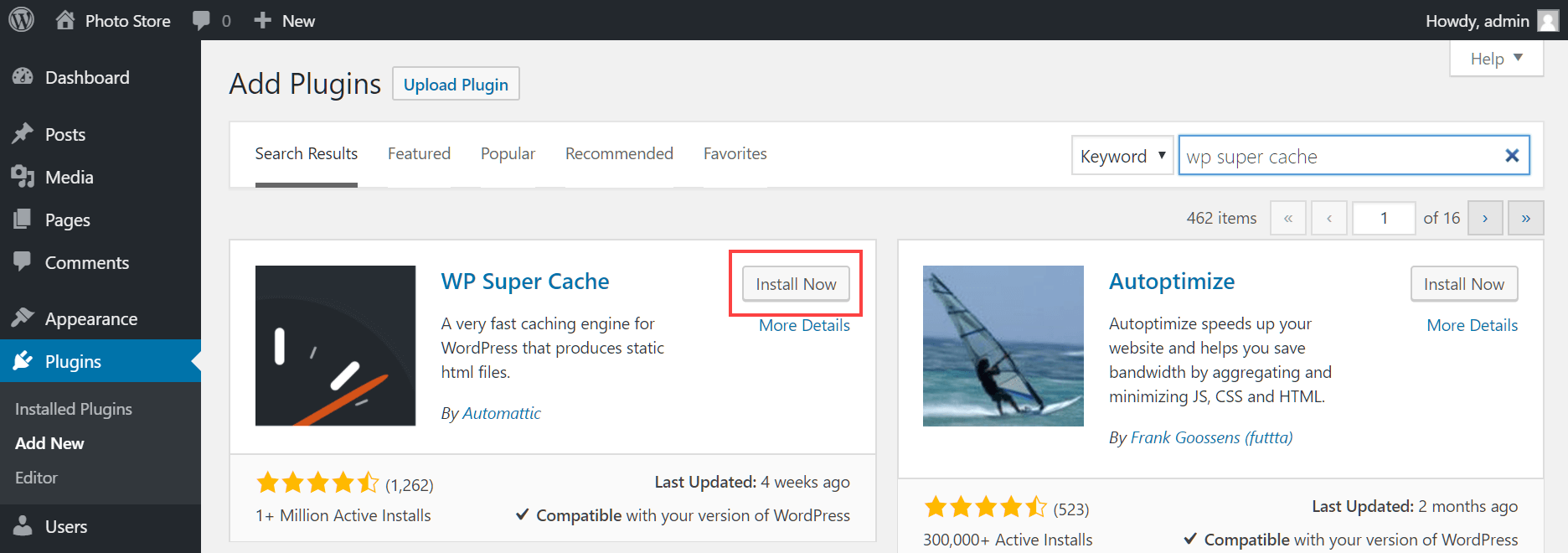
Developed by Automattic (WordPress.com’s parent company), WP Super Cache focuses on simplicity and reliability. It generates static HTML files and serves them without processing PHP.
Pros:
- Completely free with no premium upsells
- Simple setup process with minimal configuration
- Excellent compatibility with most themes and plugins
- Reliable performance with minimal maintenance
Cons:
- Limited advanced features compared to premium alternatives
- No built-in CDN integration
- Basic optimization options only
Best For: Beginners and small-to-medium sites that need reliable caching without complexity.
3. WP Rocket
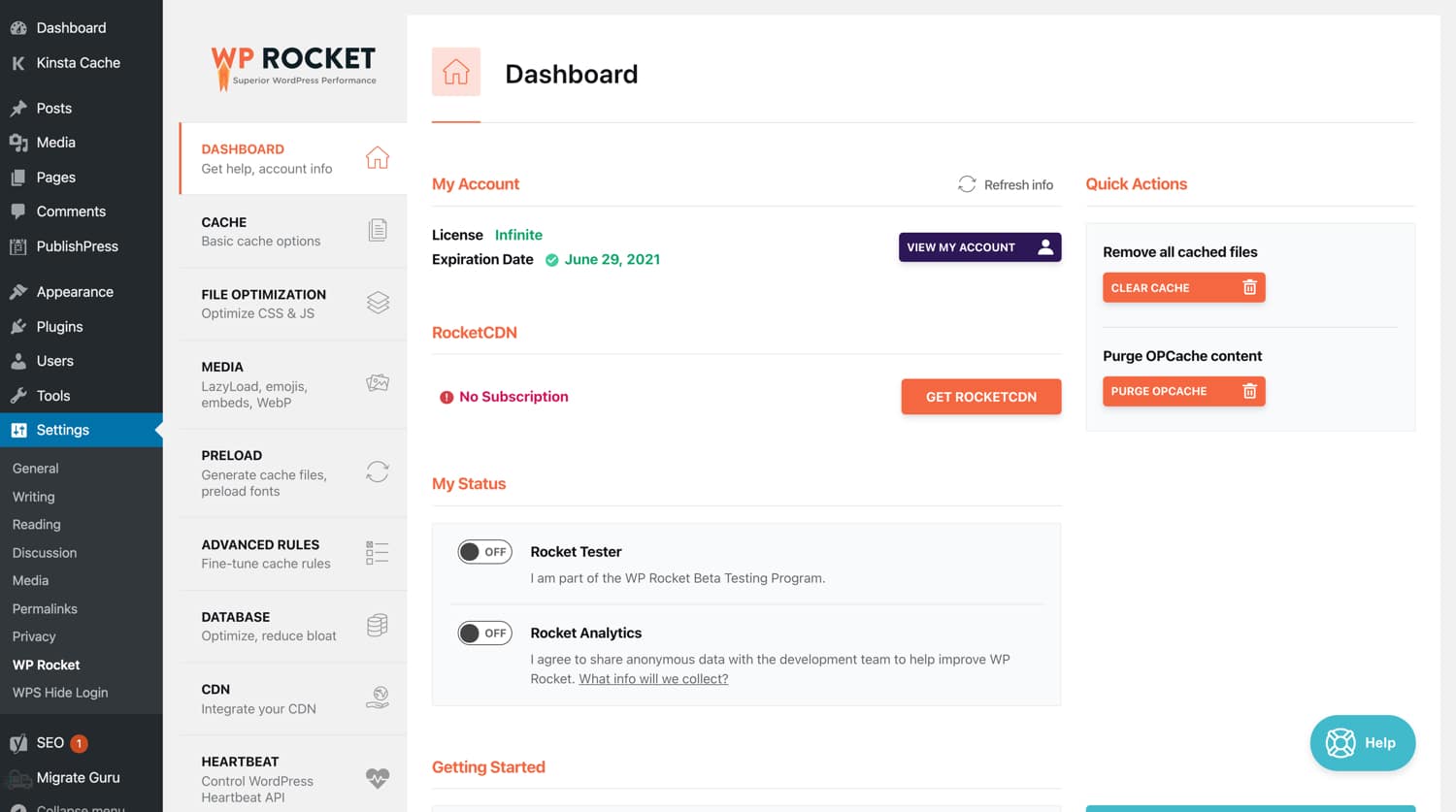
WP Rocket positions itself as the premium cache plugin with the most user-friendly experience. It activates 80% of its optimizations immediately upon installation.
Pros:
- One-click setup with immediate performance improvements
- Comprehensive optimization including lazy loading and CSS/JS minification
- Excellent customer support with detailed documentation
- Regular updates and new feature additions
Cons:
- Premium-only pricing starts at $59/year
- Some advanced features require technical knowledge
- Can conflict with certain themes or plugins
Best For: Site owners who want maximum performance with minimal technical involvement and don’t mind paying for premium features.
4. LiteSpeed Cache
LiteSpeed Cache works exclusively with LiteSpeed servers but offers exceptional performance when compatible. It provides server-level caching that outperforms plugin-based solutions.

Pros:
- Free plugin with premium-level features
- Fastest performance when used with LiteSpeed servers
- Built-in image optimization and CDN
- Comprehensive optimization tools
Cons:
- Requires LiteSpeed server technology
- Limited effectiveness on other server types
- Complex interface for beginners
Best For: Sites hosted on LiteSpeed servers or users willing to switch hosting for optimal performance.
5. Hummingbird
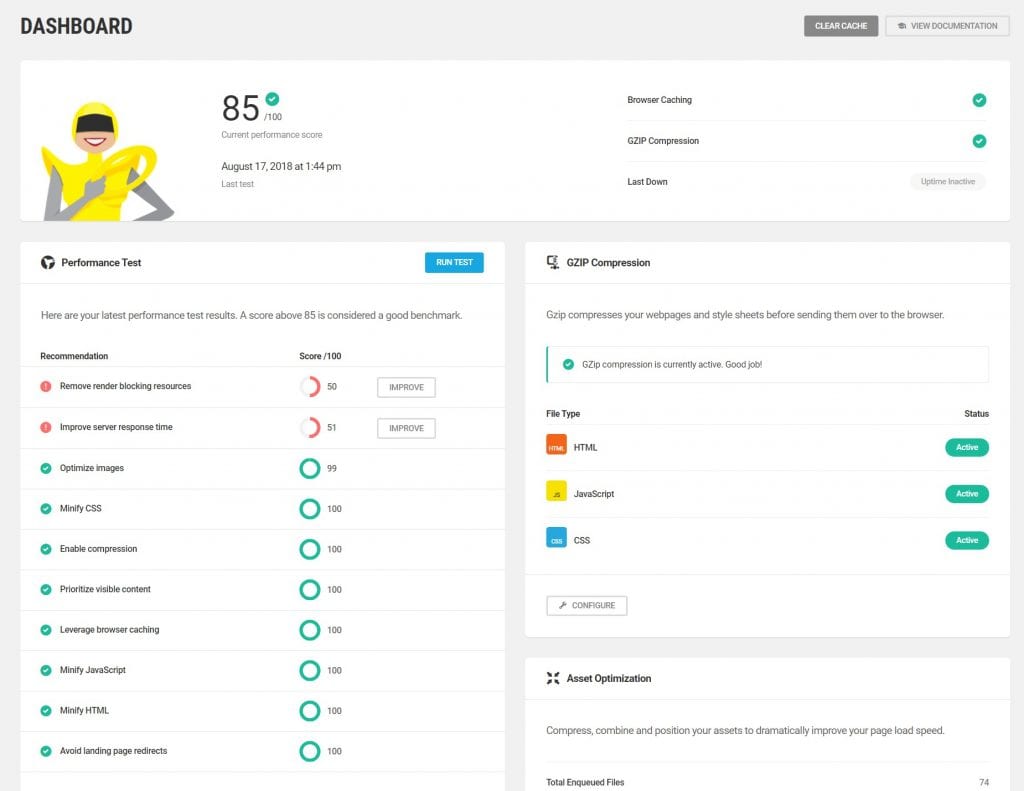
Hummingbird, created by WPMU DEV, combines caching with comprehensive performance optimization tools. It includes uptime monitoring and performance scoring.
Pros:
- Clean, intuitive interface with performance recommendations
- Includes uptime monitoring and performance testing
- Asset optimization and compression features
- Free version covers basic needs
Cons:
- Advanced features require WPMU DEV membership
- Can be resource-intensive during optimization
- Some features overlap with other optimization plugins
Best For: Users who want caching plus comprehensive site monitoring and optimization tools.
6. Swift Performance
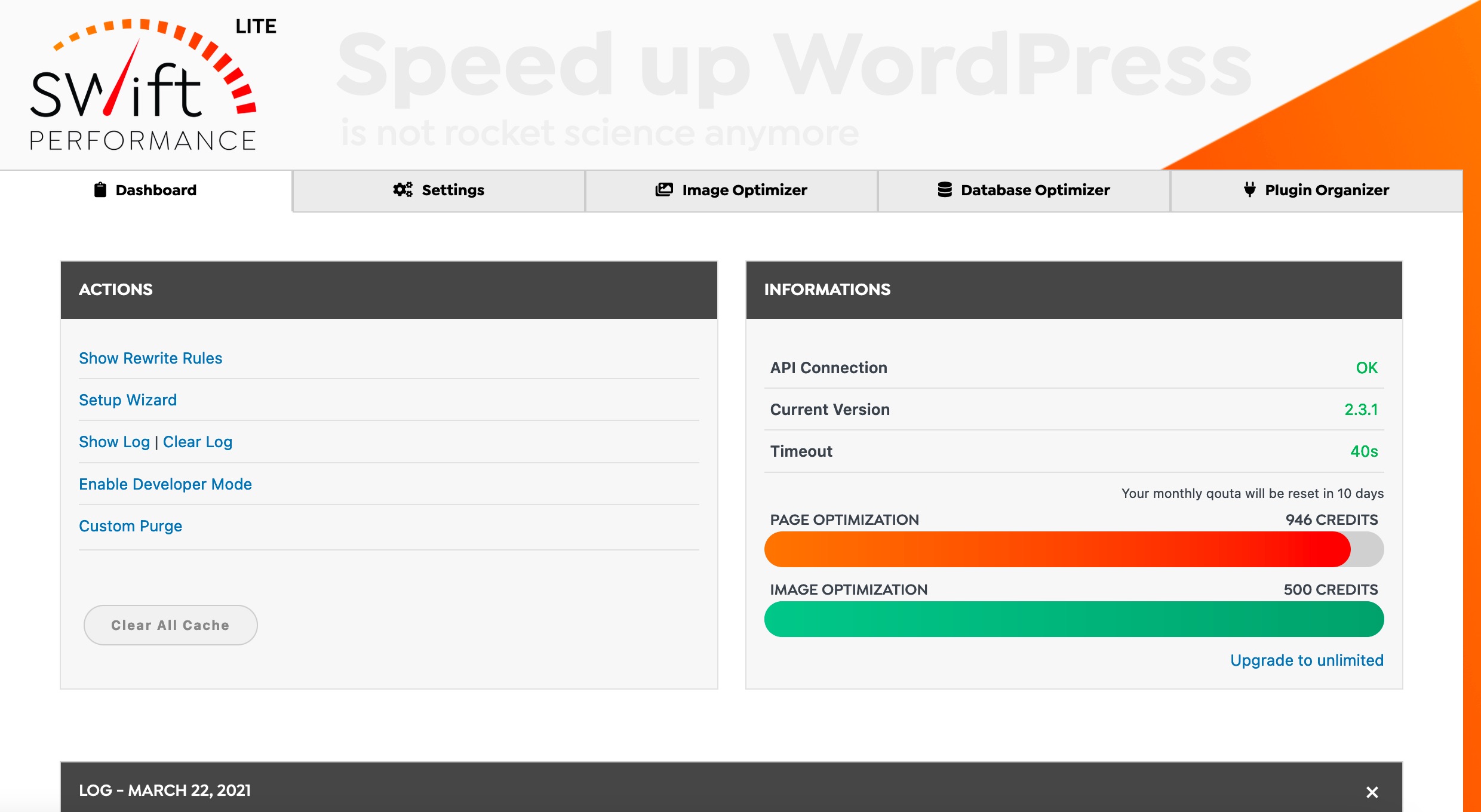
Swift Performance takes an aggressive approach to optimization, including advanced features like critical CSS generation and intelligent script loading.
Pros:
- Most comprehensive optimization feature set
- Advanced technical features for experienced users
- Regular updates with cutting-edge optimizations
- Detailed performance analytics
Cons:
- Premium plugin with higher learning curve
- Aggressive optimizations can break site functionality
- Requires careful configuration and testing
Best For: Advanced users and developers who want the latest optimization techniques and don’t mind complexity.
7. Borlabs Cache
Borlabs Cache focuses on simplicity and reliability, offering straightforward caching without unnecessary complexity. It’s particularly popular among German users due to GDPR compliance features.
Pros:
- Simple, clean interface
- Reliable performance with minimal configuration
- GDPR-compliant design
- Excellent customer support
Cons:
- Limited advanced features
- Premium pricing for basic functionality
- Smaller user base compared to alternatives
Best For: Users who prioritize simplicity and privacy compliance over advanced features.
How to Choose the Right Cache Plugin for Your Website
Your ideal cache plugin depends on your site type, technical expertise, and hosting environment.
Small Business/Blog Sites: WP Super Cache or the free version of Hummingbird provide excellent performance without complexity. These sites rarely need advanced features and benefit more from reliability than cutting-edge optimization.
E-commerce Sites: WP Rocket or LiteSpeed Cache handle the complex caching challenges that online stores face. Product pages, shopping carts, and checkout processes require careful cache exclusion rules that these plugins handle automatically.
High-Traffic Sites: W3 Total Cache or Swift Performance offer the advanced features necessary for sites serving thousands of concurrent visitors. These plugins provide granular control over caching behavior and integration with enterprise-level infrastructure.
Hosting Considerations: Many managed WordPress hosts include server-level caching that conflicts with plugin-based solutions. WP Engine, Kinsta, and similar providers often recommend disabling cache plugins entirely. Check with your hosting provider before installing any cache plugin.
Technical Expertise: Beginners should prioritize plugins with simple setup and automatic configuration. Advanced users can leverage complex plugins that offer more optimization opportunities but require careful configuration.
Budget Constraints: Free plugins like WP Super Cache and W3 Total Cache provide significant performance improvements without ongoing costs. Premium plugins typically offer better support and additional features but aren’t always necessary for smaller sites.
The most important factor isn’t which plugin you choose, but that you implement caching at all. A properly configured free plugin outperforms the most expensive premium plugin that’s incorrectly set up. Start with a simple solution, measure the results, and upgrade only if you need additional features.
Cache plugins can significantly improve site performance when configured correctly.
They’re one of the highest-impact optimizations you can implement, delivering immediate improvements that benefit both users and search rankings.
FAQs on Cache Plugins for WordPress
Do I really need a cache plugin if my host offers caching?
If your hosting includes server-level caching (e.g., Kinsta, WP Engine), you may not need an additional plugin. Always check your provider’s documentation.
Will a caching plugin break my site?
Improper configuration can cause issues, especially with e-commerce (carts, checkout) or membership sites. Look for plugins with exclusion rules for dynamic pages.
What’s the difference between free and premium cache plugins?
Free plugins (like WP Super Cache) cover basics. Premium plugins (like WP Rocket) often include advanced optimizations (lazy loading, minification, database cleanup) and priority support.
Can caching improve Core Web Vitals?
Yes. Faster page delivery helps with Largest Contentful Paint (LCP) and First Input Delay (FID), both key Google metrics.
Is caching enough to speed up my site?
Caching helps a lot, but combining it with a CDN, image optimization, and quality hosting produces the best results.
Which WordPress Cache Plugin Should You Choose?
Caching is one of the most impactful optimizations for WordPress performance. Whether you’re running a personal blog or a high-traffic e-commerce site, a properly configured caching solution can cut load times dramatically, reduce server strain, and improve both user experience and SEO.
👉 Next Steps:
Start with a free solution like WP Super Cache or W3 Total Cache if you’re new.
Consider premium tools like WP Rocket or LiteSpeed Cache if you need advanced optimization.
Always test your site after configuration to ensure compatibility with themes, plugins, and e-commerce features.
Stats Source- https://www.browserstack.com/guide/how-fast-should-a-website-load
