Your members can now amplify your community's best content with a single click.
Activity Sharing just launched for BuddyBoss Platform Pro and Plus and it transforms how content spreads in your community.
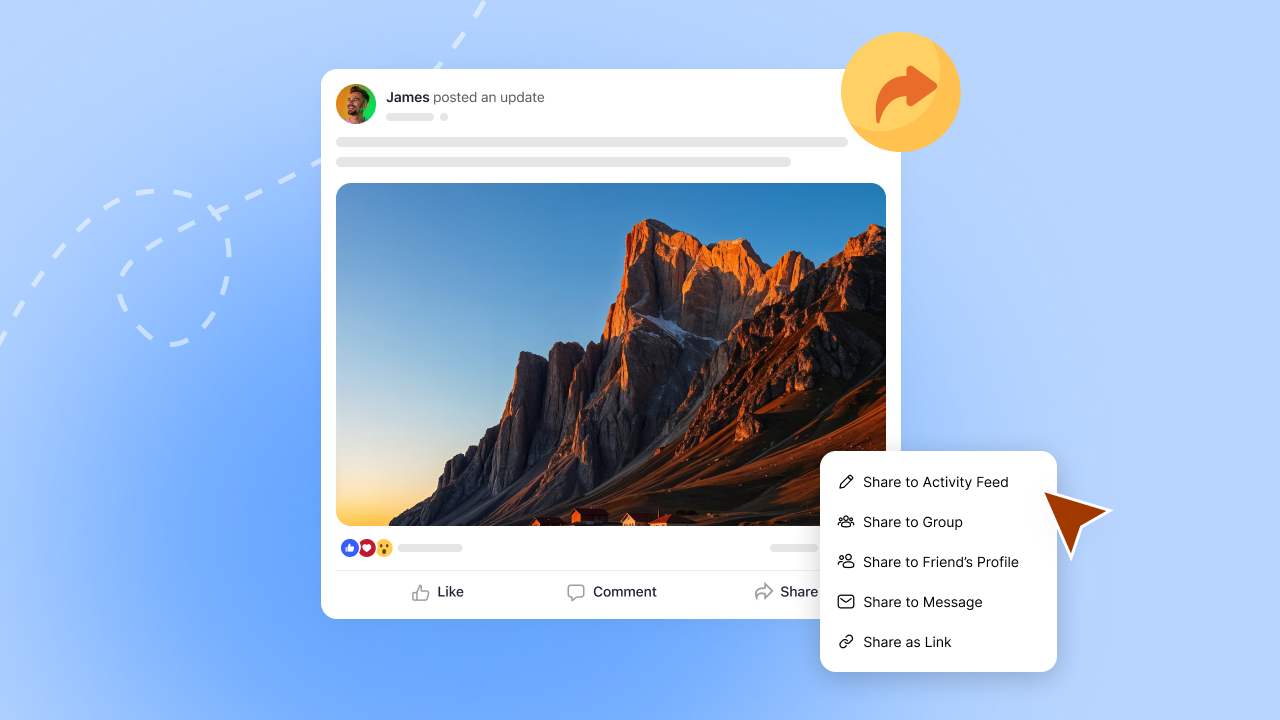
Members can reshare posts across groups, drop them on a friend's profile, send them via message, or broadcast them to Facebook, LinkedIn, WhatsApp, X, and Messenger.
All with professional Open Graph (OG image) previews that make your shared links look incredible.
No more screenshotting posts. No more manually copying content between groups. No more watching great discussions die in a single feed while members who'd benefit most never discover them.
This is built-in and works across your BuddyBoss Web experience, and when paired with the BuddyBoss App, members can also share content from their mobile devices. Your members create valuable content every day. Now that content can actually reach the people who need to see it: inside your community and across the social web.
What Activity Sharing Actually Does
Activity Sharing gives you two distribution channels working together:
Internal sharing moves content between spaces in your community. A discussion in the main feed can jump to a specific group. A question from one group can reach another relevant group. A valuable insight can land directly on a friend's profile or in a private message thread.
External sharing connects your community to social media. Members broadcast activity posts to Facebook, WhatsApp, LinkedIn, X, and Messenger with properly formatted Open Graph previews. Your shared links look professional, complete, and clickable.
Both systems work together while respecting your privacy settings. Private content stays private. Public content gets maximum visibility.
Internal Sharing: Cross-Pollinate Your Best Content
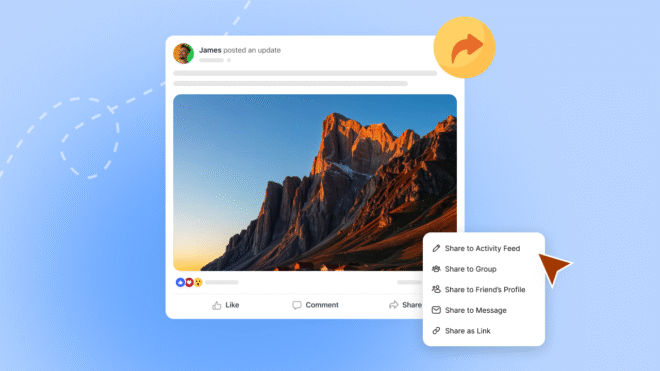
Internal sharing gives members four ways to amplify content, each serving different purposes.
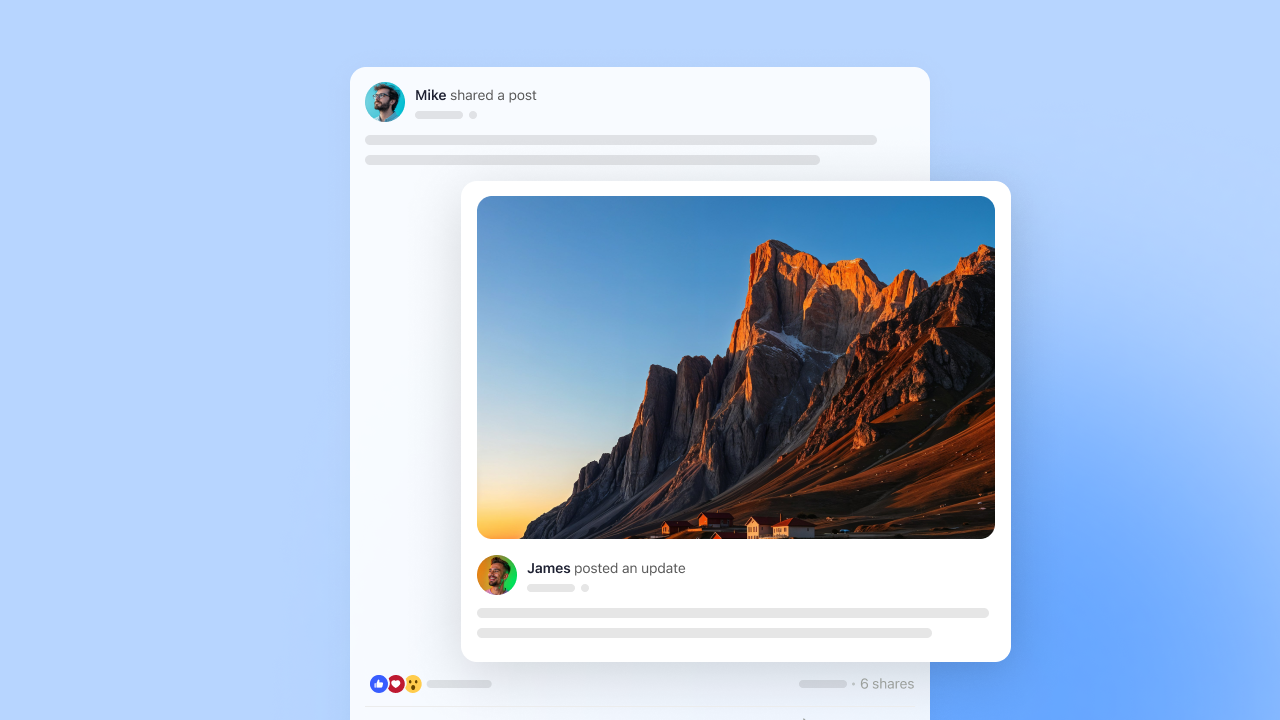
Share to Activity Feed
Broadcasting to the activity feed works like a retweet. The original post appears with fresh visibility to everyone following the sharer. Enable custom messages (in Activity Sharing settings) and members can add their perspective: “This approach increased my completion rate by 40%.” That context transforms passive reposting into active endorsement.
Share to Groups
Group sharing routes content into focused spaces. Someone spots a training question in the main feed and pushes it to the “Customer Success Managers” group. Now specialists can discuss it without noise from unrelated conversations.
Share to Friend Profiles
Profile sharing creates one-to-one engagement. You see a job posting relevant to a friend and drop it on their profile. They get notified immediately. Personal recommendations carry more weight than algorithm-driven suggestions, and this feature shows you're paying attention to what matters to them.
Profile sharing excels in communities focused on networking, career development, or peer support.
Share to Messages
Message sharing moves content into private conversations. A post sparks a sensitive topic better handled privately? Share it to messages. Want to coordinate with specific team members without broadcasting publicly? Messages.
Not everything needs public visibility. Private sharing respects community dynamics while keeping conversations flowing.
External Sharing: Extend Reach Beyond Your Platform
External sharing turns members into ambassadors who introduce your community to their broader networks.
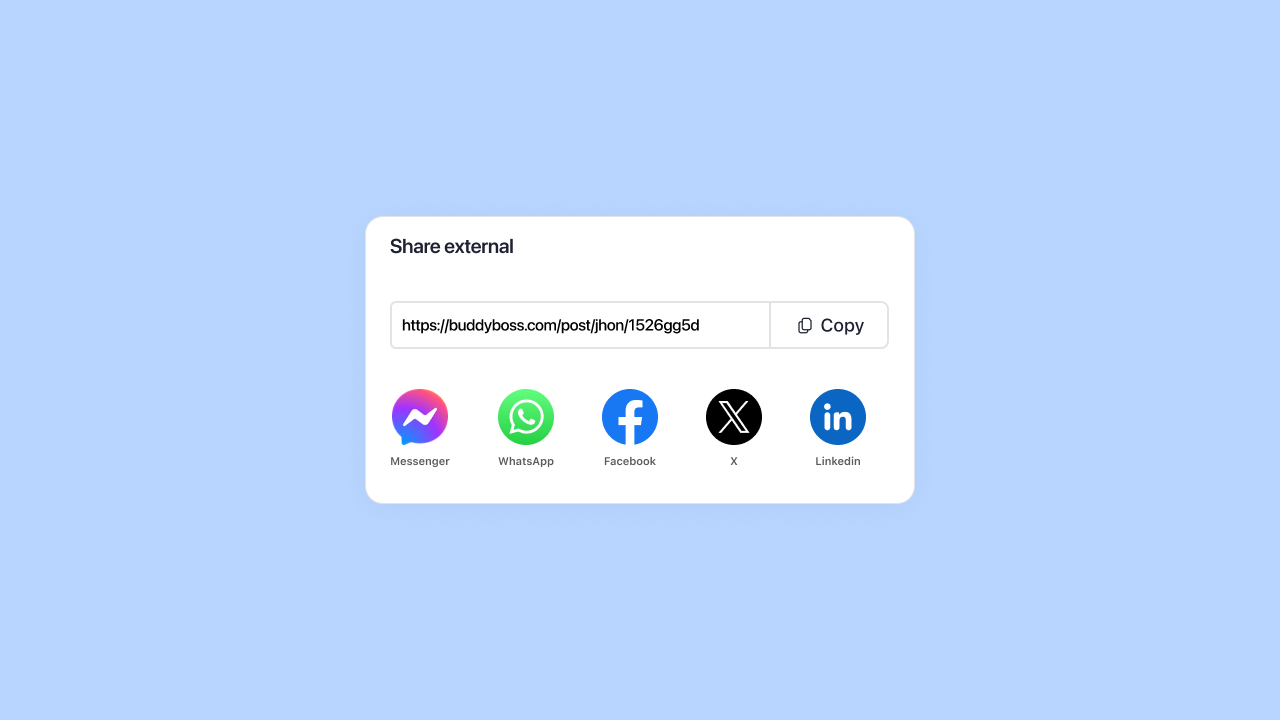
Share as Link with Professional Previews
Share as link generates a URL with complete Open Graph metadata. When members paste this on social media, platforms automatically display your custom title, description, and image. BuddyBoss shows the shareable link in a modal with one-click copy functionality.
Members use dozens of communication tools. Share as link works with all of them: email, Slack, Discord, or any platform you haven't explicitly integrated.
Direct Platform Integration
Members can share directly to Facebook, WhatsApp, and LinkedIn without copying and pasting. Click the icon, add an optional message, publish.
With 5.22 billion social media users worldwide, external sharing puts your content in front of massive audiences.
Cross-Platform Consistency: BuddyBoss Web and Mobile
Activity Sharing works identically on desktop web and the BuddyBoss mobile app. Members get the same sharing options, the same interface, the same functionality whether they're at their desk or on a train.
Mobile sharing matters because 70% of social media engagement happens on phones. Your members aren't always at computers when they want to share valuable content. The app integration ensures they can amplify discussions the moment inspiration strikes.
Search functionality in both web and app interfaces lets members quickly find the right group or friend to share with. No endless scrolling through lists.
Privacy Protection in Activity Sharing: Secure by Design
Privacy shouldn’t be an option for your members. They trust you with discussions, personal information, and professional insights. Activity Sharing treats privacy as a core requirement.
Private Mode Sites Lock Down External Sharing
Run your community in Private Mode? On fully private sites, logged-out visitors are redirected to the login page. External shares won’t expose private activity content to people who don’t have access. Internal content stays completely hidden from social platforms and search engines.
This protects communities built for exclusive groups, paid memberships, or sensitive topics. Medical communities, legal discussions, corporate training platforms, they all stay secure. Members get full internal sharing capabilities while external visibility stays restricted.
Private Group Content Stays Protected
Private and hidden groups maintain security boundaries regardless of sharing settings. If a post lives in a private or hidden group, external viewers won’t see the content. BuddyBoss checks member permissions so private content only appears to people who are allowed to view it
Members can still share private group content internally to other authorized members. The system checks permissions automatically.
Granular Indexing Controls
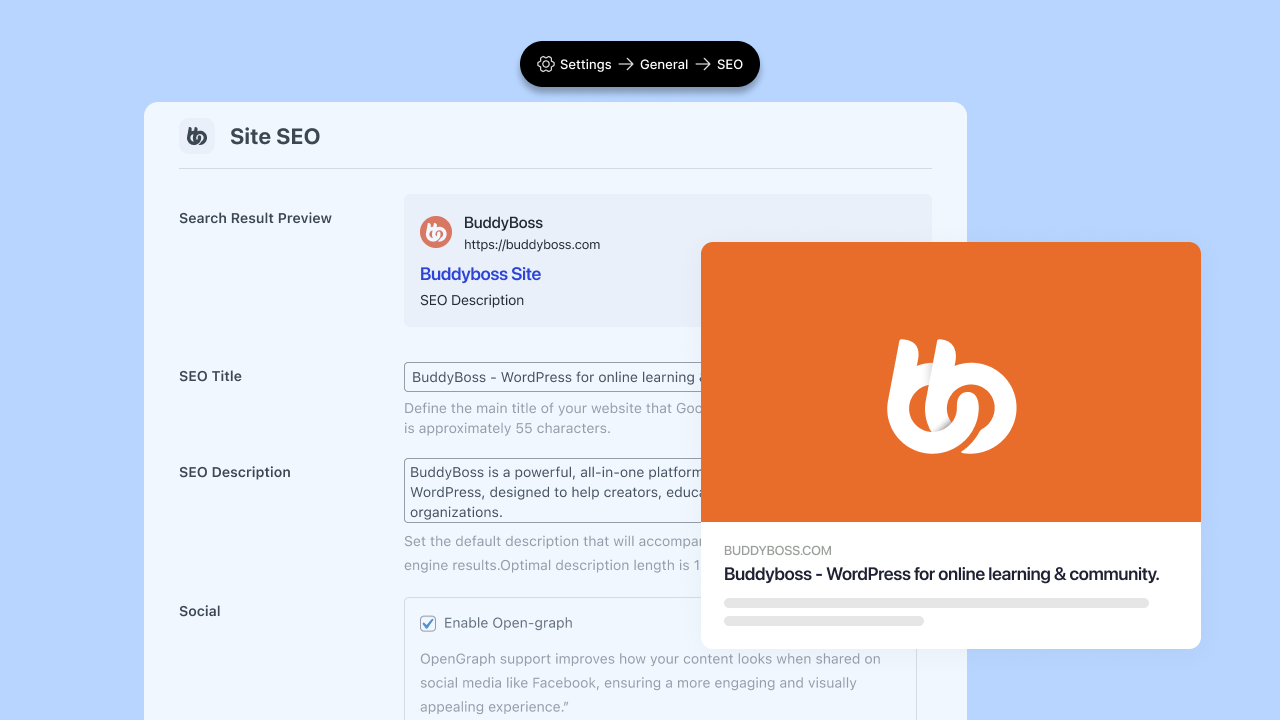
Indexing controls in Site SEO settings (Settings > General > Site SEO) give you another privacy layer. Checkboxes for Posts, Profiles, and Groups let you control exactly what search engines see.
Turn off profile indexing to keep member information out of search results. Disable group indexing to prevent search engines from cataloging your community structure. Leave posts enabled if you want public discussions discoverable.
Balance discoverability with privacy based on your community's specific needs.
Activity Sharing Setup Guide: Five Minutes to Full Functionality
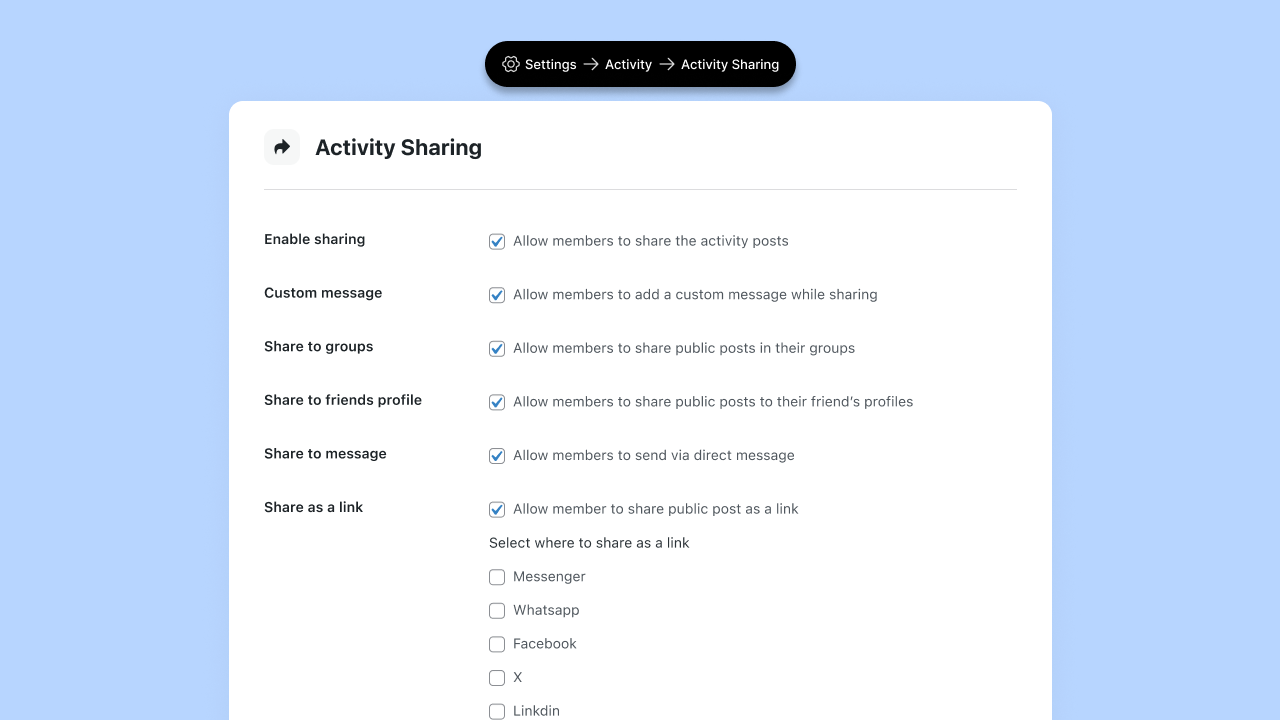
Installation: Five Minutes, One Plugin
Activity Sharing requires the BuddyBoss Sharing plugin, available in your Platform Pro or Platform Plus account dashboard.
- Download it, upload to WordPress (Plugins > Add New), activate.
- Configuration lives in BuddyBoss > Settings > Activity > Activity Sharing.
Additionally, certain sharing options require specific BuddyBoss components enabled:
| Sharing Option | Requires Component |
| Share to Groups | Groups component |
| Share to Friend Profiles | Member Connections component |
| Share to Messages | Messages component |
If a component isn't active, that sharing option won't appear. This keeps the interface clean and relevant to your community's actual setup.
Configuration Options
Enable Sharing: Master toggle that activates the feature and adds share buttons to all activity posts.
Custom Message: Determines whether members can add personal context when sharing. Enable this, as context makes shares more valuable.
Share to Groups / Friend Profiles / Messages: Toggle each option based on your community structure and goals.
Share as a Link: Enables external sharing. When activated, you can then enable specific platforms: Messenger, WhatsApp, Facebook, X, LinkedIn.
Choose channels where your members actually spend time. Professional networks benefit from LinkedIn. Mobile-first communities need WhatsApp. Consumer brands prioritize Facebook. Fewer purposeful options work better than overwhelming members with choices.
Site SEO Configuration
Navigate to Settings > General > Site SEO.
Enter your SEO title and meta description: these become default values for all shared content. Enable Open Graph support. Upload your Open Graph image (minimum dimensions: 1200 x 630 pixels).
Choose what gets indexed: Posts for activity content in search results, Profiles for discoverable member pages, Groups for findable community spaces.
Save settings. Your sharing infrastructure is live.
The Tracking Advantage: Connected Engagement Metrics
BuddyBoss automatically tracks and links shared content back to original posts. Engagement metrics remain connected regardless of where content gets shared.
This matters for analytics. You can see which posts generate sharing activity, which types of content spread fastest, and which sharing methods drive the most engagement. Track patterns over time to understand what your community values.
Most platforms treat shares as disconnected copies. BuddyBoss maintains the connection, giving you better data for strategic decisions.
Real-World Applications: Who Benefits Most
Online Course Platforms
Students discover a study technique that helps them finally grasp a difficult concept. They share it with their cohort group. Now twenty other students benefit instead of one. Course completion rates increase because knowledge spreads efficiently.
Instructors can share exemplary student work to relevant groups, showcasing what success looks like. Peer learning accelerates when valuable insights circulate freely.
Professional Networks and Communities
A member solves a complex technical problem and posts the solution. Colleagues share it to their company's private group. Industry peers share it externally to LinkedIn. The original poster gains recognition. The community establishes authority. New members discover the platform through high-quality content.
Professional communities grow when members can easily show colleagues why they should join.
Brand and Customer Communities
Customers post product tips, creative use cases, and troubleshooting solutions. Community managers share the best content to relevant product-specific groups. Power users share externally to social media, effectively marketing your product through authentic testimonials.
User-generated content generates more trust than any advertisement. Activity Sharing turns that content into growth fuel.
Activity Sharing Available Now for Platform Pro and Plus!
Activity Sharing ships with BuddyBoss Platform Pro and Plus. Download it from your account dashboard, install the plugin, activate it, and configure your settings.
The feature works with your existing community setup, which means no migration, no data restructuring, no breaking changes.
If you're currently on the free Platform tier and run multiple groups with active cross-pollination needs, upgrading to Pro gives you Activity Sharing plus reactions, polls, scheduled posts, and learning management integrations.
Your members create valuable content every day. Activity Sharing ensures it reaches the people who need to see it, whether that's across your community or across social media.
Enable it. Track what spreads. Build more of what works. Let your members drive growth instead of carrying it all yourself.