WordPress isn’t just for blogs anymore, it's a powerful platform for creating online courses, training programs, and entire eLearning businesses.
Thanks to robust plugins and integrations, you can transform your WordPress site into a fully functional Learning Management System (LMS) that rivals dedicated eLearning platforms.
In this guide, we’ll look at the best learning management systems for WordPress, their key features, and practical use cases to help you choose the right one for your needs.
Why Use WordPress as an LMS?
WordPress offers unmatched flexibility and control over your online learning experience. Unlike hosted LMS solutions, a WordPress LMS gives you:
- Full ownership of your content, design, and data
- Scalability with thousands of themes and plugins
- Cost-effectiveness with no high monthly SaaS fees
- Community features like forums and social learning integrations
Customization to match your branding and learner experience, and much more. With the right LMS plugin, you can manage courses, track student progress, create quizzes, issue certificates, and even sell memberships all inside WordPress.
Best Learning Management Systems for WordPress
Here are the top LMS plugins for WordPress and the types of projects they work best for.
| LMS Plugin | Starting Price | Best For | Standout Features |
| LearnDash | $199/year | Pro courses & institutions | Drip content, quizzes, certificates |
| MemberPress | $179/year | Paid memberships | Access control + LMS in one |
| LifterLMS | Free (Add-ons) | Coaching & memberships | Course bundles, badges, upsells |
| Tutor LMS | Free / Pro | Beginners | Drag-and-drop, quiz builder |
| WP Courseware | $129/year | Simple course delivery | Real-time learner tracking |
| Sensei LMS | Free / Paid | WooCommerce store owners | Sell courses like digital products |
| MasterStudy | $89/year | Live & interactive learning | Zoom/Google Classroom, reviews |
1. LearnDash – Best for Professional Online Courses
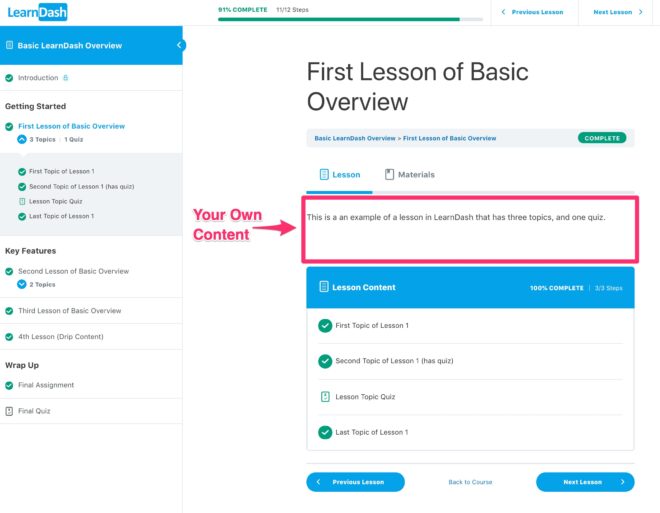
LearnDash is one of the most popular learning management systems for WordPress, trusted by universities, professional educators, and corporate trainers.
Key Features:
- Drag-and-drop course builder
- Advanced quizzes, assignments, and certificates
- Drip-fed lessons for structured learning paths
- WooCommerce, BuddyBoss, and payment gateway integrations
Best Use Cases:
- Professional educators & coaches selling high-value digital courses.
- Corporate teams running internal training or onboarding programs.
- Membership communities that blend education with private forums or social features.
LearnDash strikes the ideal balance between depth and ease-of-use, giving you complete control over your course design, monetization, and learner experience.
2. MemberPress – Best for Membership-Based Course Sites
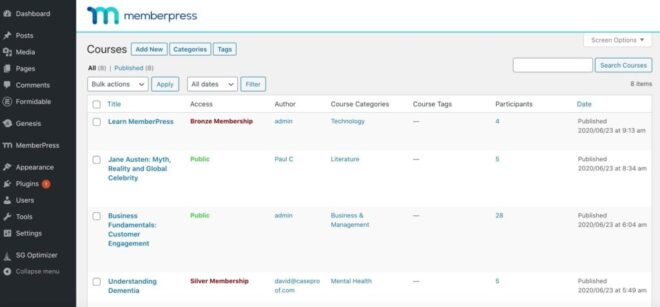
MemberPress is a powerful all-in-one membership and course plugin built for creators who want to monetize gated content, offer tiered access, and build sustainable subscription-based learning models. With its Courses add-on, it transforms WordPress into a sleek, user-friendly LMS.
Key Features:
- Intuitive drag-and-drop LMS interface powered by the MemberPress Courses add-on.
- Easily control who sees what based on membership levels or purchase history.
- Accept payments via Stripe, PayPal, and Authorize.net—no extra plugins required.
- Schedule when members get access to content or restrict it after a certain period.
- See who’s enrolled, completed, or dropped off with built-in analytics.
Best Use Case:
- Creators selling ongoing access to learning libraries, templates, or resource vaults.
- Educators running tiered memberships with courses, workshops, and bonus content.
- Coaches and consultants offering structured training with recurring revenue models.
MemberPress is ideal if your goal is to build a full membership site with LMS features baked in without juggling multiple plugins. It’s perfect for creators who value simplicity, reliability, and monetization control.
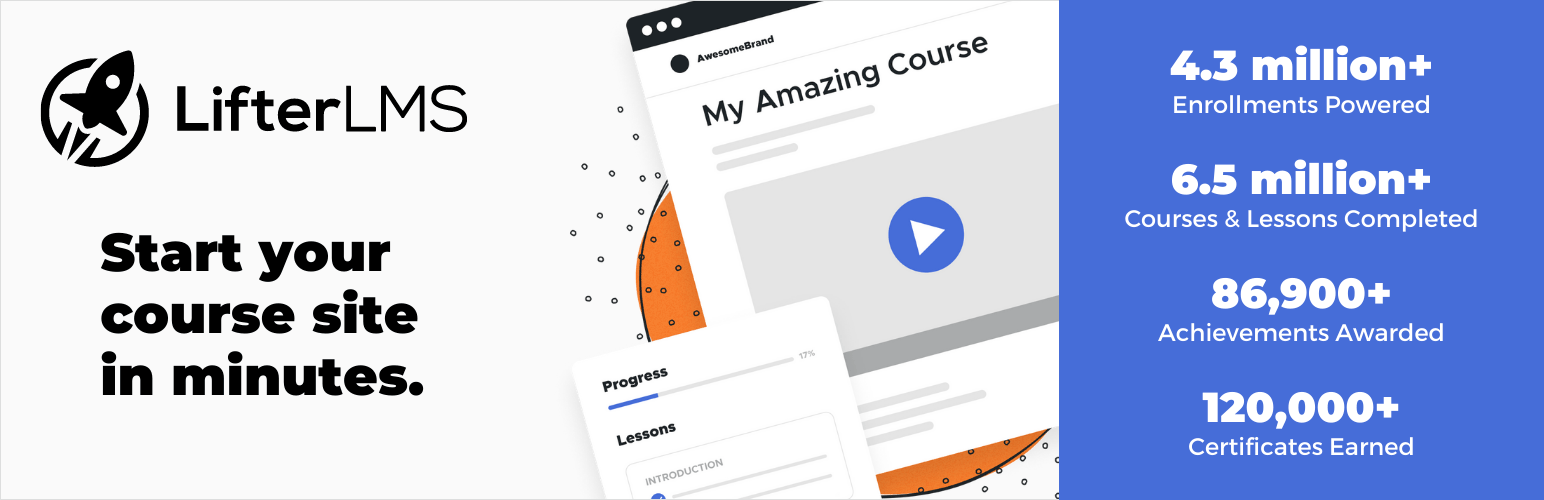
3. LifterLMS – Best for Membership and Community Learning
LifterLMS is a versatile WordPress LMS plugin built to support creators who want to blend online courses with memberships, coaching, and community engagement. It’s ideal for building a full learning ecosystem under one roof with no patchwork of tools required.
Key Features:
- Multimedia course builder
- Tiered memberships and bundled course packages
- Badges, certificates, and gamification
- Integrations with payment gateways and marketing tools
Best Use Cases:
- Creators building community-powered learning hubs with interaction, support, and member progression.
- Coaches and mentors offering course + coaching bundles with flexible pricing options.
- Membership site owners looking to add structured learning paths and upsells.
LifterLMS is perfect if you want to combine education, engagement, and monetization without relying on multiple plugins. Its focus on student experience, community-building, and coaching makes it a strong choice for relationship-driven learning platforms.
4. Tutor LMS – Best for User-Friendly Course Creation
Tutor LMS is a lightweight, intuitive LMS plugin that makes launching an online course fast and frustration-free even for beginners. Its streamlined setup, clean interface, and powerful tools make it ideal for creators who want functionality without the bloat.
Key Features:
- Easily build and manage courses without touching the WordPress backend.
- Create engaging quizzes with timers, question randomization, and detailed analytics.
- Learners get access to progress tracking, course reviews, and certificates.
- Seamless integration with WooCommerce, Easy Digital Downloads, and Paid Memberships Pro.
- Unlock lessons over time or based on completion to guide learners through structured paths.
Best Use Case:
- Solo creators and educators who want to get up and running quickly with minimal setup time.
- Small businesses introducing internal team training or knowledge-sharing platforms.
- Multi-topic course creators who need a scalable, clean interface to manage diverse content.
Tutor LMS strikes a smart balance between simplicity and power. If you want a platform that lets you teach without a steep learning curve, but still offers room to grow, this plugin delivers.
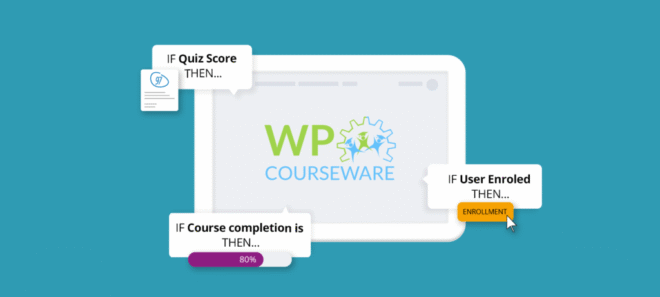
5. WP Courseware – Best for Simple Course Management
WP Courseware is a straightforward, easy-to-use LMS plugin designed for creators who want to add online courses to their site without overcomplicating things. It strips away the noise and focuses on clean course delivery and smooth user experience.
Key Features:
- Quickly create and organize course content with an intuitive module and lesson layout.
- Monitor learner completion, quiz results, and enrollment details in real time.
- Add quizzes to test knowledge and issue certificates upon completion.
- Works seamlessly with tools like WooCommerce, MemberPress, and Restrict Content Pro.
Best Use Cases:
- Businesses or teams delivering internal training or onboarding materials.
- Content creators and bloggers adding a lightweight learning component to an existing site.
- Instructors or coaches looking for a no-frills way to deliver video or written lessons without needing complex features.
If you're after a simple, effective LMS that gets the job done without a steep learning curve or feature overload, WP Courseware is a solid choice.
6. Sensei LMS (by WooCommerce) – Best for WooCommerce Integration
Sensei LMS, built by the team behind WooCommerce, is ideal for creators who want to treat their courses like digital products. With tight native integration, it’s a natural fit for anyone already running a WooCommerce-powered site.

Key Features:
- Create and organize lessons, modules, and media with ease.
- Test learner knowledge and assign grades automatically or manually.
- Sell courses directly from your store with support for subscriptions and bundles.
- View completion status and student activity through basic reporting tools.
Best Use Cases:
- Ecommerce sites looking to sell educational products alongside physical or digital goods.
- Course creators already using WooCommerce who want tight integration without third-party plugins.
- Simple educational setups that don’t need advanced features like gamification or deep analytics.
If you're already familiar with WooCommerce and want to monetize courses without switching platforms, Sensei LMS offers one of the smoothest ways to do it, especially for WordPress-based shops.
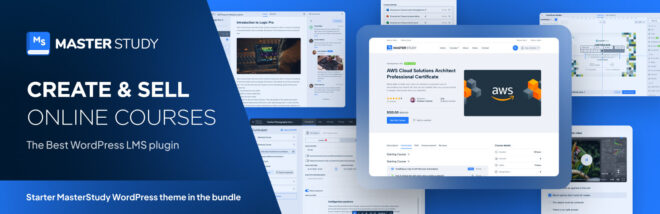
7. MasterStudy LMS – Best for Interactive Learning
MasterStudy LMS is built for engagement. With support for live streaming, real-time lessons, and detailed course reviews, it's ideal for educators who want to bring classroom-like interaction into their online platform.
Key Features:
- Host real-time classes and webinars via Zoom or Google Classroom.
- Include timed quizzes, randomization, and multiple question types.
- Let students rate courses and view instructor profiles for added credibility.
- Control how and when content becomes available.
- Great for institutions with multiple teachers or departments.
Best Use Cases:
- Live learning environments like webinars, workshops, or coaching sessions.
- Educational institutions seeking a digital classroom with real-time teaching tools.
- Blended learning models that combine pre-recorded content with live engagement.
If your teaching style relies on interaction and feedback, MasterStudy LMS delivers a classroom-like feel with all the flexibility of WordPress.
Real-World Use Cases for Learning Management System
LearnDash + BuddyBoss
Who uses it: Lucy Wolfe (Sleep Matters), Althris professional training, and companies like Flash University and Project Life Mastery
Use Case: Structured courses with integrated community support
Details: Lucy Wolfe (Sleep Matters) built a scaled parent-coaching platform combining LearnDash courses and BuddyBoss-powered community forums to drive support and completion rates. Similarly, Althris uses the duo to deliver rigorous corporate training with drip content, quizzes, and credentialing for professionals. Flash University leverages BuddyBoss and LearnDash for global hybrid learning, supporting bulk user imports and Zoom integration.
LifterLMS
Who uses it: Melissa Love – The Design Space membership site
Use Case: Course + membership site with expert contributors
Details: Melissa Love built a thriving training and membership platform using LifterLMS. Her site serves over 500 students, includes multiple instructor-led courses, and maintains a waitlist. It’s powered by LifterLMS and integrates with WooCommerce and community features.
MasterStudy LMS
Who uses it: Online educators, workshop hosts, and institutions offering live instruction
Use Case: Blended learning with live webinars and reviews
Details: MasterStudy LMS is chosen by creators and institutions that combine recorded content with Zoom or Google Classroom live sessions, interactive quizzes with timers, and detailed instructor profiles for credibility and engagement.
Sensei LMS + WooCommerce
Who uses it: AMK Pro Platform, Vitruvian Studio Art Courses
Use Case: Selling courses as WooCommerce products
Details: AMK Pro used Sensei paired with WooCommerce to list courses like any other digital product complete with student registration, course purchase flow, and campaign monitor sync. The setup allowed seamless purchase and enrollment in courses like “Mastering WordPress without Programming.” Other examples include art course platforms built using Sensei as the course engine.
Frequently Asked Questions
1. What is a learning management system for WordPress?
A WordPress LMS is a plugin that transforms a standard WordPress site into a full-featured eLearning platform enabling you to create, manage, and sell courses with assessments, user tracking, certifications, and more.
2. Which WordPress LMS plugin should I choose for professional courses?
For structured, high-value courses, LearnDash is the go-to choice with features like drip-fed content, advanced quizzes, and seamless integration with community tools like BuddyBoss.
3. Can I build a membership site with course content?
Absolutely. MemberPress and LifterLMS are designed to combine gated content, tiered memberships, and course delivery all in one setup. Perfect for subscription-based models with added perks.
4. Which LMS is best suited for beginners?
Tutor LMS and WP Courseware are ideal if you want a quick, lightweight setup. They offer drag-and-drop course builders, quizzes, and certification tools without overwhelming complexity.
5. What if I already run a WooCommerce store?
Then Sensei LMS is a smart pick—it lets you sell courses just like your other digital products with no extra eCommerce plugins required.
6. How can I offer live or interactive classes?
Choose MasterStudy LMS for support with live streaming, Zoom integration, timed quizzes, and interactive features that simulate a real classroom environment.
7. Are these WordPress LMS plugins GDPR compliant?
Most plugins like LearnDash, MemberPress, LifterLMS, and others offer tools or extensions to help meet GDPR (and global privacy law) requirements, but it's important to review settings and policies to stay compliant.
8. Can I switch LMS plugins later on?
Yes, but migrating course data, users, and certificates can be time-consuming. You’ll likely need migration tools or developer help so choose the LMS that aligns closest with your long-term goals upfront.
Let's Get Started
The best learning management systems for WordPress depend on your goals, audience, and the type of experience you want to create.
If you’re looking for a professional, scalable solution, LearnDash remains the top choice.
For community-driven learning, LifterLMS is a great fit, while Tutor LMS is ideal for beginners who want simplicity.
👉 Want the ultimate learning + community experience? Pair LearnDash with BuddyBoss to create an engaging online learning platform that keeps students connected.