
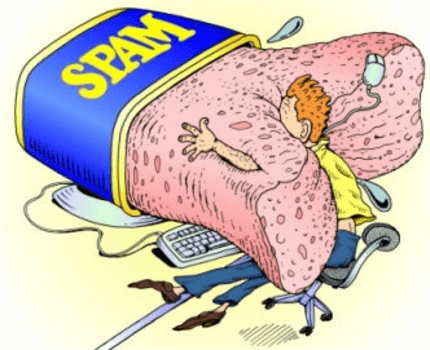
If you have been running a BuddyPress site without any spam protection, you will probably notice that you are receiving a lot of spam. The biggest areas for spam are:
- fake user signups
- fake activity updates
- fake blog comments
- fake blogs created (if you have user blogs enabled in BuddyPress)
This can be incredibly annoying and can dilute the user experience on your site. It’s fairly easy to stop the automated spam, which accounts for the vast majority. There are human spammers as well – mostly people hired from low wage countries to bypass spam protection by hand. There’s little you can do to stop them. Fortunately they make up only a small minority of all spam.
Why do spammers attack BuddyPress sites?
Before getting into how to prevent spam, you should understand the reason people are spamming you in the first place. A fantastic explanation of why spammers attack BuddyPress communities was posted at this BuddyPress.org forum thread: http://buddypress.org/community/groups/requests-feedback/forum/topic/here-come-the-spammers/#post-52663
How to stop the spammers!
Installing and configuring the following plugins should block the vast majority of automated spam:
- Akismet
Akismet checks your comments against the Akismet web service to see if they look like spam or not and lets you review the spam it catches under your blog’s “Comments” admin screen. - WP-Hashcash
Eradicates comment spam by confirming (via Javascript) that a user actually opened your website in a web browser. - BuddyPress Humanity
Adds a customizable security question to the sign up form. You can choose your own questions and answers and change them at any time. - WPMU Super CAPTCHA
Prevents spam sign ups and blog creations on your BuddyPress site by forcing a visual confirmation CAPTCHA in order to login. You can personalize and control the way the CAPTCHA is rendered, so that each spam bot would have to be pre-configured just for your site in order to achieve a successful attack.
Need help blocking spam?
We can stop the madness. All work is billed at $100/hr. Contact us today to discuss your site.


 Article





Cheers for the review – any tips on getting the WPMU super captcha and bp humanity styled like the other elements on the buddyboss signup? Thanks
Thanks for the article, I have Akismet and Bad Behavior installed but still got 2-3 bots registering per day! I was also using SI Captcha with buddy-press but find it annoying for the users.
I’ll try WP-HashCash add Buddy-press humanity, this way I can ask an easy question about my site to make sure they “at least” read the content a bit (they should at least know the title of my site when registering right?)
Try WangGuard, you will never remove all bots because some have humans create the accounts and bots auto post.
Very useful post thanks. I’ve installed all of the plugins, except for WPMU Super CAPTCHA – I can’t seem to find that on the Wordpress plugin search.
The name has been changed to – ‘(NOW 3D!) Super CAPTCHA Security Suite’ – http://wordpress.org/extend/plugins/super-capcha/
I having hard time with spam messages.
most of plugins are not working for preventing spamming.
I wish we can put a CAPTCHA on bp message.
any idea?
I have 2 problems.
1. spam messages!
My hosting has limited email amount. 50 emails.
Now we get a lot of spam messages and it emails to users. therefore, it makes limited emails and caused for registration new users. I need to protect spam messages for registration and users.
I have tried several plugins. but it is not working fine with new version bp.
I am thinking to put “CAPTCHA” below the message sending box.
How can I set it up?
2. error for delete my account.
I am using bp on my 3rd blog. somehow users can not delete their’s account.
Do I have to set up anything else?
Rob,
Try WangGuard, you will never stop 100% of SPAM but there are a few things you can do like change your login slug so it’s not yourwebsite.com/wp-admin and using BulletProof Firewall plugin. Hope this helps.
hi TJ,
thanks for your answer. the problem is messaging to many of our members.
damn! I hate it.
he/she wrote not only english (may use translator)
it keeps bothering our users and complained. this spammer is same as when we are not using wp.
I wish we have CAPTCHA on messaging box.
Any idea for it?
Make it so only users can send messages to friends with this hack: http://blog.etiviti.com/2010/03/buddypress-hack-remove-send-private-message-for-non-friends/